


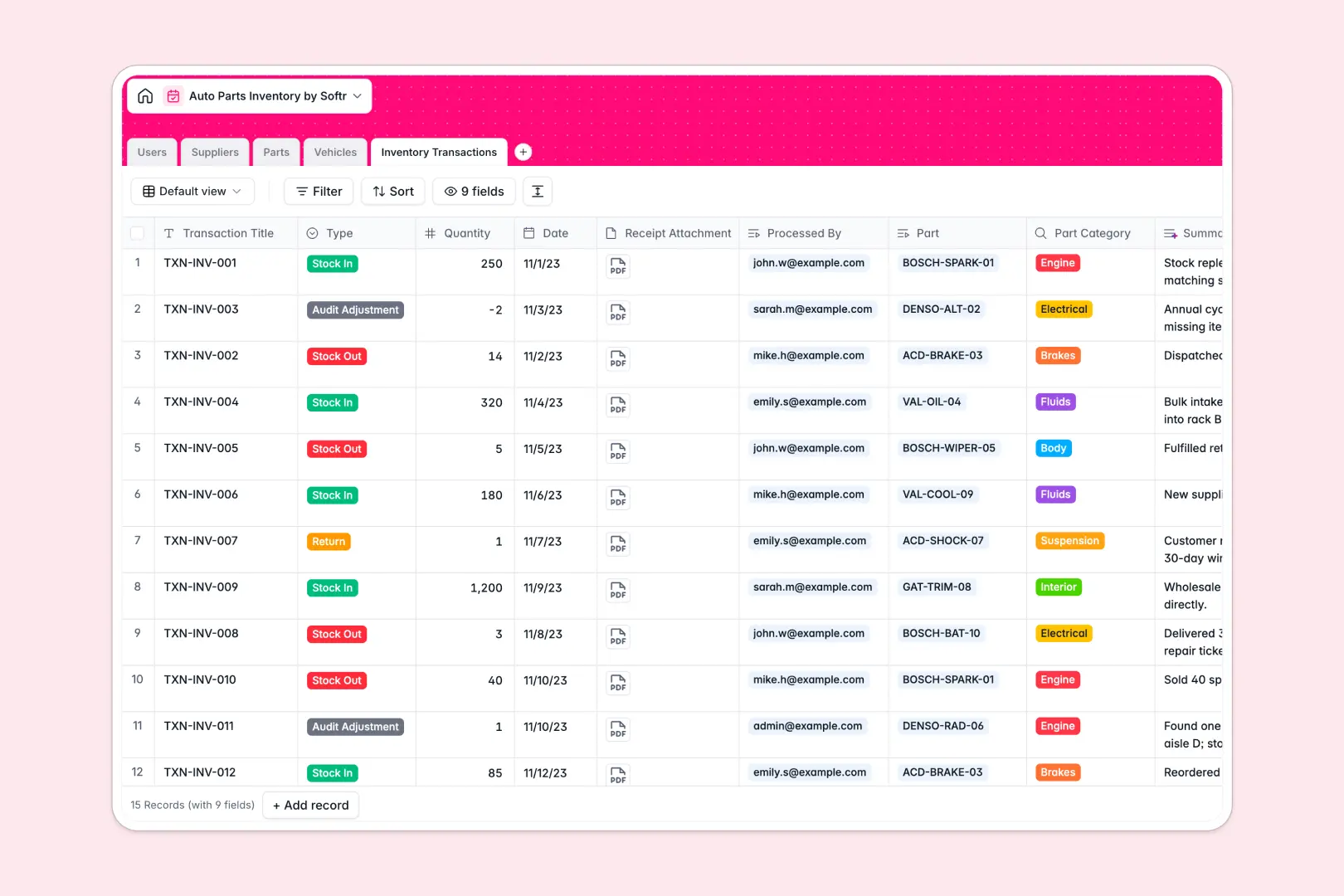
Your Auto Parts Inventory database at a glance
This template gives warehouse teams and automotive shops a dedicated system to track parts, monitor stock thresholds, and log stock movements. Keep accurate counts across every SKU without relying on fragile spreadsheet formulas.
Pre-built relational tables connect your Parts catalog directly to Suppliers, Compatible Vehicles, and logged Inventory Transactions. Staff members can log movements while rollups calculate available quantities accurately.
Integrated AI fields automatically summarize transaction ledger digests, enrich supplier profiles via live web research, and draft standardized part descriptions.
When a shared spreadsheet starts hiding your stock discrepancies
Google Sheets makes real-time collaboration effortless, but it was never designed to serve as an automotive inventory backend. When anyone can edit any cell, SKU numbers get overwritten, vehicle compatibility notes get messy, and sorting a tab can instantly break lookup formulas.
What a structured database changes
A database enforces strict data integrity across your entire automotive catalog. Numbers remain numbers, receipts stay attached to stock adjustments, and parts link natively to vehicle models without messy text matching.
Instead of trusting complex cross-sheet formulas that snap when a technician inserts a row, linked records maintain reliable relationships between parts and suppliers. This is exactly what Softr Databases are designed for.
While Softr can connect an existing Google Sheet as an external data source, keeping your operational inventory in a dedicated database gives your team a rock-solid foundation that never breaks during routine updates.
What you can do with this template
Map complex vehicle compatibilities to specific SKUs so your sales and repair teams always pull the exact component needed for a repair job.
Track every incoming shipment, return, and audit adjustment in a dedicated transaction ledger that ties directly to the staff member who processed it.
Use Database AI agents to conduct web research on new suppliers, generate vehicle specifications, and maintain consistent part catalogs automatically.
-
Users
Manage warehouse staff profiles, system access roles, and audit activity
-
Suppliers
Track parts vendors and generate web-researched company summaries via AI
-
Parts
Maintain stock levels, pricing, and generate part descriptions using AI
-
Vehicles
Catalog vehicle models and enrich compatibility specifications using AI
-
Inventory Transactions
Log stock movements and auto-generate transaction summaries using AI
Who is this Auto Parts Inventory database for
This database helps automotive businesses maintain precise control over inventory, procurement, and daily parts distribution:
- Auto Repair Shops: Match replacement components to customer vehicle makes, models, and production years accurately.
- Parts Distributors: Manage multi-category catalogs, minimum stock thresholds, and reorder levels across OEM and aftermarket lines.
- Warehouse Managers: Maintain accountability by tracking who processed specific stock-in and stock-out ledger events.
- Procurement Leads: Keep updated supplier directories with automated company research and verified contact details.
How to take it further
Customize the database structure to fit your workshop operations in minutes. Add custom categories for specialized tools, configure custom alert thresholds, or adjust supplier types natively inside your workspace.
Bring in your historical stock lists using the built-in CSV importer, or sync data directly through the API to connect with point-of-sale systems.
When you are ready to give your team a dedicated tool, generate an app with AI by describing your warehouse portal in a single prompt. Softr creates interactive stock-lookup dashboards and mobile scanning screens on top of this database, while granular users and permissions ensure warehouse staff log adjustments without exposing cost margins or vendor agreements.
-
1
-
2
-
3
-
4
Frequently asked questions
-
What is an auto parts inventory database?
-
Why use a no-code database to build an auto parts inventory system?
-
How can AI help managing data for auto parts inventory?
-
Can I build an app with this auto parts inventory database?
-
Is this Auto Parts Inventory database free?
-
How is this database different from tracking auto parts in Google Sheets?
Start building today. It's free!
Build and launch your first app in under 30 minutes.