


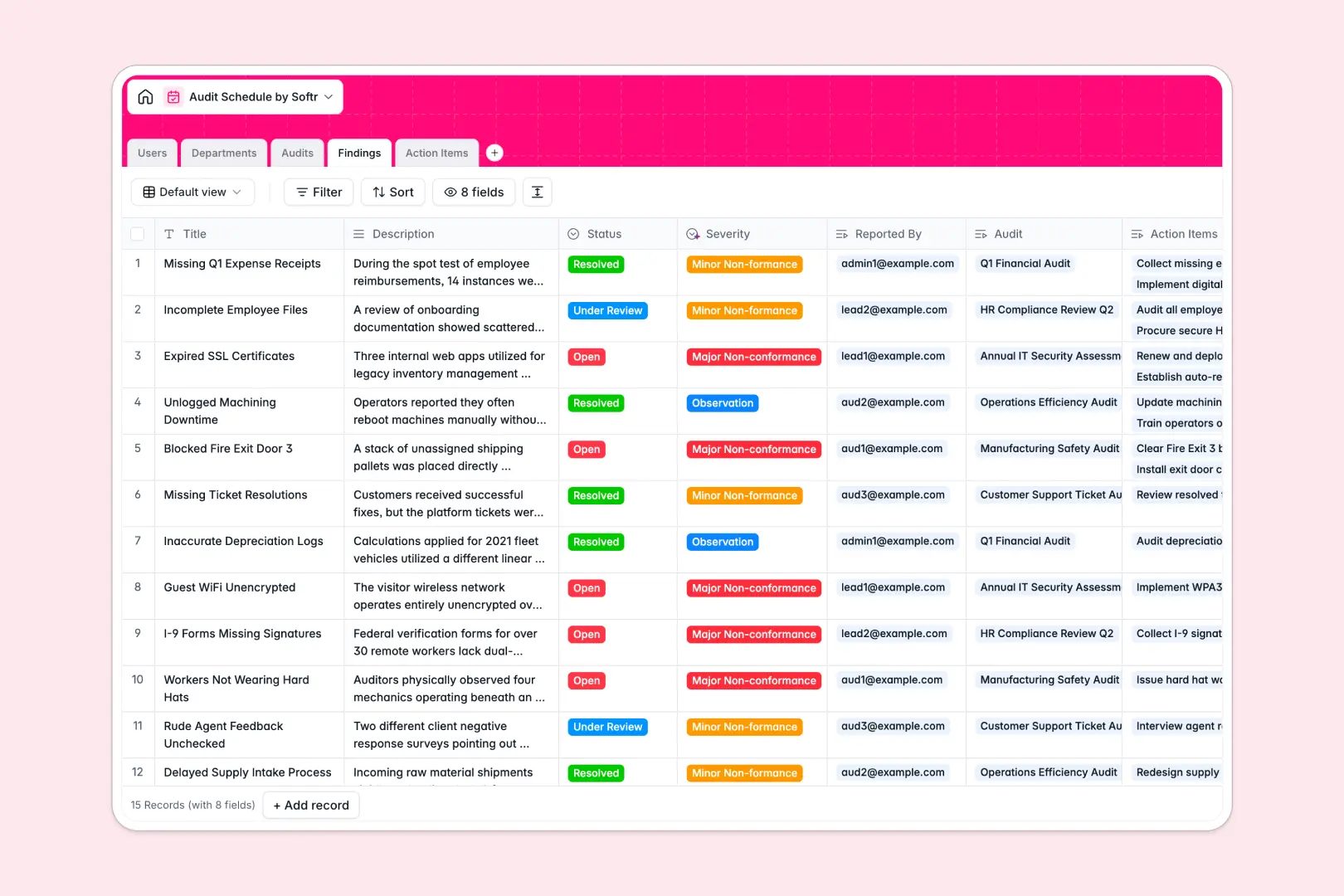
Your Audit Schedule database at a glance
This template centralizes your entire compliance lifecycle, from planning audit dates to tracking corrective tasks across departments.
It connects four dedicated tables: Audits link directly to Departments, Findings, and Action Items, ensuring auditors and team leads stay aligned without broken references.
Built-in intelligence automatically categorizes the severity of findings and writes comprehensive audit execution summaries as your team logs observations.
When audit calendars and finding logs outgrow Google Sheets
Google Sheets makes sharing easy, but compliance reviews break down when everyone can edit every cell, sort columns out of sequence, or view confidential non-conformances meant for management only.
What a dedicated compliance database changes
In a real database, every column enforces data integrity: dates remain valid timestamps, statuses follow approved select options, and action items stay tied to specific audit findings without fragile formulas.
This structure ensures audit trails remain tamper-proof and accurate as your review schedule expands across business units.
This is exactly what Softr Databases are designed for, giving compliance teams reliable data management without complex setup. (You can also connect an existing Google Sheet if you need to read live data from it.)
What you can do with this template
Assign lead auditors, log non-conformances, and delegate action items with clear deadlines in a single, connected environment.
With native Database AI agents, the database can automatically classify finding severity and summarize full audit reports based on logged observations.
-
Users
Manage auditor profiles, system roles, permissions and audit assignments
-
Departments
Organize business units and generate automated AI overview summaries
-
Audits
Schedule audit events and generate AI summaries from linked findings
-
Findings
Log audit non-conformances with AI-powered severity categorization
-
Action Items
Track remediation tasks, assignees, and deadlines for audit findings
Who is this Audit Schedule database for
Designed for compliance, quality assurance, and operational teams managing regular assessments:
- Internal Auditors: Track review milestones, document evidence, and compile standardized audit summaries quickly.
- Quality & Compliance Managers: Monitor department-wide findings and ensure timely resolution of corrective actions.
- Department Leads: Review assigned corrective tasks and update remediation progress without altering the audit log.
- Operations Directors: Gain instant visibility into cross-department compliance health and recurring operational risks.
How to take it further
1. Customize the database
Adapt the structure to match your regulatory standards by adding custom severity tiers, expanding finding categories, or adjusting user roles to match internal governance models.
2. Import your existing data
Quickly bring in historical audit logs or active department rosters via CSV upload, or use the API to sync live compliance records directly from other business systems.
3. Build a full app around it
Transform this database into an interactive compliance portal where department leads see only their assigned action items while auditors manage schedules.
Use Softr's AI app generator to generate custom views, submission forms, and dashboards in seconds, and apply granular users and permissions to control access across internal teams.
-
1
-
2
-
3
-
4
Frequently asked questions
-
What is an Audit Schedule database?
-
Why use a no-code database to build an audit schedule tool?
-
How can AI help managing data for an audit schedule?
-
Can I build an app with this Audit Schedule database?
-
Is this Audit Schedule template free?
-
How is an audit database different from Google Sheets?
Start building today. It's free!
Build and launch your first app in under 30 minutes.