


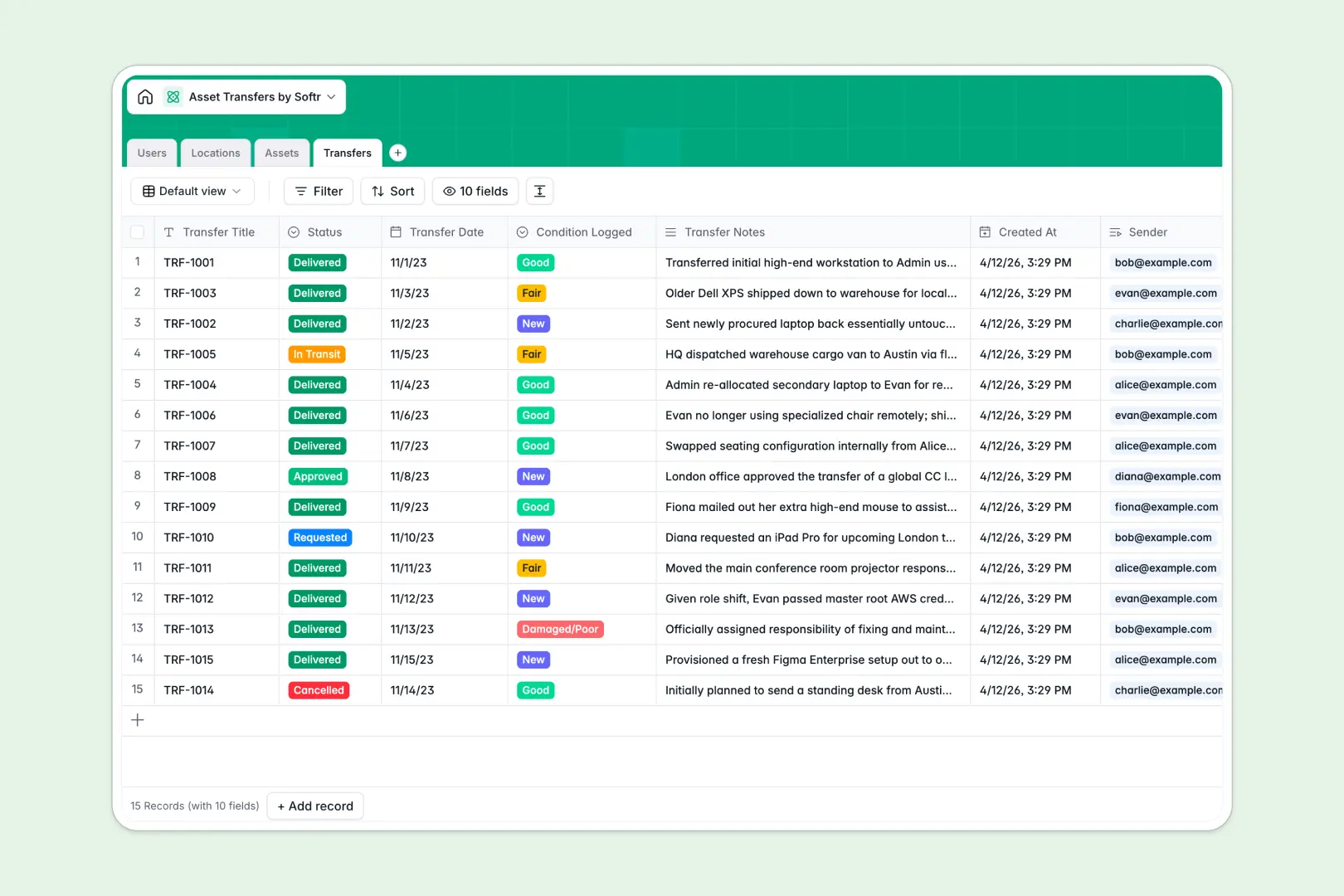
Your Asset Transfers database at a glance
This template gives you a complete, organized view of every piece of equipment moving through your company. It replaces messy tracking sheets with a structured system where nothing gets lost in transit.
The database connects four specific tables: Users, Locations, Assets, and Transfers. When an employee requests an upgrade or changes physical offices, you can link the item directly to the new owner and location instantly.
It also features built-in AI fields that automatically write equipment specification profiles by searching the web. The system natively summarizes condition logs and transfer notes so you never have to parse through messy histories.
Why tracking asset transfers in Google Sheets breaks down
Trying to track moving hardware and software licenses across spreadsheets quickly turns into inventory chaos. Rows get accidentally deleted, condition logs are inconsistently typed, and tracking who holds an asset requires endlessly updating manual lists.
What a structured database changes
A real data foundation enforces your structure so dates stay as dates and conditions remain restricted to approved options. You can link a transfer request to a specific employee and asset without relying on fragile VLOOKUPs that break when someone edits a column.
This is exactly what Softr Databases are designed for. Every asset, person, and transfer is treated as a distinct, connected record, keeping your inventory completely accurate as you scale.
What you can do with this template
You can instantly log transfer requests, track items in transit, and record condition updates the moment hardware lands on a desk. The relational structure automatically updates the asset's current user and location the instant a transfer is marked as delivered.
Thanks to Database AI agents, your ledger practically maintains itself. The system will automatically search the web to enrich your asset profiles and summarize the context of every transfer based on user notes.
-
Users
Manage organization members, contact details, roles and asset custody data
-
Locations
Organize physical work sites, offices and warehouses that house company assets
-
Assets
Track company inventory with AI-generated specifications and condition status
-
Transfers
Record asset movements with AI-powered summaries of logistics and condition log
Who is this Asset Transfers database for
This ready-to-use template is built for teams that need strict oversight over company property:
- IT Managers: Track laptops, software licenses, and peripherals moving between departments securely.
- Operations Leads: Manage office furniture and equipment transfers across physical warehouse locations seamlessly.
- HR Teams: Ensure smooth offboarding by identifying exactly which assets a departing employee currently holds.
How to take it further
Start by customizing the database to perfectly fit your company's specific inventory terminology. You can easily add new tracking columns, modify the asset category choices, or adapt the transfer statuses to mirror your internal approval steps.
Next, populate the system by importing your historical equipment logs or existing Google Sheets. You can upload bulk CSV files or use the API to sync existing data from your purchasing software directly into the database.
When you're ready, you can seamlessly transition this tracking ledger into a full internal tool by utilizing the interface builder. This lets employees securely submit their own transfer requests through a friendly web application without ever touching the raw database.
By setting up native users and permissions, you can ensure people only see their personally assigned assets while IT managers retain global oversight. Starting with a properly structured database makes developing these custom operational portals entirely effortless.
-
1
-
2
-
3
-
4
Frequently asked questions
-
What is an asset transfers database?
-
Why use a no-code database to build an asset transfers tool?
-
How can AI help managing data for asset transfers?
-
Can I build an app with this asset transfers database?
-
Is this Asset Transfers template free?
-
How does this template handle asset conditions over time?
Start building today. It's free!
Build and launch your first app in under 30 minutes.