


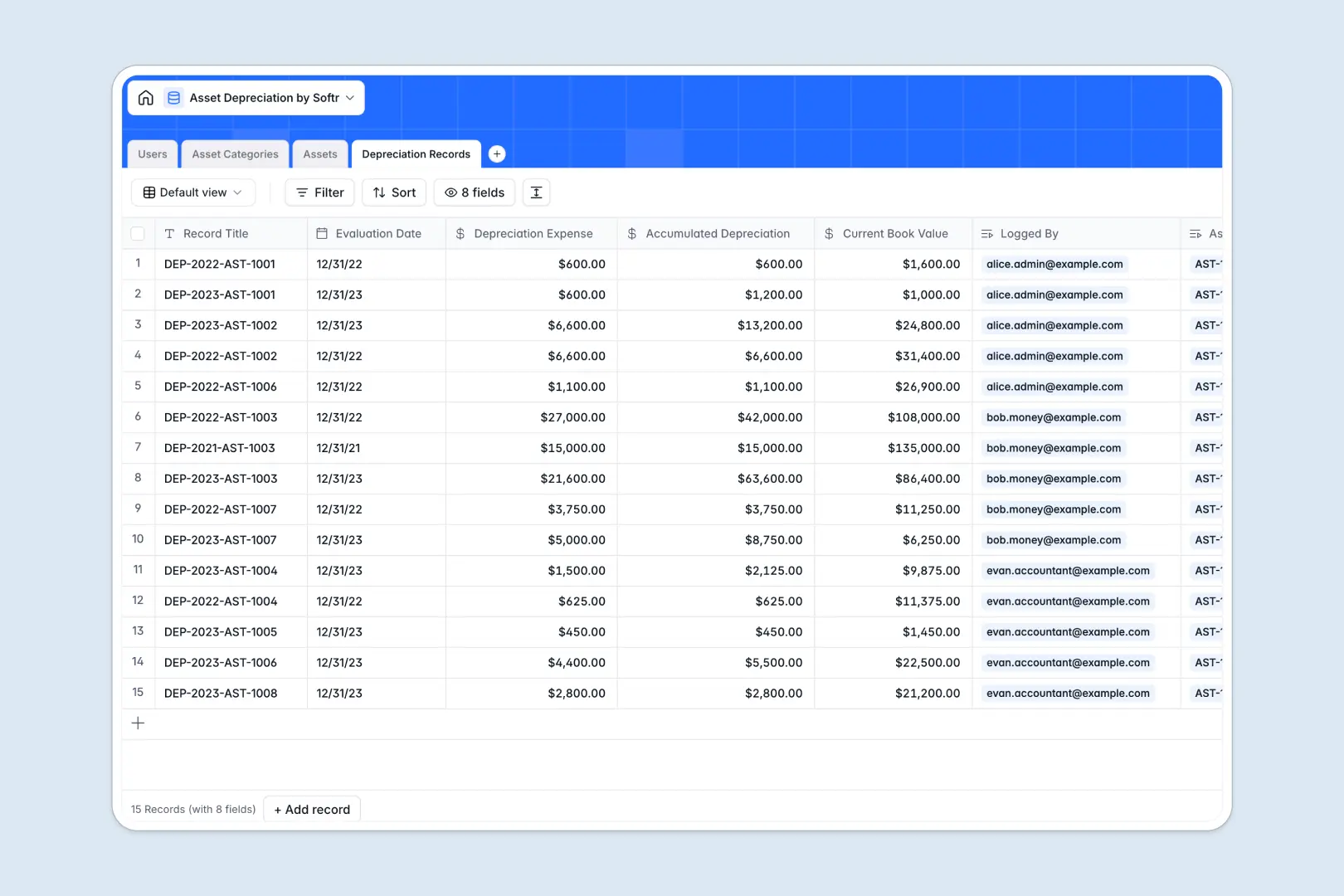
Your Asset Depreciation database at a glance
This template centralizes your fixed asset registry, useful life rules, and periodic valuation schedules in one reliable system. It helps accounting teams track book values and log expenses without the risk of manual miscalculations.
Everything is connected through structured tables: Assets link directly to Asset Categories for method rules (like Straight-Line or Double Declining Balance) and Depreciation Records to calculate current book value over time.
Built-in AI fields automatically research asset technical specs on the live web and generate concise executive summaries for individual valuation records.
When a row edit breaks your entire asset schedule
Google Sheets makes collaboration simple, but managing fixed asset schedules requires strict data integrity that open grids cannot guarantee. When anyone can overwrite a purchase price formula or insert a row that breaks multi-tab valuation calculations, your financial reporting is at risk.
What a structured database changes
In a structured database, values are strictly typed: dates remain dates, currency remains numeric, and relationships do not depend on fragile cell formulas. Linking an asset to an accounting category automatically applies the correct depreciation strategy across every historical record.
This is exactly what Softr Databases are designed for. You get absolute consistency across all asset entries, while still being able to connect an existing Google Sheet as an external data source if you need it.
What you can do with this template
Track purchase costs, salvage values, and accumulated depreciation in real time without building manual ledger formulas. Every logged depreciation record ties directly to the asset and the responsible accountant, giving you a clean audit trail.
Using native Database AI agents, the database can automatically search the web for equipment specifications and summarize periodic depreciation logs for stakeholders.
-
Users
Manage employee profiles, role permissions, and asset assignments
-
Asset Categories
Define depreciation rules and generate AI category summaries
-
Assets
Track company equipment with purchase costs and AI research narratives
-
Depreciation Records
Log periodic value decreases with AI-generated record summaries
Who is this Asset Depreciation database for
- Finance teams: Maintain strict fixed asset registries with predictable useful life schedules.
- Accountants: Log periodic depreciation entries and verify current book values automatically.
- Operations managers: Keep tabs on equipment assignments, maintenance contexts, and original purchase costs.
- Startup founders: Track capitalization and asset expense values without expensive ERP overhead.
How to take it further
Customize this database by adapting depreciation methods, modifying category rules, or adding custom fields like serial numbers and vendor receipts. You can configure options visually in seconds.
Bring in historical ledger entries by uploading a CSV of your current asset list or syncing live data via API for continuous updates.
When your team is ready, you can build an app on top of this data using Softr's AI Co-Builder. Generate an internal portal where team members view assigned equipment while accountants access depreciation ledgers with granular users and permissions.
-
1
-
2
-
3
-
4
Frequently asked questions
-
What is an asset depreciation database?
-
Why use a no-code database to build an asset depreciation system?
-
How can AI help managing data for asset depreciation?
-
Can I build an app with this asset depreciation database?
-
Is this Asset Depreciation template free?
-
How is this database better than using asset depreciation in Google Sheets?
Start building today. It's free!
Build and launch your first app in under 30 minutes.