


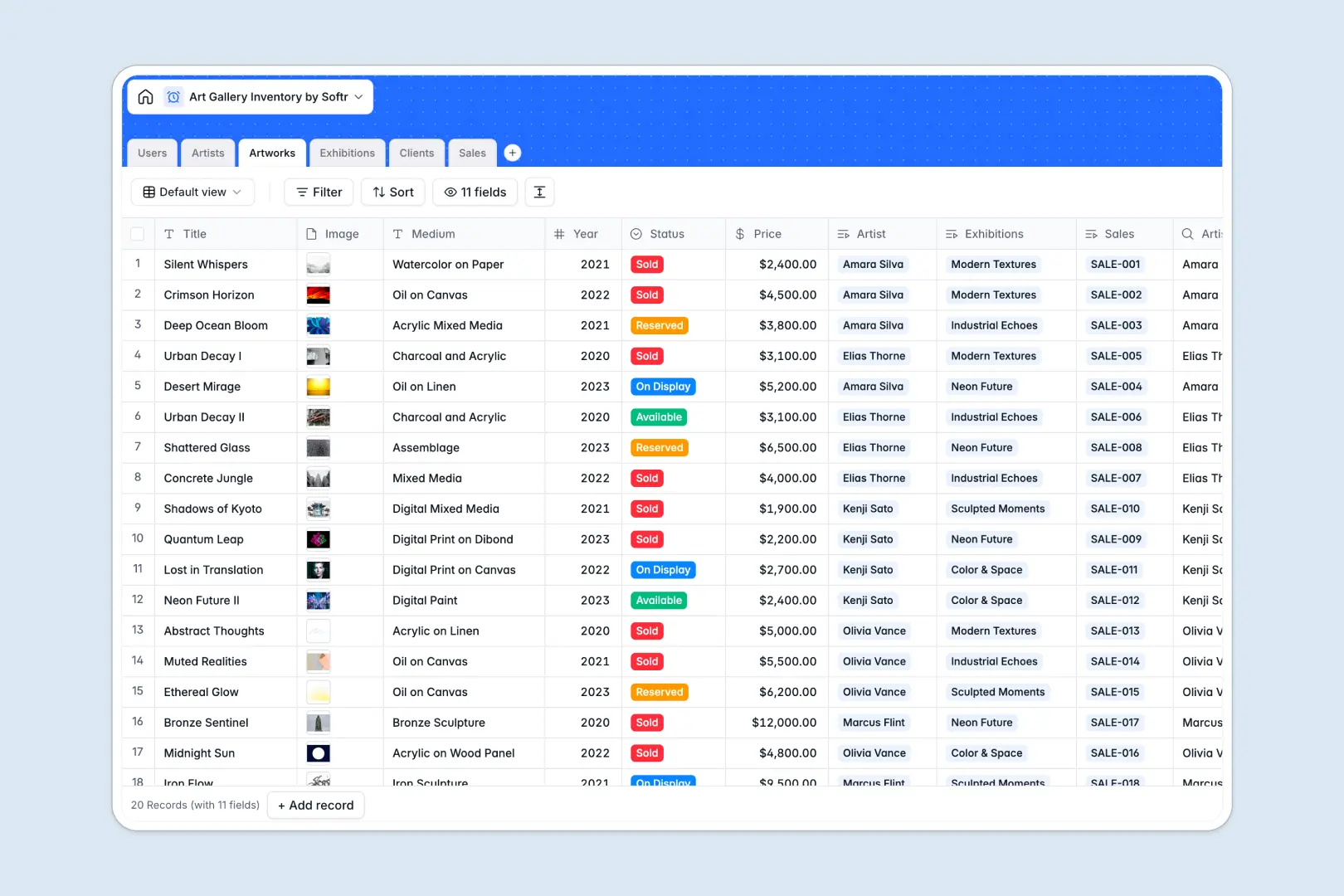
Your Art Gallery Inventory database at a glance
This template centralizes your entire gallery catalog, linking individual pieces directly to creator profiles, upcoming exhibitions, and buyer records. It keeps your team aligned on piece availability, pricing, and consignment statuses without manual syncs.
Everything connects natively across structured tables for Artworks, Artists, Exhibitions, Clients, Sales, and Users. When a piece sells, the transaction links straight to the collector and updates the artist's portfolio automatically.
Built-in AI fields research the web to generate artist biographies, draft artwork blurbs from technical metadata, and write exhibition pitches instantly.
When artwork status and private collector records outgrow a shared spreadsheet
Google Sheets makes it simple to collaborate, but it was never designed to act as an art gallery back office. When anyone with sheet access can view private collector emails, overwrite piece pricing, or accidentally break formula ranges, inventory tracking quickly turns into a liability.
What a structured database changes
A dedicated database enforces strict data integrity across your entire collection. Curators manage exhibitions, sales reps log transactions, and prices stay locked to specific artworks without fragile lookups across messy tabs.
Images, documents, and high-res files attach directly to artwork and invoice records instead of relying on broken drive links. This is exactly what Softr Databases are designed for, giving you a structured operational hub out of the box.
While you can connect an existing Google Sheet as a data source, a native database gives you the reliable foundation an expanding gallery needs.
What you can do with this template
Track artwork statuses from Available to On Display or Sold, while rollups automatically calculate total sales per collector and piece counts per artist.
Run Database AI agents right inside your tables to research artist backgrounds across the live web and generate marketing pitches for upcoming exhibitions.
-
Users
Manage gallery staff roles, curated shows, managed artists, and sales
-
Artists
Track creators and portfolio metrics with AI-generated artist biographies
-
Artworks
Catalog art inventory, pricing, status, and AI-generated piece blurbs
-
Exhibitions
Plan gallery shows, featured pieces, and generate AI marketing summaries
-
Clients
Maintain collector contact records, purchase history, and total investment
-
Sales
Record artwork transactions, attached invoices, client links, and reps
Who is this Art Gallery Inventory database for
Designed for art businesses managing multi-artist rosters, private sales, and rotating exhibitions:
- Commercial Art Galleries: Manage artwork availability, artist consignments, and collector sales in a single system.
- Independent Curators: Organize exhibitions, coordinate artist selections, and produce show pitches without administrative delays.
- Artist Studios & Collectives: Maintain a complete catalog of original works, sales records, and client contacts.
- Art Advisors & Dealers: Track client acquisitions, collector preferences, and artwork provenance accurately.
How to take it further
Customize the database to match your gallery's curation model. Add custom fields for framing specifications, storage locations, or insurance values, and modify status tags to match your consignment lifecycle.
Import your existing data in seconds using CSV upload to bring in past sales, collector contacts, and artwork catalogs, or sync records automatically using the REST API.
Build a full app around it when you are ready to give staff and clients dedicated portals. Use the AI app generator to generate a complete inventory interface with customized users and permissions so sales reps only see their deals while collectors view only available inventory.
-
1
-
2
-
3
-
4
Frequently asked questions
-
What is an art gallery inventory database?
-
Why use a no-code database to build an art gallery inventory system?
-
How can AI help managing data for art gallery inventory?
-
Can I build an app with this art gallery inventory database?
-
Is this Art Gallery Inventory database free?
-
How is this gallery database different from Google Sheets?
Start building today. It's free!
Build and launch your first app in under 30 minutes.