


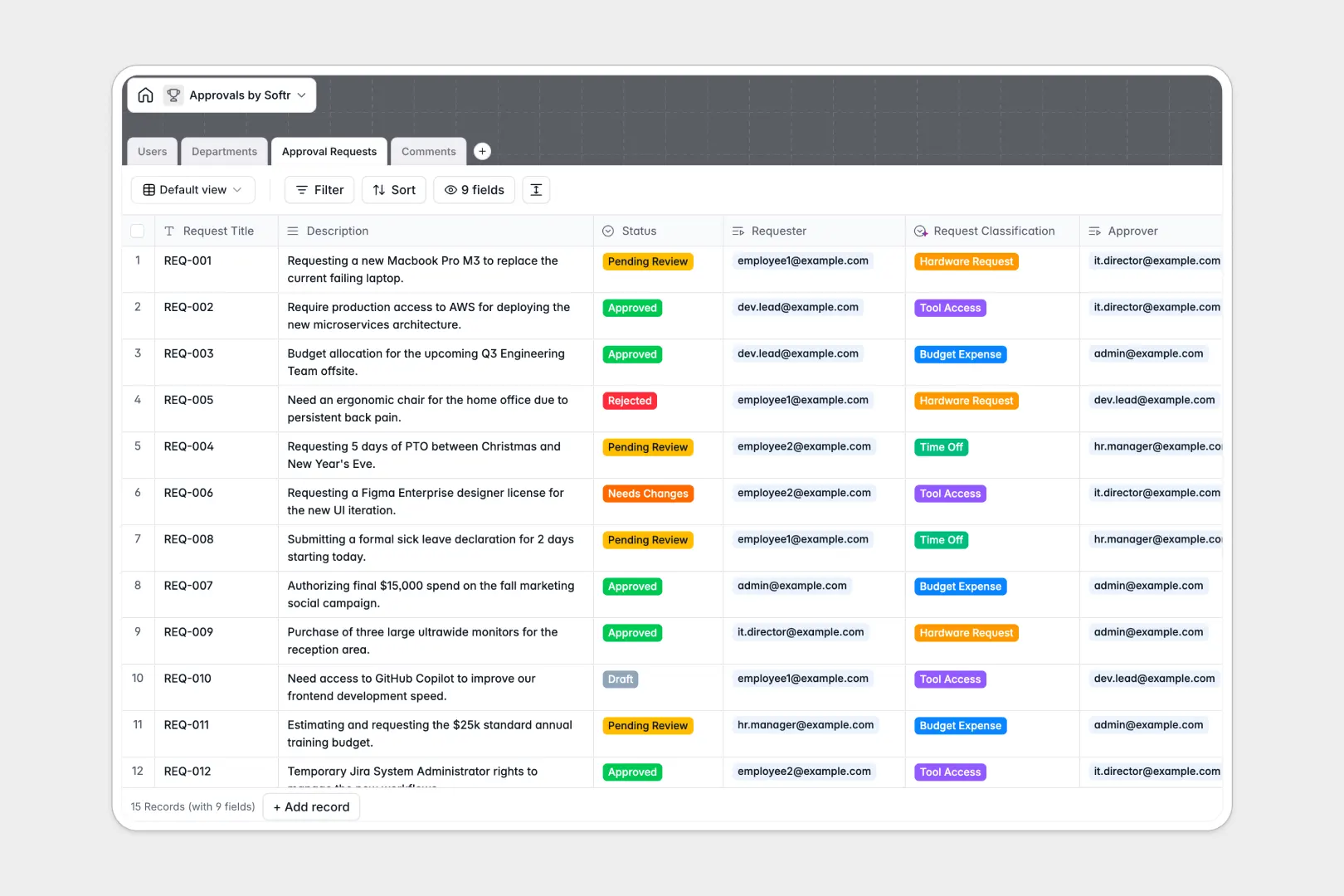
Your Approvals database at a glance
This template centralizes internal sign-offs, helping your team submit, review, and track requests without getting lost in email chains or shared tabs.
It connects four dedicated tables: Users, Departments, Approval Requests, and Comments. Linking requesters directly to department heads ensures every item routes automatically to the right person for review.
Built-in AI handles routine data work: it automatically classifies incoming requests into categories like budget expenses or hardware requests, and assesses sentiment across comment threads.
When everyone sees every row, sign-offs fall apart
Google Sheets makes sharing simple, but managing sensitive approvals requires controlled visibility. When everyone shares editor access, anyone can accidentally edit a budget amount, view confidential requests, or overwrite review statuses.
What a structured database changes
In a structured setup, columns enforce data integrity: statuses stay within defined values, and files stay attached to specific records. Linking an approval request directly to a department head creates an automatic audit trail that no accidental cell edit can break.
This is exactly what Softr Databases are designed for: keeping your operational data secure, structured, and relational. (You can also connect an existing Google Sheet as an external source if needed).
What you can do with this template
Every submission instantly routes to the designated manager with full context, including previous comments and department associations.
Native Database AI agents analyze descriptions on creation, categorizing requests into areas like Tool Access or Time Off without manual data entry.
-
Users
Manage user accounts, approval permissions, and department affiliations
-
Departments
Organize business units and track their assigned approval workflows
-
Approval Requests
Process approval requests with AI-powered category classification
-
Comments
Log request discussions and evaluate feedback with AI sentiment detection
Who is this Approvals database for
- Operations Managers: Centralize cross-department sign-offs and eliminate bottlenecks in daily workflows.
- Team Leads: Review pending requests for direct reports with complete context and clear history.
- Department Heads: Monitor departmental budgets and hardware allocations across your entire team.
- HR and Finance: Maintain a verifiable audit trail for time off, expenses, and system access.
How to take it further
Customize this database by adding new request types, adjusting status options, or creating custom fields for vendor quotes and invoice attachments in just a few clicks.
Import your existing logs directly via CSV or sync live records using the API to centralize past submissions instantly.
When ready, you can build an app on top of this database in seconds. Use the AI Co-Builder to create custom interfaces where employees submit requests and managers approve them on dedicated dashboards, backed by granular permissions.
-
1
-
2
-
3
-
4
Frequently asked questions
-
What is an Approvals database?
-
Why use a no-code database to build an approvals system?
-
How can AI help managing data for approvals?
-
Can I build an app with this Approvals database?
-
Is this Approvals database free?
-
How is an Approvals database different from Google Sheets?
Start building today. It's free!
Build and launch your first app in under 30 minutes.