


Overview
This template provides a powerful way to interact with your clients securely. Using Softr's Client Portal capabilities, you can build a centralized hub for document sharing, status tracking, and seamless communication without writing a single line of code.
Comparison
Traditional Portals vs Softr
Traditional portals require months of custom development and high maintenance costs. With Softr, you can integrate directly with your Airtable or Google Sheets data securely in a matter of minutes, saving both time and money.
-
Users
Manage internal team profiles, organizational roles, and their assigned API credentials
-
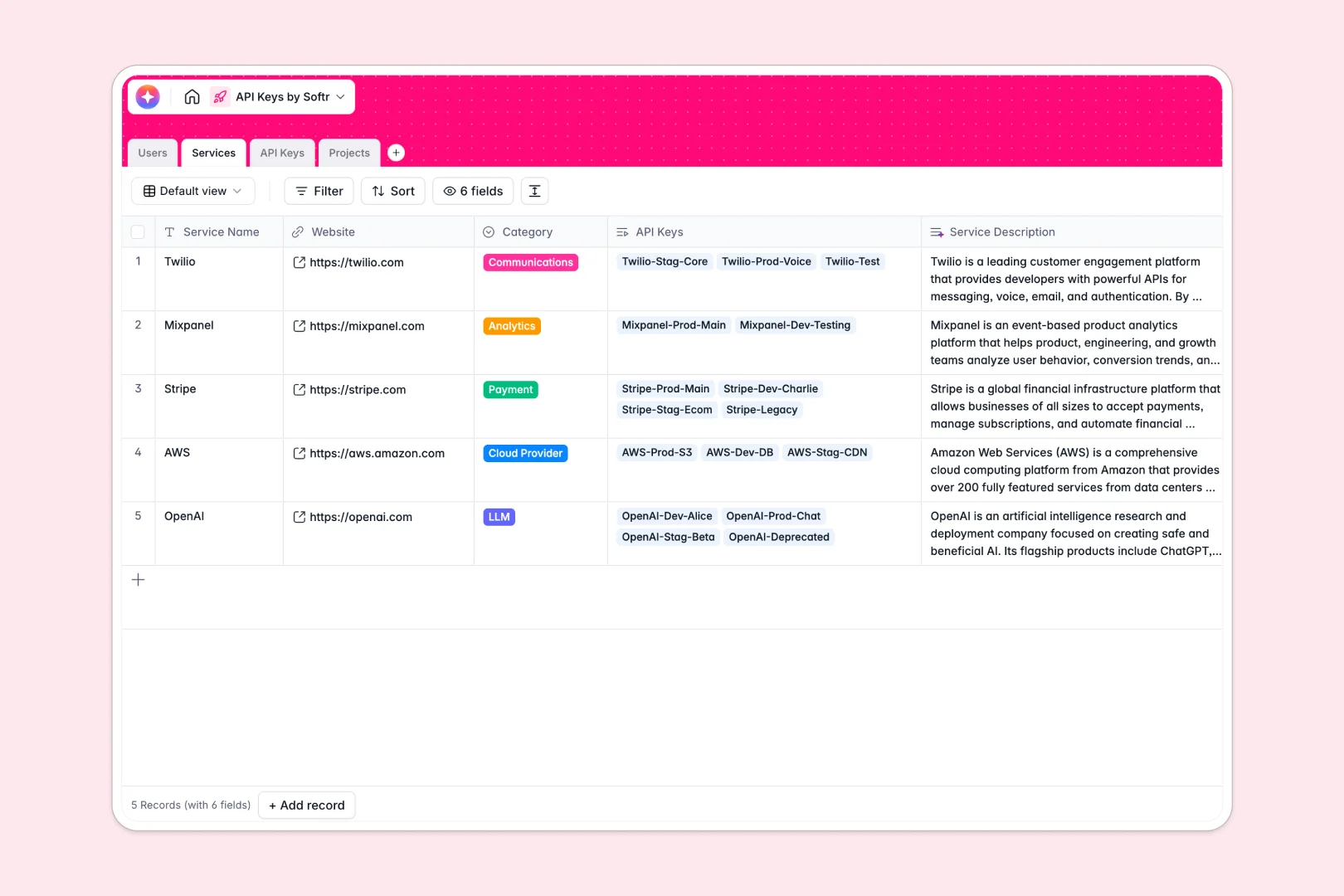
Services
Catalog API providers with web-powered AI summaries of their platform capabilities
-
API Keys
Centralize credentials with AI-driven risk assessment based on environment and status
-
Projects
Organize applications using AI to generate architectural blueprints and context summaries
Who is this for
This template is designed for businesses of all sizes, including:
- Agencies looking to share project updates and deliverables.
- Consultants delivering resources securely to individual clients.
- Freelancers who need a lightweight, self-serve client CRM.
How to take it further
You can easily expand functionality by adding Stripe integrations for payment processing, or leveraging Softr's user permissions to build advanced permission scopes for different client payment tiers.
-
1
-
2
-
3
-
4
Frequently asked questions
-
What is a client portal?
-
Do I need coding skills to use this template?
-
Is my clients' data secure in the app?
-
Can I customize the design to match my brand?
-
Can I integrate this portal with other software tools?
Start building today. It's free!
Build and launch your first app in under 30 minutes.