


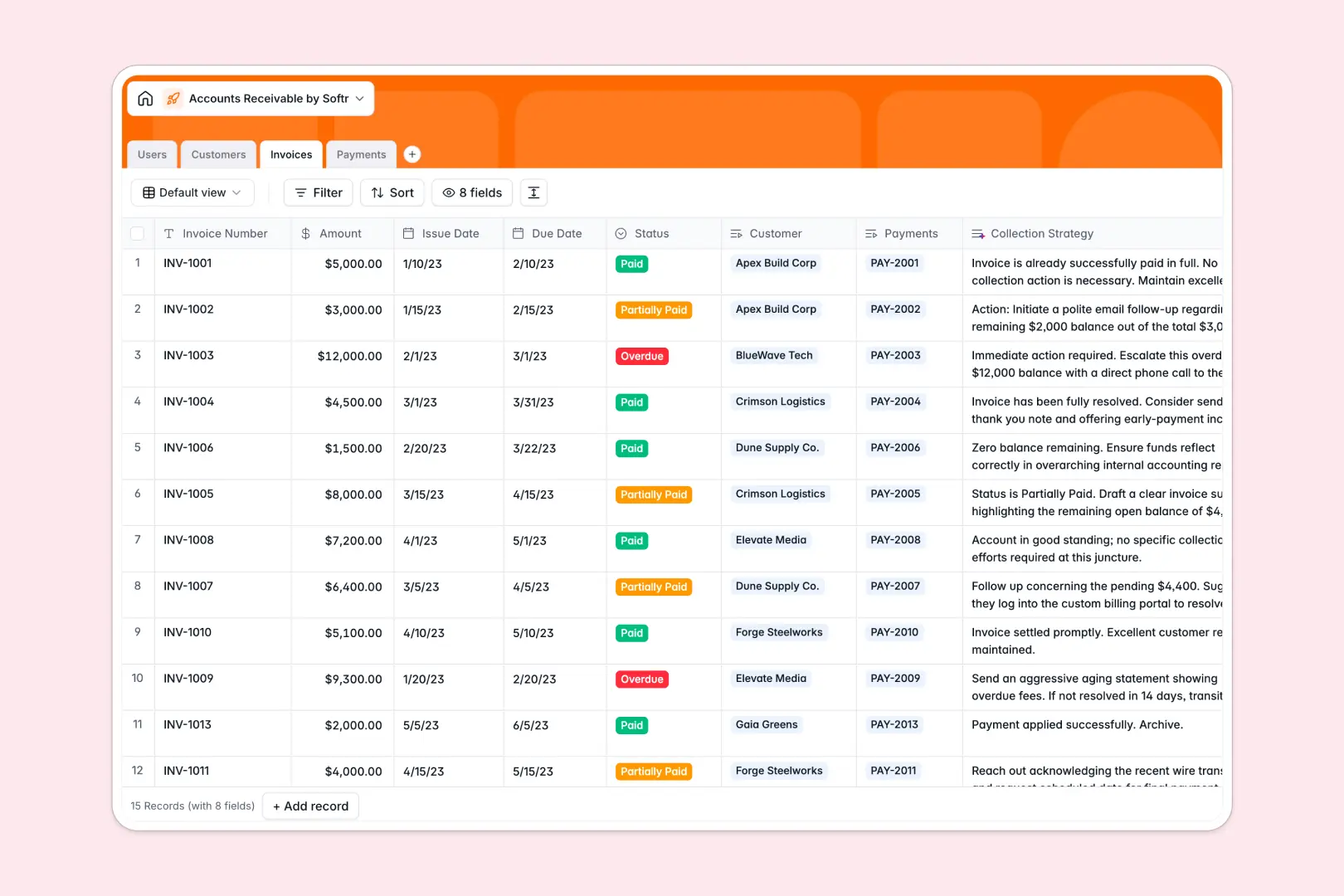
Your Accounts Receivable database at a glance
This template gives your finance team a centralized system to manage outstanding balances, track incoming payments, and streamline collections without data errors.
It cleanly connects distinct tables for Customers, Invoices, Payments, and internal Users, ensuring every transaction links directly to the right account.
Built-in AI fields research customer backgrounds from live websites and recommend tailored collection strategies based on invoice status and balance size.
Why Google Sheets breaks down when tracking invoice balances
Google Sheets makes it easy to share a list, but it was never designed to act as a secure financial backend. When multiple team members edit payment rows simultaneously, formulas break, cross-sheet VLOOKUPs desync, and sensitive client balances become visible to anyone with link access.
What a structured database changes
In a true database, data integrity is guaranteed by typed columns. Dates stay dates, currency stays currency, and payments link directly to customer profiles and invoice numbers without brittle formulas.
This is exactly what Softr Databases are designed for, keeping your ledger organized while allowing you to control who can view or edit financial records. You can also connect an existing Google Sheet as an external data source whenever needed.
What you can do with this template
Use this template to instantly track invoice lifecycles from draft to paid, roll up total customer billings, and record payment methods accurately.
Native Database AI agents automatically scan customer websites to fill in company profiles and generate targeted recovery steps for overdue accounts.
-
Users
Track internal AR finance team members, roles, and assignments
-
Customers
Manage client organizations with billing details and AI web summaries
-
Invoices
Track billed amounts and statuses with AI collection strategy tips
-
Payments
Record received customer payments, methods, and invoice allocations
Who is this Accounts Receivable database for
This system is built for growing organizations that need clean, auditable tracking for their incoming revenue.
- Finance Managers: Maintain an accurate record of total invoiced amounts and overdue balances across all clients.
- AR Clerks: Log ACH, card, and wire payments against specific invoices without manual formula maintenance.
- Account Managers: Review client payment histories and company background notes before outreach.
- Operations Leads: Standardize collection workflows and eliminate spreadsheet version chaos across departments.
How to take it further
1. Customize the database
Adapt the database fields to fit your billing cycle. You can add custom invoice status tags, create new payment method options, or define custom commission calculations in minutes.
2. Import your existing data
Migrate your current billing sheets via direct CSV upload or connect your accounting software using the REST API to keep client balances in continuous sync.
3. Build a full app around it
When you are ready, build an app on top of this database to create an internal finance dashboard or an external client payment portal. Using granular users and permissions, you can ensure account managers only view their assigned customers while finance leads manage full payment processing.
-
1
-
2
-
3
-
4
Frequently asked questions
-
What is an accounts receivable database?
-
Why use a no-code database to build an accounts receivable tool?
-
How can AI help managing data for accounts receivable?
-
Can I build an app with this accounts receivable database?
-
Is this Accounts Receivable database template free?
-
How is this database different from an accounts receivable Google Sheet?
Start building today. It's free!
Build and launch your first app in under 30 minutes.