


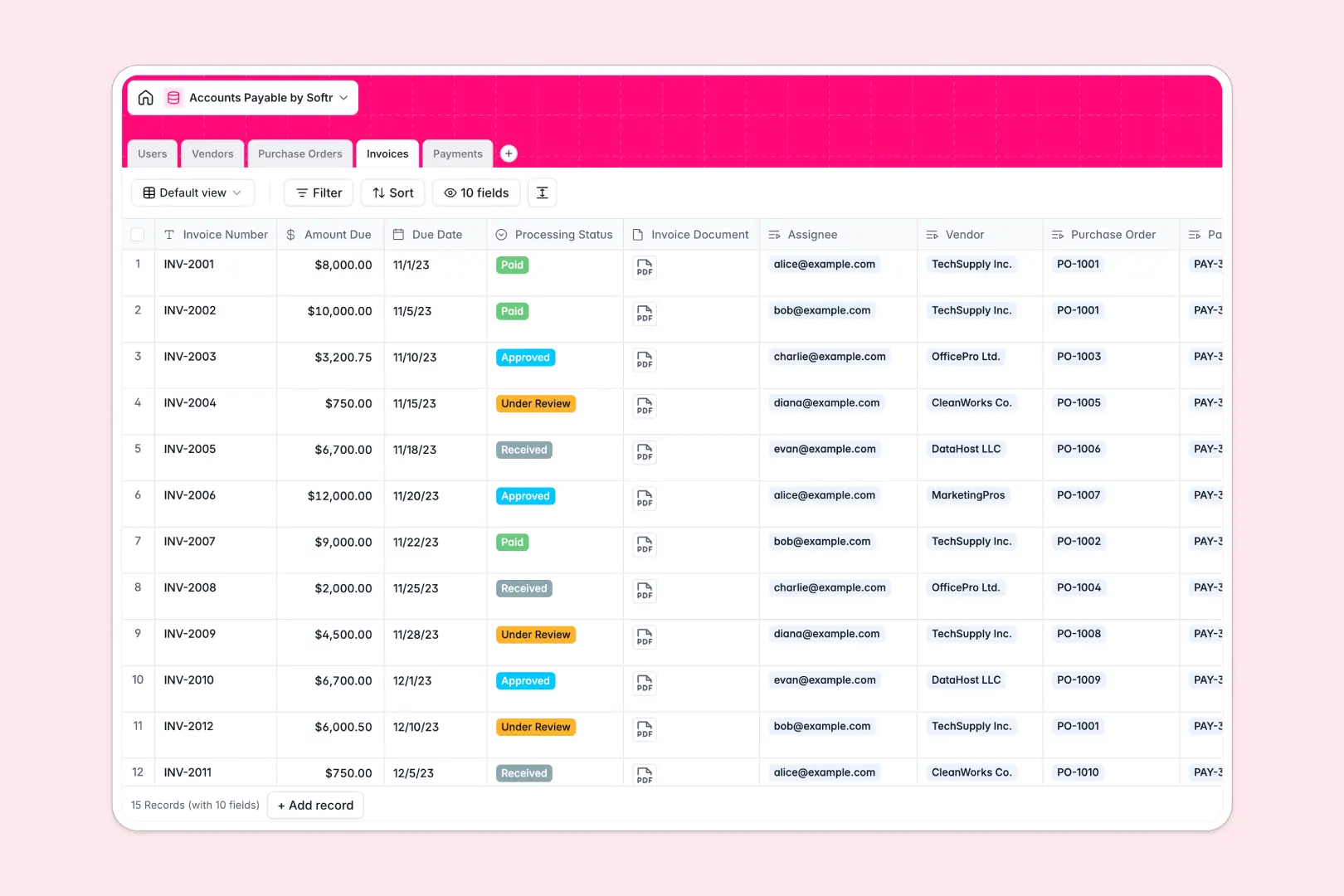
Your Accounts Payable database at a glance
This template gives finance teams a reliable way to organize incoming invoices, coordinate approvals, and record vendor disbursements without manual reconciliation.
Built across five dedicated tables, it connects Invoices directly to Vendors, Purchase Orders, Payments, and assigned Users, ensuring balances update automatically when bills are marked as paid.
Native AI fields summarize invoice processing states and draft receipt notes instantly, while web-search fields enrich new vendor profiles automatically.
When a Google Sheet becomes your accounting backend
Google Sheets makes sharing simple, but it was never designed to enforce invoice workflows or protect sensitive payment details. When every collaborator has access to the same grid, one accidental sort or deleted row can corrupt invoice numbers and break lookups across tabs.
What a structured database changes
A structured database enforces strict data integrity so dates remain dates, amounts stay formatted as currency, and file attachments remain tied to the right bill.
Instead of fragile formulas reaching across multiple tabs, relational tables connect purchase orders directly to invoices and payment records without risk of misalignment. This is exactly what Softr Databases are designed for.
While you can connect an existing Google Sheet to Softr as a data source, running your financial records on a native database prevents accidental overwrites and ensures clean data as transaction volumes grow.
What you can do with this template
Track every bill through review, approval, and disbursement while automatically calculating outstanding balances for each vendor.
Built-in Database AI agents automatically summarize invoice states based on processing status and research vendor websites to add clear company descriptions on record creation.
Assign bills to specific clerks or approvers, attach PDF documents directly to records, and log payment reference numbers with zero manual cross-referencing.
-
Users
Manage finance team members, roles, permissions, and invoice assignments
-
Vendors
Track suppliers, terms, balances, and AI-generated company overviews
-
Purchase Orders
Manage pre-approved purchase requests, status tracking, and vendor links
-
Invoices
Process incoming supplier bills with review status and AI state summaries
-
Payments
Track disbursement transactions with methods and AI payment receipt notes
Who is this Accounts Payable database for
This template is designed for finance professionals and operations teams managing recurring billing cycles:
- Finance Managers: Maintain real-time visibility into outstanding liabilities and streamline vendor disbursement approvals.
- AP Clerks: Process incoming bills, match purchase orders to invoices, and record payments quickly.
- Operations Teams: Onboard suppliers, review payment terms, and prevent duplicate disbursements.
- Small Business Owners: Centralize vendor relationships and track cash outflows without complex software.
How to take it further
Customize fields to match your organization's exact billing cycles. Adjust select options for payment terms like Net 45, add approval thresholds, or create custom tags for department budgets directly in the database interface.
Import your existing records in minutes using bulk CSV uploads, or use the API to sync transaction data automatically from external accounting tools.
When you are ready, use Softr to build an app on top of your database. You can generate dedicated interfaces for AP clerks and department heads, configuring granular users and permissions so approvers only view bills assigned to their cost center. Starting with a structured database ensures your internal finance portal is secure, reliable, and ready to scale.
-
1
-
2
-
3
-
4
Frequently asked questions
-
What is an accounts payable database?
-
Why use a no-code database to build an accounts payable system?
-
How can AI help managing data for accounts payable?
-
Can I build an app with this accounts payable database?
-
Is this Accounts Payable template free?
-
How is this database different from accounts payable in Google Sheets?
Start building today. It's free!
Build and launch your first app in under 30 minutes.