


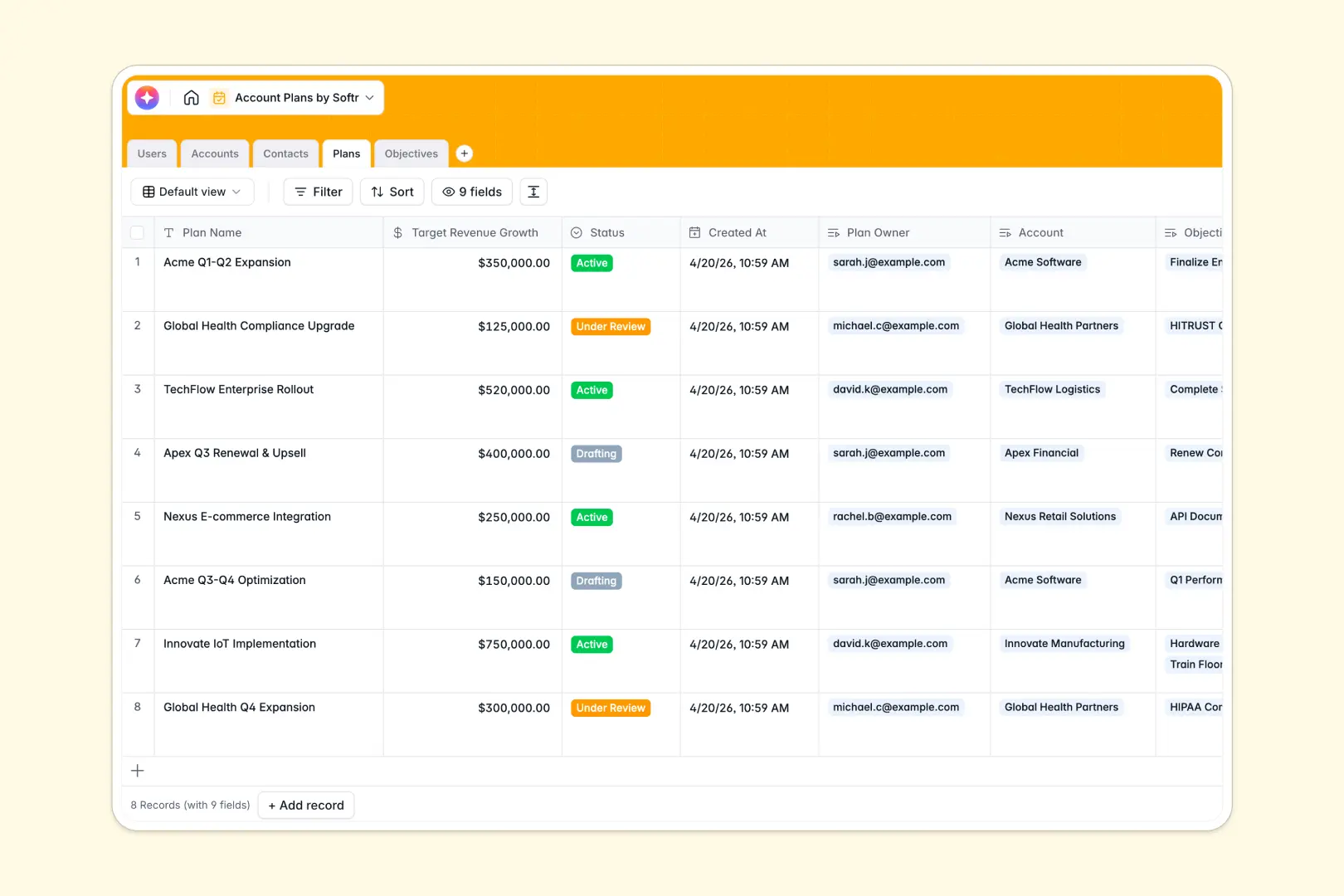
Overview
Managing client interactions and sharing vital resources no longer needs to be a messy process of endless email threads. With Softr's Client Portal, you can instantly spin up a secure, white-labeled web app powered by Airtable or Google Sheets.
Traditional Methods vs. Softr Portals
The Old Way
Historically, businesses relied on generic cloud folders or custom-coded solutions that cost thousands of dollars and took months to deploy.
The Softr Advantage
Now, you can use Softr to drag and drop your ideal portal in minutes. Enjoy built-in authentication, dynamic user permissions, and seamless integrations with your favorite tools.
-
Users
Manage internal team members with roles and access to specific accounts
-
Accounts
Store client info with AI-generated business overviews and industry data
-
Contacts
Organize key stakeholders and their buying roles for each account
-
Plans
Define account growth strategies using AI to generate strategic summaries
-
Objectives
Track actionable goals with AI-powered checklists for objective completion
Who is this for?
This template is perfect for service-based businesses that need a secure way to manage client data and interactions.
- Agencies: Share deliverables, gather feedback, and track project statuses.
- Coaches & Consultants: Provide exclusive resources and training modules.
- Accountants: Securely request and manage sensitive financial documents.
- Freelancers: Give clients a centralized dashboard for invoices and assets.
How to take it further
Once you've launched your baseline portal, the possibilities for customization are endless. You can easily integrate payment gateways to collect fees directly within your app, or use Softr's advanced permissions to create tiered membership levels. Connect tools like Zapier to automate email notifications whenever a client uploads a new file.
-
1
-
2
-
3
-
4
Frequently asked questions
-
What is a client portal?
-
Do I need to know how to code to use this template?
-
Can I connect this portal to my existing database?
-
Is my customers' data secure in this portal?
-
Can I use my own custom domain name?
Start building today. It's free!
Build and launch your first app in under 30 minutes.