


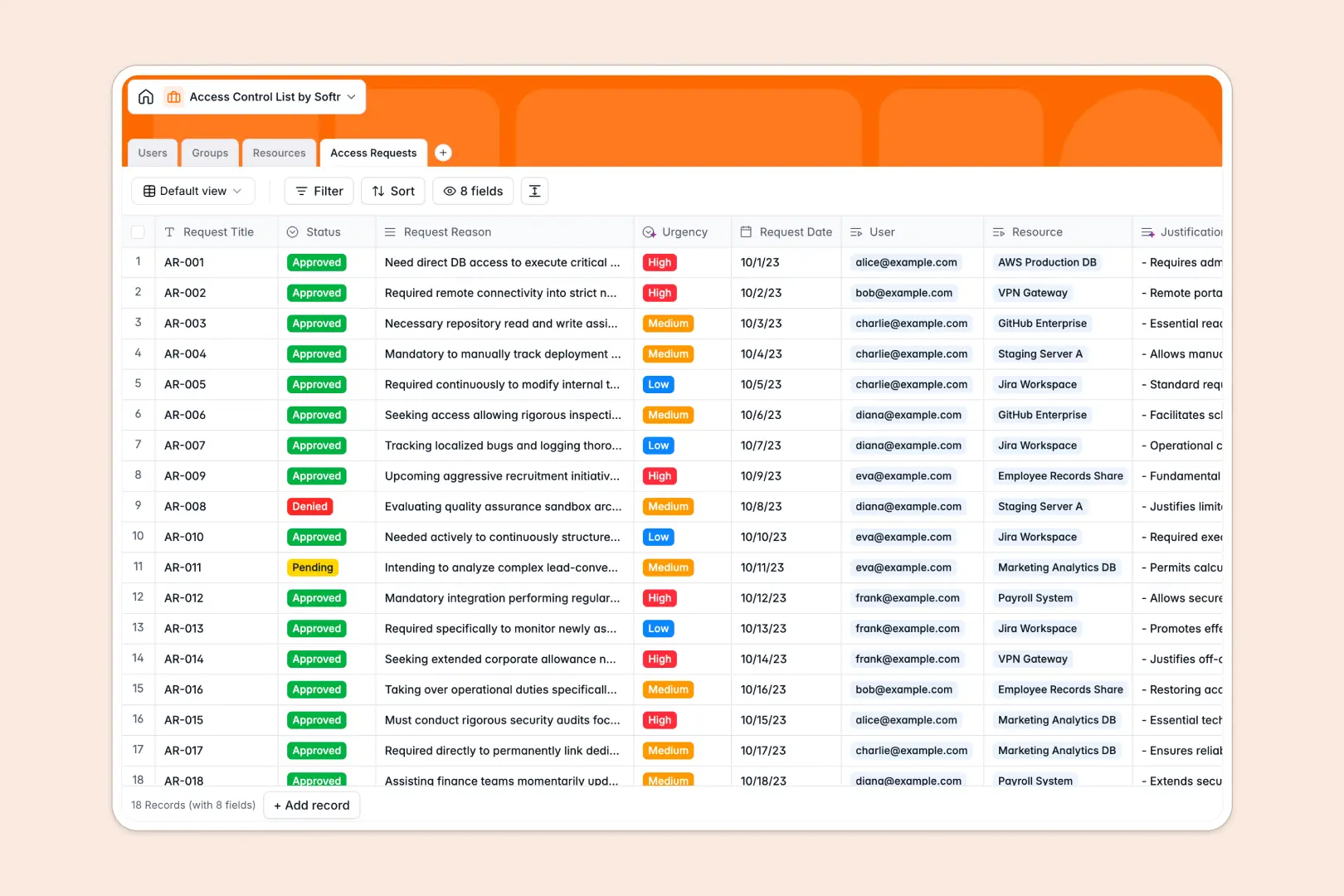
Your Access Control List database at a glance
This template centralizes identity management, system permissions, and audit logs into a single structured system. It eliminates security blindspots by keeping user records directly linked to protected assets.
Four dedicated tables handle Users, Groups, Resources, and Access Requests. Instead of maintaining static spreadsheets, user roles automatically connect to specific group memberships and assigned resources.
Native AI features summarize access justifications, research vendor documentation for technical resources, and automatically score request urgency based on user context.
When a shared spreadsheet exposes your permission matrix
Google Sheets makes collaboration simple, but security infrastructure requires strict row-level control. In a shared sheet, anyone with editor access can view sensitive server lists, modify permissions by accident, or break lookup formulas when sorting columns. While Softr can connect to an existing Google Sheet, running critical access controls requires a dedicated system.
What a structured database changes
In a structured database, data integrity is guaranteed by design. Email fields stay valid, dates remain timestamps, and relations connect users to groups without complex formulas.
This architecture ensures that permissions scale cleanly as teams grow. This is exactly what Softr Databases are designed for.
What you can do with this template
Log access requests with clear audit trails, link approvers directly to specific organizational groups, and maintain clear visibility into resource assignments.
Built-in Database AI agents automatically categorize the urgency of incoming access requests and draft summaries of request justifications to speed up IT approvals.
-
Users
Manage user accounts, identity profiles, access tiers, and group links
-
Groups
Organize teams with role memberships and AI-generated purpose summaries
-
Resources
Catalog protected assets and systems enriched with AI technical documentation
-
Access Requests
Process permission requests with AI urgency rating and summary insights
Who is this Access Control List database for
This template helps technical and operations teams maintain strict visibility over system access.
- IT Administrators: Maintain central oversight of system permissions, group hierarchies, and hardware assignments.
- Security & Compliance Leads: Audit access history, resource security tiers, and pending permission requests.
- Team Leads: Manage group memberships and approve resource access for incoming team members.
- Operations Managers: Track software licenses, application access, and organizational role changes.
How to take it further
1. Customize the database
Adapt the schema to match your internal security policies. Add custom security levels, configure new resource types like cloud databases, or adjust AI prompts to match your compliance standards.
2. Import your existing data
Migrate legacy spreadsheets into the template in minutes via CSV import. You can also connect external user directories using the REST API to keep user lists automatically synchronized.
3. Build a full app around it
Turn this database into an internal IT portal where employees request permissions and managers approve them. Describe what you need in a single prompt and use the AI app generator to create the interface and workflows instantly.
Configure granular users and permissions so regular employees only see their own requests while administrators manage the entire directory.
-
1
-
2
-
3
-
4
Frequently asked questions
-
What is an Access Control List database?
-
Why use a no-code database to build an access control list?
-
How can AI help managing data for access control lists?
-
Can I build an app with this Access Control List database?
-
Is this Access Control List template free?
-
How is this database different from an access control list in Google Sheets?
Start building today. It's free!
Build and launch your first app in under 30 minutes.