


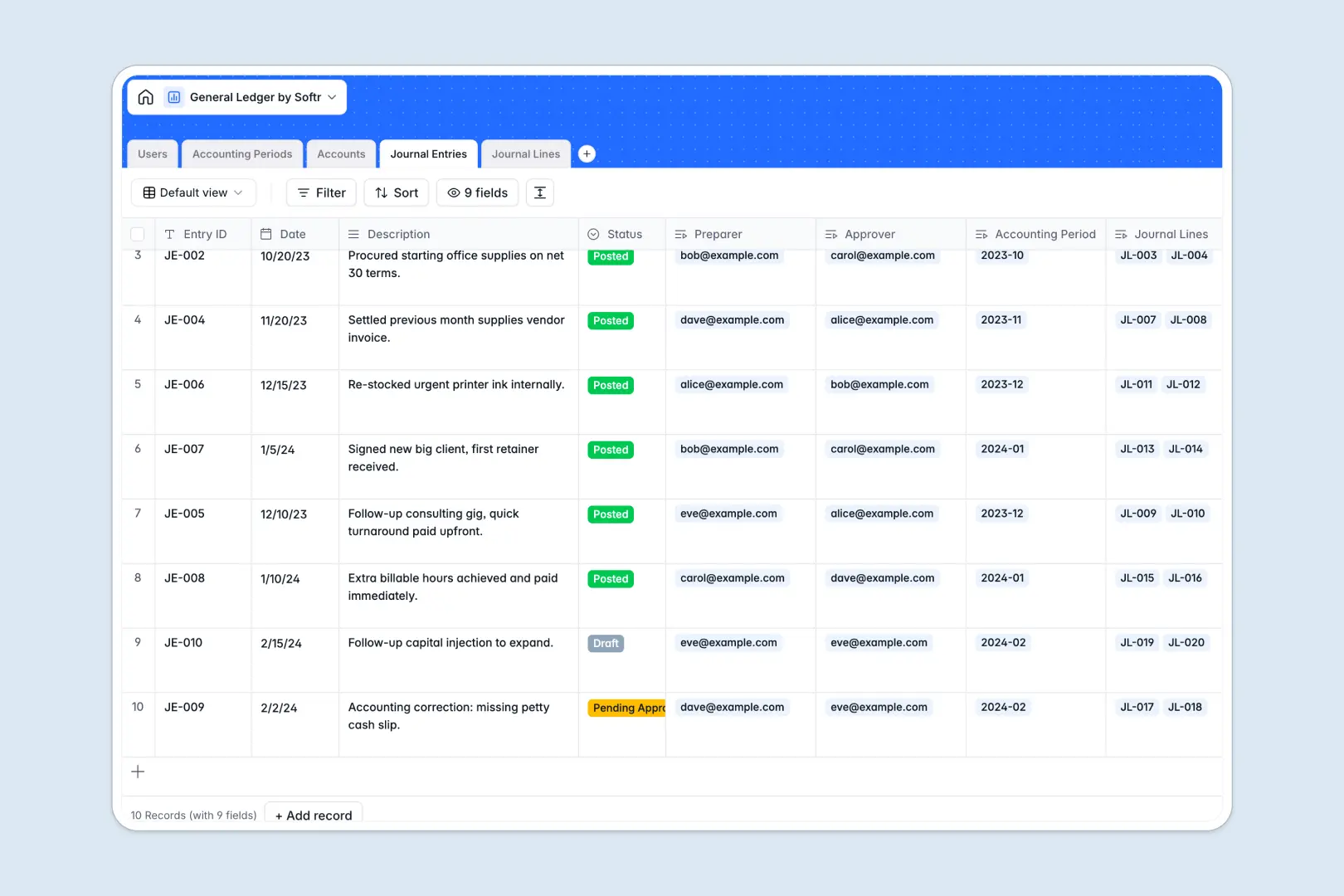
Your General Ledger database at a glance
This precise financial tracker ensures every debit matches its credit while organizing your chart of accounts effortlessly.
It natively connects master journal entries directly to granular line items, active accounting periods, and responsible team members.
Built-in AI automatically audits entry descriptions and classifies transaction intents, keeping your bookkeeping completely straightforward and ready for review.
Why tracking accounting transactions in spreadsheets breaks down
Managing general ledgers in standard spreadsheets quickly becomes a liability when equations break, rows get deleted, and compliance history is lost.
What a structured database changes
A true system enforces vital formatting, ensuring an asset account stays an asset and debits perfectly align with recorded credits. You can effortlessly link an operational expense to a specific open period without relying on fragile lookups.
This level of secure, connected record-keeping is exactly what Softr Databases are designed for. Data remains pristine, auditable, and firmly under control naturally as your volume of entries scales.
What you can do with this template
Immediately assign preparer and approver roles to your team, tracking every draft or posted entry through the proper accounting period.
Utilize embedded AI agents to automatically rewrite raw transaction memos into formal, audit-ready summaries across hundreds of entries. Roll up total debits and credits instantly so your chart of accounts stays continuously balanced.
-
Users
Manage accounting staff with roles, contact info and entry permissions
-
Accounting Periods
Define and track fiscal months and quarters for financial reporting
-
Accounts
Manage the chart of accounts with AI-generated usage rules and totals
-
Journal Entries
Systemize transactions using AI to generate formal audit-ready summaries
-
Journal Lines
Record debits and credits with AI-powered intent and memo classification
Who is this General Ledger database for
This system is designed for meticulous financial teams seeking a compliant, centralized hub.
- Accounting Leads: Track open versus closed periods and monitor overall account balances efficiently.
- Bookkeepers & Clerks: Record granular journal lines directly without second-guessing proper formatting or linked accounts.
- Finance Directors: Oversee pending approvals instantly while relying on intelligent automation to classify operational, payroll, and tax entries.
How to take it further
Customizing this structure is immediate and effortless. You can add new ledger categories, tweak the automated descriptions for your specific reporting rules, or expand user roles natively.
Bring your historical ledgers to life right away by importing past data via a quick CSV upload. You can also connect via API to seamlessly pull day-to-day journal items from other internal systems.
When the team needs dedicated accounting portals, you can easily graduate from managing a database to building an entirely custom interface. By applying precise users and permissions, you guarantee that clerks only see their drafted ledger entries while admins can safely audit the master timeline. Having a strict, well-structured financial foundation makes secure application development completely straightforward.
-
1
-
2
-
3
-
4
Frequently asked questions
-
What is a general ledger database?
-
Why use a no-code database to build a financial system?
-
How can AI help managing data for accounting?
-
Can I build an app with this general ledger database?
-
Is this general ledger database free?
-
How does this template replace generic spreadsheets?
Start building today. It's free!
Build and launch your first app in under 30 minutes.