


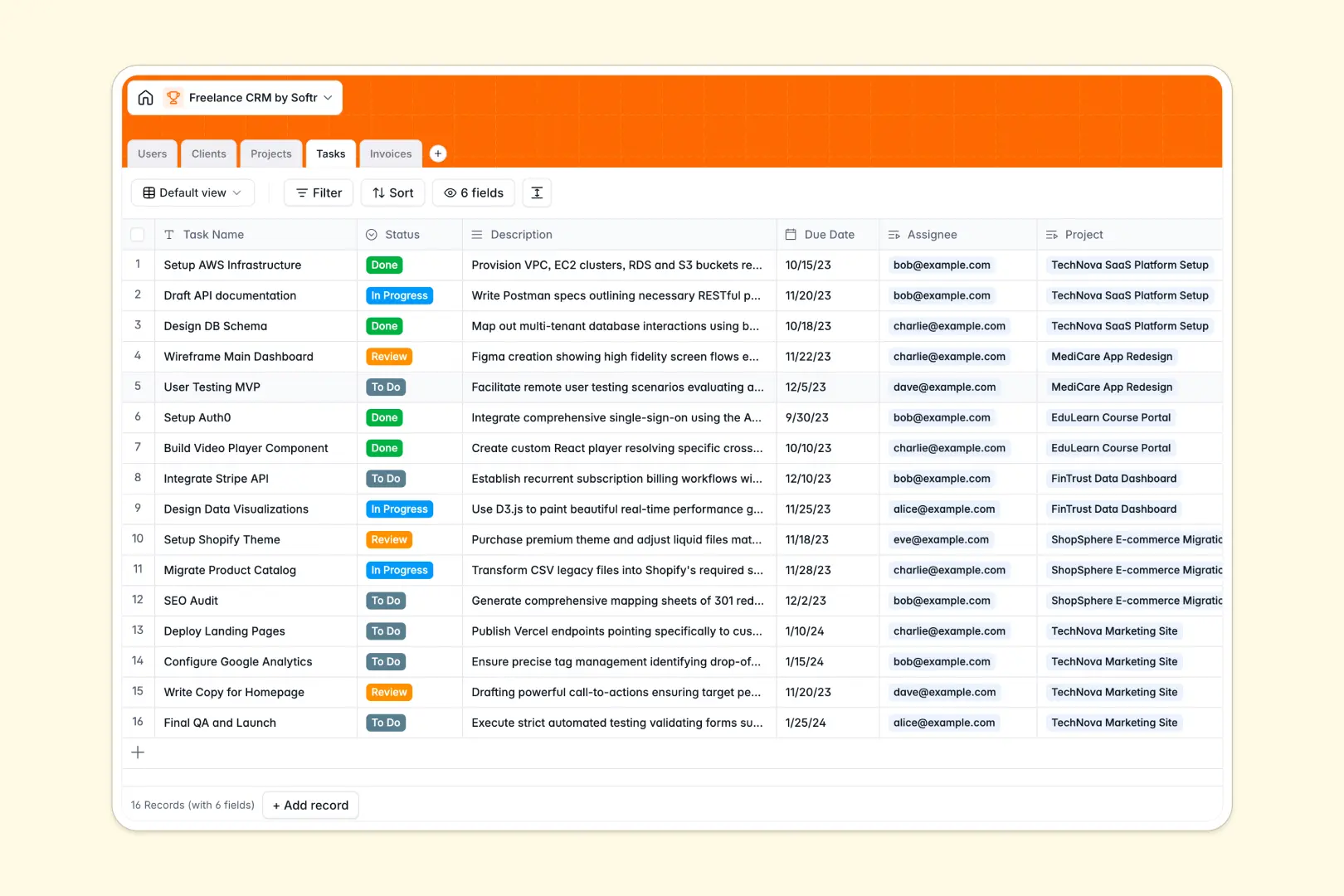
Your Freelance CRM database at a glance
This template gives you an all-in-one workspace to manage client relationships, ongoing deliverables, and project revenue. It connects every part of your solo business so you spend less time digging for details and more time doing paid work.
Five relational tables: Clients, Projects, Tasks, Invoices, and Users, link your work directly to the companies that pay for it. When you open a client record, you immediately see their active contracts, pending tasks, and billing history.
Built-in AI automatically enriches client profiles from their website URLs and condenses project descriptions into clear action points, keeping your pipeline organized with zero manual research.
Why a flat list breaks as your freelance client roster grows
Managing client work in a basic grid quickly leads to fragmented records. When invoices live in one tab, project deadlines in another, and contact emails in your inbox, connecting deliverables to actual billables requires endless manual cross-referencing.
What a structured database changes
A relational database keeps every entity distinct while maintaining clear links between them. Instead of typing the same client name across ten different rows, each task and invoice links directly to the parent project and client profile.
Typed columns ensure your hourly rates remain numeric, project statuses stay uniform, and delivery dates trigger reliable timeline views. This organized structure is exactly what Softr Databases provide right out of the box.
What you can do with this template
Gain complete visibility over client deliverables by tracking project status from Lead to Completed alongside open tasks and due dates.
Automate your client onboarding with Database AI agents that research company websites, categorize industry verticals, and summarize project briefs instantly.
Monitor cash flow clearly by linking invoices directly to completed projects, ensuring no billable milestone slips through the cracks.
-
Users
Manage team members, freelancers, and clients with roles and assigned tasks
-
Clients
Organize client profiles with AI-driven industry categorization and summaries
-
Projects
Track gigs and milestones using AI-generated scope summaries and status logs
-
Tasks
Coordinate project action items with assignees, due dates, and statuses
-
Invoices
Handle client billing records, payment statuses, amounts, and attachments
Who is this Freelance CRM database for
This database is built for independent professionals who need a central operating system for their client work:
- Solo Freelancers: Keep track of client retainers, active deliverables, and overdue invoices in one reliable system.
- Independent Consultants: Maintain detailed client briefing notes, strategic deliverables, and executive communication histories.
- Contract Creatives: Manage design or copywriting tasks linked directly to client project briefs and assets.
- Boutique Service Providers: Coordinate project assignments across contractors while keeping client billing transparent.
How to take it further
Customize your workflow. Adapt select fields like project status or task priorities to mirror your exact delivery process. Add custom columns for meeting notes, contract files, or hourly tracking as your business evolves.
Import your existing contacts. Bring in your current clients and project history instantly via CSV upload, or connect an external tool via API to sync new leads automatically.
Build a full app around your data. When you want to share progress with clients or coordinate with subcontractors, turn this database into a complete portal. Use the AI app generator to generate a client portal with custom users and permissions in minutes, giving clients direct access to their invoices and task updates without exposing internal business notes.
-
1
-
2
-
3
-
4
Frequently asked questions
-
What is a freelance CRM database?
-
Why use a no-code database to build a freelance CRM?
-
How can AI help managing data for a freelance CRM?
-
Can I build an app with this freelance CRM database?
-
Is this Freelance CRM database free?
-
Can I track unpaid invoices with this database?
Start building today. It's free!
Build and launch your first app in under 30 minutes.