


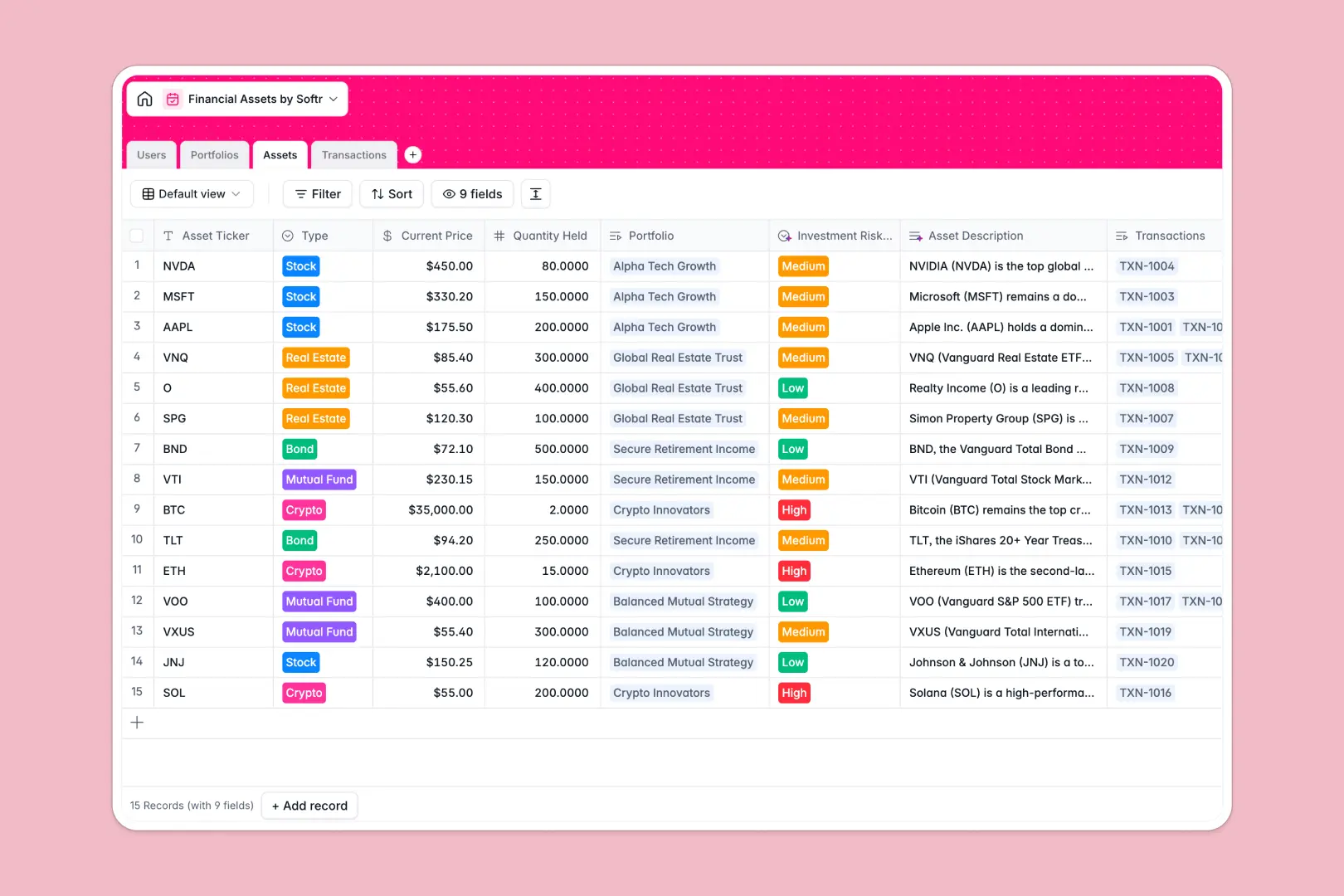
Your Financial Assets Database at a glance
This financial assets database tracks everything from overall portfolio strategy to individual asset transactions in one unified view. It gives portfolio managers and clients real-time visibility into their investments without the chaos of scattered files.
Your data is organized into clearly connected tables for Users, Portfolios, Assets, and Transactions. When you log a new buy or sell transaction, both the individual asset totals and the overall portfolio rollups update immediately.
Built-in AI features take the heavy lifting out of financial research. Simply log an asset ticker, and the database automatically searches the web to write a market overview, assesses the risk level, and updates the portfolio strategy summary.
Why managing financial assets in spreadsheets breaks down
Tracking dynamic portfolios, volatile asset prices, and constant transaction logs across multiple spreadsheets quickly becomes a fragile, error-prone mess.
What a structured database changes
In a relational system, your financial data follows strict rules to ensure accuracy. A stock price stays a currency, a transaction execution stays a date, and critical valuation formulas never get accidentally deleted by an editing mistake.
Instead of relying on easily broken VLOOKUPs to connect a trade to a specific client portfolio, records link natively. This eliminates repetitive data entry and ensures your total asset value rollups are always perfect. This is exactly what Softr Databases are designed for.
What you can do with this template
Instantly log new assets and link them directly to specific client portfolios with automatically calculated total values.
Maintain an immaculate ledger of every buy, sell, or dividend transaction connected directly to the asset being traded.
Let Database AI agents automatically research asset tickers on the live web, analyze market positions, and classify investment risk levels without ever leaving your table.
-
Users
Manage staff and client profiles with contact details and portfolio links
-
Portfolios
Organize investments with AI-generated summaries of manager strategies
-
Assets
Track financial instruments with AI-driven risk analysis and market outlooks
-
Transactions
Log buy and sell activities with execution dates and digital receipts
Who is this Financial Assets database for
This template provides a robust foundation for teams and professionals managing investments at scale.
- Wealth Management Firms: Track diverse portfolios and execute trades securely while keeping client records perfectly organized.
- Portfolio Managers: Monitor asset performance, analyze risk levels using automated AI insights, and maintain clear transaction histories.
- Finance Departments: Centralize company asset tracking, evaluate market conditions, and automate high-level summary reporting.
How to take it further
Once you copy the template, you can customize the exact asset types or transaction categories to match your firm's specific investment vehicles. Modifying statuses, adding new fields, or adjusting formulas takes only seconds.
Bring your existing investment records to life immediately. You can upload bulk transaction histories via CSV or connect an API to sync live asset pricing directly into your tables.
When your team is ready, you can transform this database into a secure client portal or internal dashboards. By connecting it to Softr's interface builder, you can create custom web apps for your investors.
Using native users and permissions, you can ensure clients only see their specific portfolios while managers maintain complete macro-level oversight. Following this structured database approach makes building the final app effortless.
-
1
-
2
-
3
-
4
Frequently asked questions
-
What is a financial assets database?
-
Why use a no-code database to build an investment tracking tool?
-
How can AI help managing data for financial assets?
-
Can I build an app with this financial assets database?
-
Is this financial assets database free?
-
How is a financial assets database different from spreadsheets?
Start building today. It's free!
Build and launch your first app in under 30 minutes.