


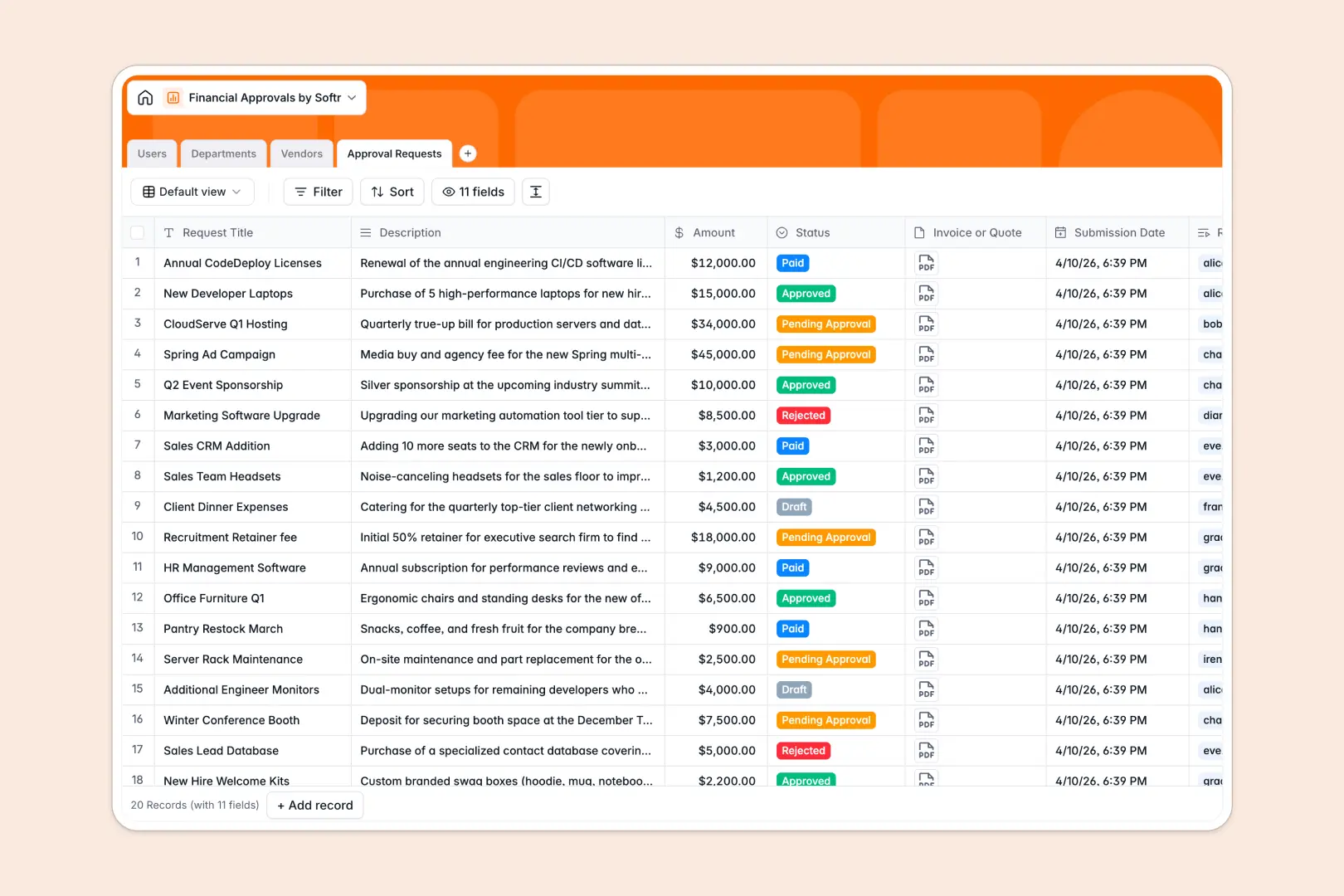
Your Financial Approvals database at a glance
This template gives your team a central hub to manage purchase requests, departmental budgets, and vendor records in one structured system.
It connects four dedicated tables: Users, Departments, Vendors, and Approval Requests. When an employee logs an expense, it links directly to their manager, department budget, and the chosen supplier without duplicating records.
Built-in AI fields draft concise executive summaries of long purchase descriptions and automatically research vendor details online to speed up sign-offs.
Why tracking spend requests in a blank sheet falls apart
Managing approval workflows in isolated sheets makes it impossible to prevent budget overruns or see who signed off on specific invoices.
What a structured database changes
A structured database enforces strict data integrity across your entire procurement cycle. Instead of relying on manual text entry, dates stay dates, invoice attachments stay attached, and amounts roll up accurately into departmental caps.
Relational links connect every purchase request to a specific department and approver. When a request is marked as approved, rollup calculations update total approved spend instantly without fragile formulas.
This is exactly what Softr Databases are designed for: creating reliable, relational data structures that keep internal operations clean.
What you can do with this template
Route purchase requests seamlessly through predefined stages from draft to paid while tracking exact submission dates and approver assignments.
Native Database AI agents summarize complex requests into two bullet points for busy executives and fetch background company information for new vendors automatically.
Because the database is pre-configured with users, departments, and vendor categories, you can immediately start logging and reviewing requests without any complex setup.
-
Users
Manage requesters and approvers with roles, departments, and linked requests
-
Departments
Track organizational budget caps, team members, and total approved spend
-
Vendors
Store supplier profiles and generate company overviews with web-powered AI
-
Approval Requests
Process spend approvals featuring automated AI summaries for fast review
Who is this Financial Approvals database for
Designed for growing organizations that need transparent spend control without slow email chains:
- Finance Teams: Keep real-time visibility over departmental budget limits and approved spending.
- Department Heads: Review pending purchase requests quickly with automated summaries and clear context.
- Operations Managers: Centralize vendor records, contracts, and quotes in one accessible catalog.
- Team Leads: Submit purchase orders with attachments and track approval status in real time.
How to take it further
You can easily tailor this database to match your organization's exact procurement policies. Rename fields, add custom spend categories, or adjust approval statuses in seconds.
Bring in your existing supplier records and budget limits using standard CSV import or sync records automatically through the API.
When you are ready to give your team a dedicated interface, use the AI app generator to turn this database into a complete approval portal. Softr's AI Co-Builder sets up submission forms, manager dashboards, and strict users and permissions in one prompt, ensuring employees only see their own requests while managers review their direct reports.
-
1
-
2
-
3
-
4
Frequently asked questions
-
What is a financial approvals database?
-
Why use a no-code database to build a financial approvals system?
-
How can AI help managing data for financial approvals?
-
Can I build a frontend app on top of this financial approvals database?
-
How do permissions work in a financial approvals application?
Start building today. It's free!
Build and launch your first app in under 30 minutes.