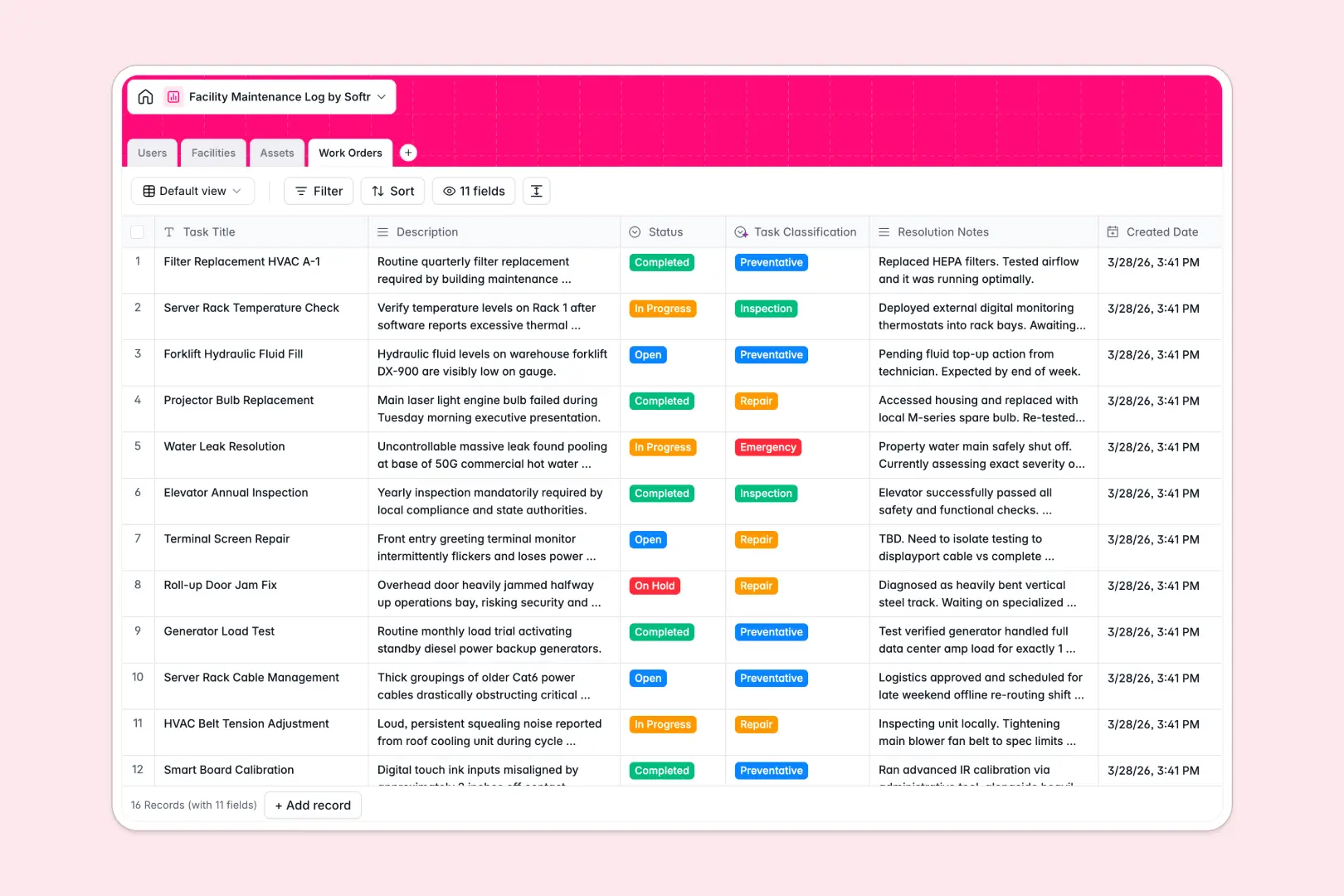
This template gives your team a centralized system to organize work orders, monitor equipment health, and manage maintenance tasks across all your locations.
It connects four dedicated tables: Facilities, Assets, Work Orders, and Users. Linking work orders directly to specific assets and assigned technicians ensures complete operational history without redundant data entry.
Built-in Database AI agents automatically pull technical specifications for equipment via web search, classify work order urgency, and generate executive summaries from resolution notes.
Tracking preventative maintenance, broken HVAC units, and technician schedules in disconnected sheets quickly leads to missed repairs, lost equipment warranties, and untracked downtime.
A structured database enforces strict data integrity: equipment categories stay standardized, completion dates record accurately, and work orders link directly to specific buildings and equipment.
Instead of copy-pasting room numbers or technician names across multiple sheets, relational records ensure every update reflects instantly across your entire operation. This is exactly what Softr Databases are designed for.
You can track asset status from operational to out-of-service, maintain building blueprints, and dispatch technicians with clear task titles and deadlines.
Automated AI fields classify new tickets as repairs, inspections, or emergencies instantly, keeping maintenance queues prioritized without manual triaging.
Manage technicians and managers with roles and assigned work orders
Organize physical buildings and rooms with blueprints and linked assets
Track equipment status and enrich specs via web-enabled AI lookups
Process maintenance tasks using AI for classification and summaries
This database is built for teams managing physical properties, infrastructure, and operational equipment:
1. Customize your maintenance structure
Adapt the database in seconds by adding custom equipment types, creating specialized priority tags, or uploading building floor plans. You can also configure new fields for vendor contracts or parts inventory tracking.
2. Import your existing assets and logs
Bring over your existing equipment registries and historical maintenance logs using CSV uploads, or connect external systems via API for continuous synchronization.
3. Build a full maintenance app around it
When you are ready, use Softr's AI app generator to turn this database into a complete maintenance portal in minutes. You can set granular users and permissions so technicians only see their assigned tasks while facility managers retain full operational oversight.
A facility maintenance log database is a structured system used to track physical assets, schedule preventative maintenance, and manage repair work orders across buildings. It connects equipment records, location details, and assigned technicians to maintain complete operational visibility.
A no-code database provides production-ready relational structure without requiring custom software development. It allows facility teams to quickly adapt workflows, link assets to work orders, and deploy changes autonomously without technical expertise.
Softr's AI Co-Builder helps create and refine database schemas using simple prompts. Additionally, native Database AI agents can automatically research asset specifications from the live web, classify incoming work order descriptions into categories like emergency or repair, and summarize resolution notes.
Yes, you can use Softr's AI app generator to generate a custom maintenance app directly on top of this database. You can define specific user roles for facility managers, internal staff, and field technicians to ensure everyone accesses only the tasks and data relevant to them.
Yes, this template is free to use with Softr Databases. The free plan includes full database functionality and unlimited collaborators, with higher tiers available if your organization requires increased record limits.
Yes, you can easily import your existing maintenance history, facility rosters, and asset inventories using standard CSV file imports. You can also connect via API to sync data from external building management systems.
Build and launch your first app in under 30 minutes.