


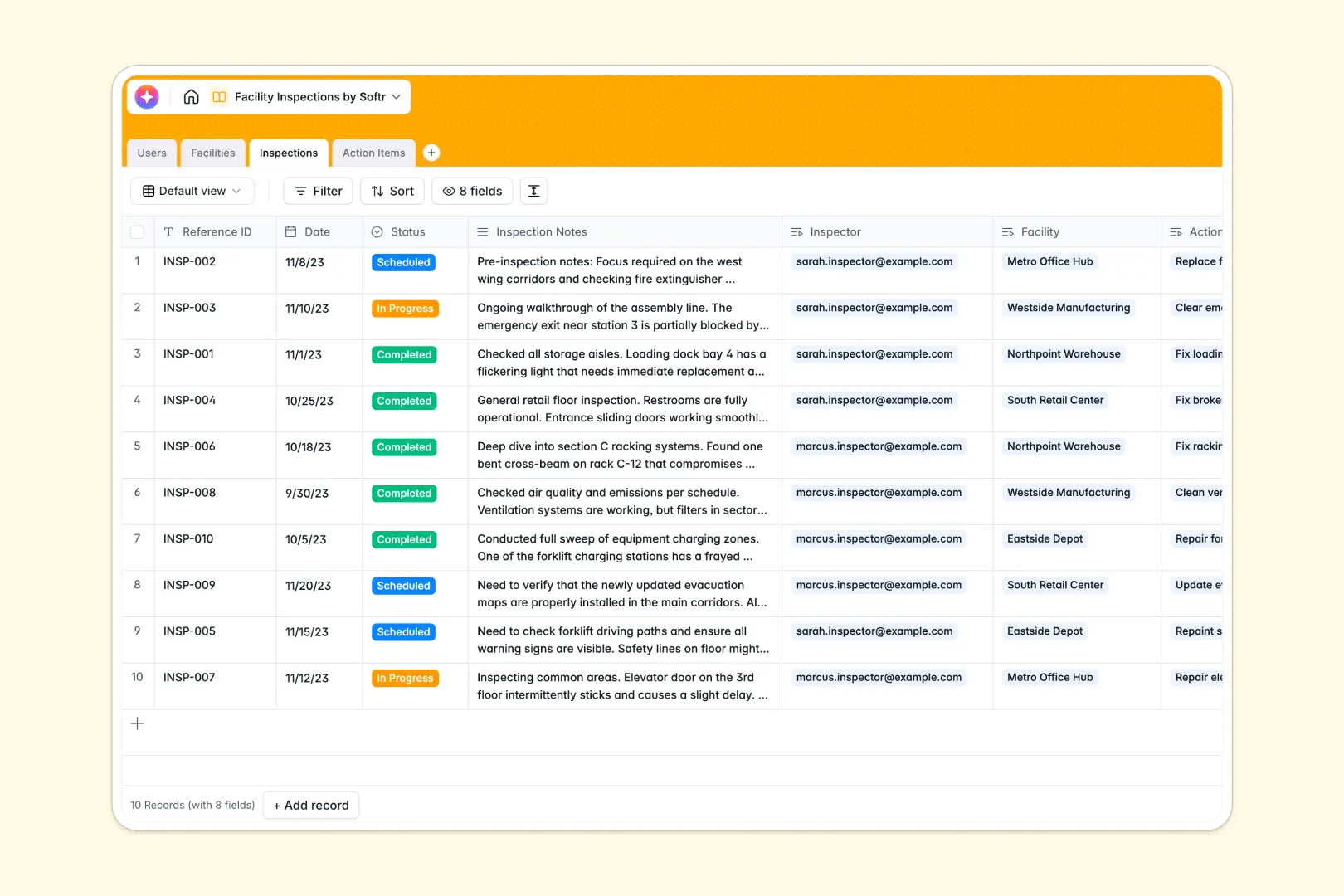
Your Facility Inspections database at a glance
This template centralizes safety audits, building audits, and maintenance tracking across all your physical locations. It ensures critical issues are never missed and keeps inspectors and facility managers aligned in real time.
Everything is connected across dedicated tables for Facilities, Inspections, Action Items, and Users. When an inspector logs a finding, it immediately links to the specific site and tracks resolution progress without manual data consolidation.
Built-in AI fields automatically summarize long inspector notes into concise briefings and classify safety risk urgency instantly.
Moving past disconnected site logs and manual audit sheets
When maintenance teams manage compliance across multiple buildings, scattered records make follow-ups fall through the cracks.
What a structured database changes
In standard spreadsheets, notes get truncated, photos are hard to attach, and linking an action item to a facility requires repetitive copy-pasting. Dates often lose formatting, and tracking historical compliance for a specific building becomes tedious.
This is exactly what Softr Databases are designed for: giving your operations typed fields, clean relationships, and reliable rollups.
Every inspection record connects directly to its assigned inspector and facility, allowing you to see site health and open violations instantly.
What you can do with this template
Assign inspections to specific team members, track audit schedules, and log detailed site notes alongside photo evidence of violations.
Use Database AI agents to evaluate issue descriptions and classify urgency levels into Low, Medium, or High automatically while summarizing findings.
Keep facility managers informed about open action items and audit histories from a single, organized source of truth.
-
Users
Manage inspectors, admins, and facility managers with assigned duties
-
Facilities
Track physical building locations, assigned managers, and total audits
-
Inspections
Log facility audit events and generate key findings using AI summaries
-
Action Items
Track audit issues and automatically classify urgency levels using AI
Who is this Facility Inspections database for
This template is designed for operational teams needing structured oversight across physical properties.
- Facility Managers: Monitor building health, review pending repairs, and verify compliance across multiple locations.
- Safety Inspectors: Log site visits, capture photo evidence, and document violations quickly in the field.
- Operations Leads: Track team workload, audit frequency, and overdue action items across all company assets.
- Property Management Firms: Standardize audit criteria and maintain transparent maintenance logs for clients.
How to take it further
Customize fields to match your compliance standards by adding custom safety checklists, modifying facility categories, or adjusting issue urgency thresholds directly in the table settings.
Import your existing property lists and equipment data using CSV uploads or connect via API to sync inspections with your enterprise management tools.
When your team needs a dedicated mobile portal, use the AI app generator to turn this database into a complete inspection app. You can configure granular permissions so inspectors only see their assigned audits while facility managers review broad site summaries.
-
1
-
2
-
3
-
4
Frequently asked questions
-
What is a facility inspections database?
-
Why use a no-code database to build a facility inspection system?
-
How can AI help managing data for facility inspections?
-
Can I build an app with this facility inspections database?
-
Is this Facility Inspections template free?
-
How do I import existing facility records into this database?
Start building today. It's free!
Build and launch your first app in under 30 minutes.