


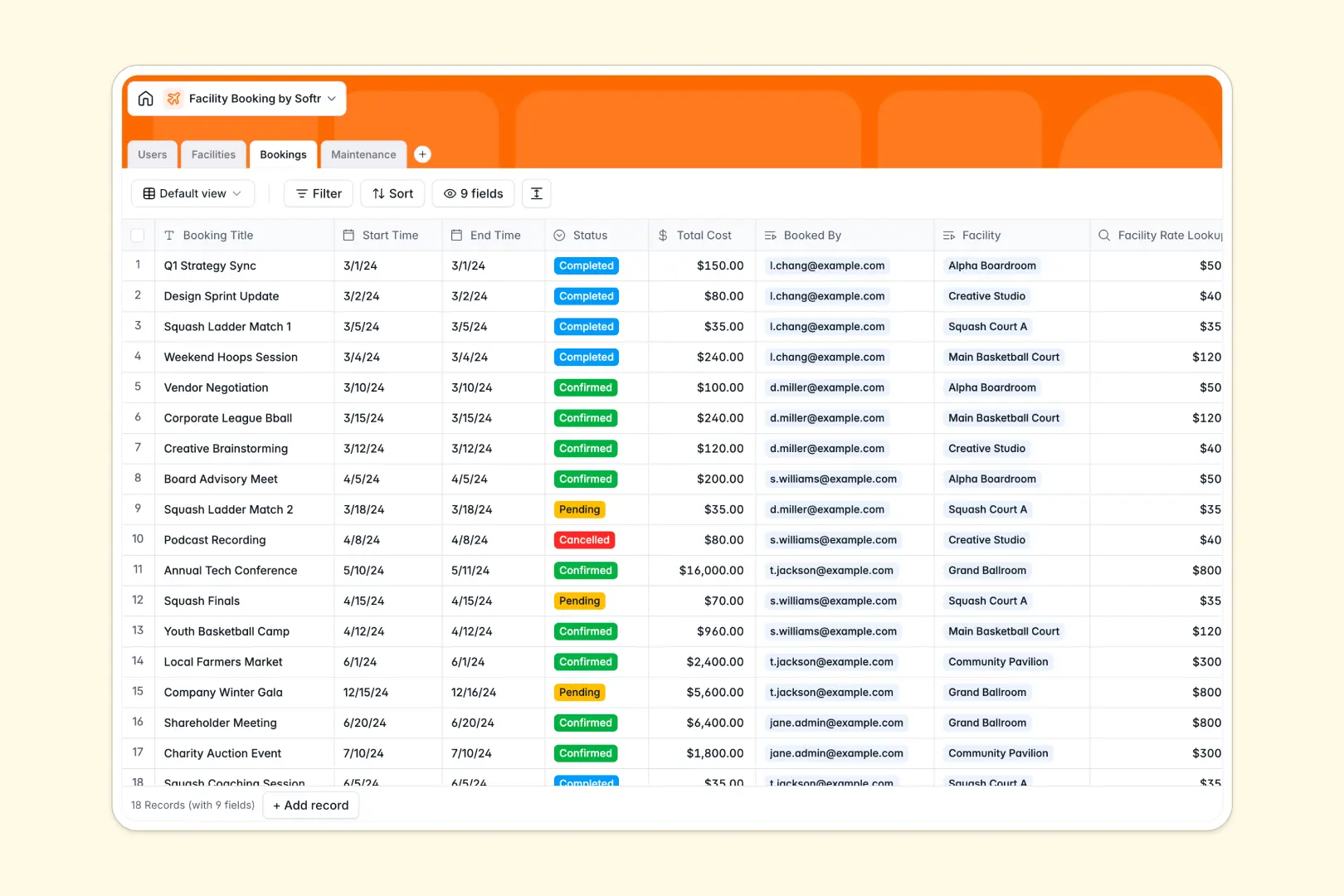
Your Facility Booking database at a glance
This template organizes spaces, reservations, user profiles, and upkeep logs in one connected system. It keeps your team aligned on room availability and eliminates scheduling conflicts without manual back-and-forth.
Four core tables structure your operations: Facilities lists bookable spaces with hourly rates and capacities, Bookings links users to specific spaces with automated lookups, Users categorizes members and staff, and Maintenance tracks repairs.
Built-in AI fields automatically draft marketing descriptions for spaces, generate summaries for reservations, and assess maintenance urgency based on reported issues.
Why shared schedules break down when spaces multiply
Tracking room reservations in a disconnected sheet works until two people request the same event hall at the same time. Spreadsheets lack native relations, forcing staff to re-type member emails, copy hourly rates, and manually check for overlapping dates across multiple tabs.
What a structured database changes
A structured database enforces strict data integrity: date fields stay dates, hourly rates stay currency, and reservations link directly to the correct room. When an admin updates a facility's hourly rate, every linked calculation updates automatically without broken formulas.
This is exactly what Softr Databases are designed for: creating relational tables that keep schedules, user profiles, and upkeep logs consistent.
What you can do with this template
You can immediately track booking statuses, monitor room usage, and assign repair requests to on-site technicians. Dynamic lookups calculate reservation totals instantly based on facility rates and time slots.
With native Database AI agents, the template automatically tags the urgency of maintenance tickets and writes concise digests for every incoming reservation.
-
Users
Manage user accounts, roles, contact information, and assigned bookings
-
Facilities
Organize rentable spaces with pricing, capacity, and AI descriptions
-
Bookings
Schedule facility reservations with status tracking and AI summaries
-
Maintenance
Track facility repairs and upkeep tasks with AI urgency evaluation
Who is this Facility Booking database for
This template is designed for teams managing shared physical spaces and recurring reservations:
- Coworking Operators: Track desk allocations, conference room bookings, and member usage fees seamlessly.
- Community Centers: Coordinate event hall rentals, sports court schedules, and staff assignments in one view.
- Office Managers: Oversee internal meeting rooms, equipment availability, and facility maintenance tasks.
- Property Managers: Log tenant reservation requests, monitor room capacities, and schedule on-site repairs.
How to take it further
1. Customize the database
Adapt the database structure to your property's specific setup in seconds. You can add new options to the facility categories, include custom fields for AV equipment checklists, or set specific booking deposit rules directly in the table.
2. Import your existing data
Bring your existing room directory, member lists, or booking history into the database using CSV import. If you manage reservations across external calendars or software, use the API to sync data automatically.
3. Build a full app around it
When you are ready to give members and staff a dedicated portal, you can build an app on top of your database. Softr connects your data to custom user interfaces and workflows in one platform.
Use granular users and permissions to let members view availability and submit reservation requests, while maintenance staff only see assigned repair tickets. You can generate this entire interface in minutes using the AI Co-Builder.
-
1
-
2
-
3
-
4
Frequently asked questions
-
What is a facility booking database?
-
Why use a no-code database to build a facility booking system?
-
How can AI help managing data for facility booking?
-
Can I build an app with facility booking database?
-
Is this Facility Booking database free?
-
Can I prevent double-bookings with this template?
Start building today. It's free!
Build and launch your first app in under 30 minutes.