


Overview
Our Client Portal template allows you to build a powerful centralized hub without writing a single line of code. Connect your data and quickly deploy a secure environment using the Softr Client Portal builder. Provide your external partners and customers with a single source of truth for documents, task tracking, and billing.
How It Compares
When building a web app, you often face the build vs. buy dilemma.
Traditional Development
Custom-coded solutions require immense budgets, endless maintenance, and months of engineering time. Even managing security and scale can be burdensome.
Softr No-Code Platform
Using Softr combined with a database like Airtable or Google Sheets means you can launch in hours, not months. You get enterprise-grade security and user permissions out of the box.
-
Users
Manage employee profiles, reporting hierarchies, and system access rights
-
Departments
Track organizational units with specific budget allocations and team members
-
Expense Reports
Approve submissions using AI-generated summaries to evaluate total impact
-
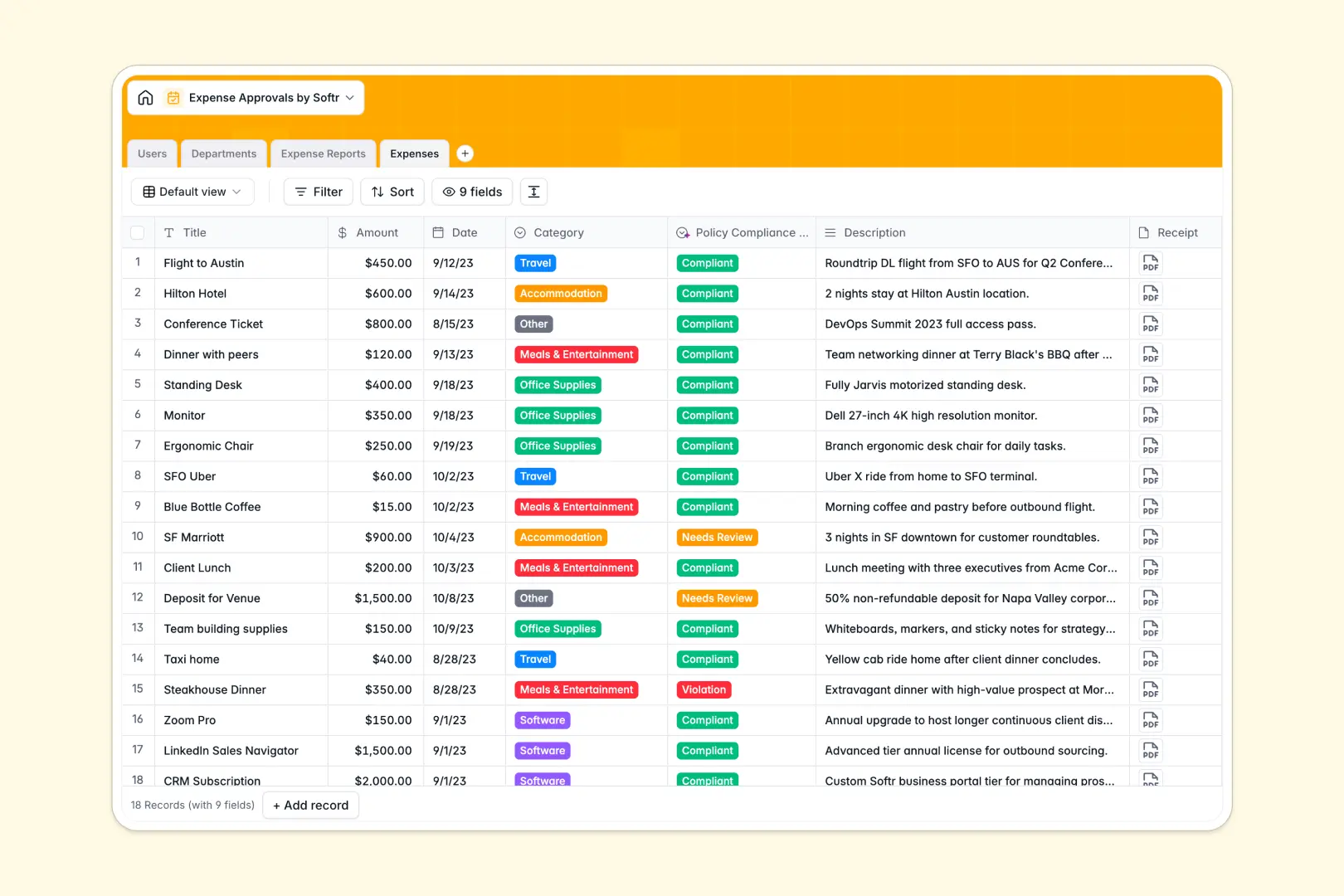
Expenses
Log individual line items with AI-powered policy compliance classification
Who is this for
This template is perfectly suited for businesses that need to share sensitive data tailored to individual users.
- Agencies & Freelancers: Share deliverables, project timelines, and invoices securely.
- Consultants: Provide a dedicated space for clients to view reports and book meetings.
- Service Businesses: Let customers manage their subscriptions and update profiles easily.
How to take it further
Once you've launched your baseline portal, the possibilities are endless. You can integrate advanced logic using Make or Zapier to automate document generation. Additionally, you might expand into an Internal Tool for your team, connecting the client-facing app to a robust CRM or support ticketing pipeline managed entirely within Softr.
-
1
-
2
-
3
-
4
Frequently asked questions
-
What is a client portal?
-
Do I need to know how to code to use this template?
-
Can I use my own custom domain?
-
Is the data in the portal secure?
-
Does it integrate with my existing tools?
Start building today. It's free!
Build and launch your first app in under 30 minutes.