


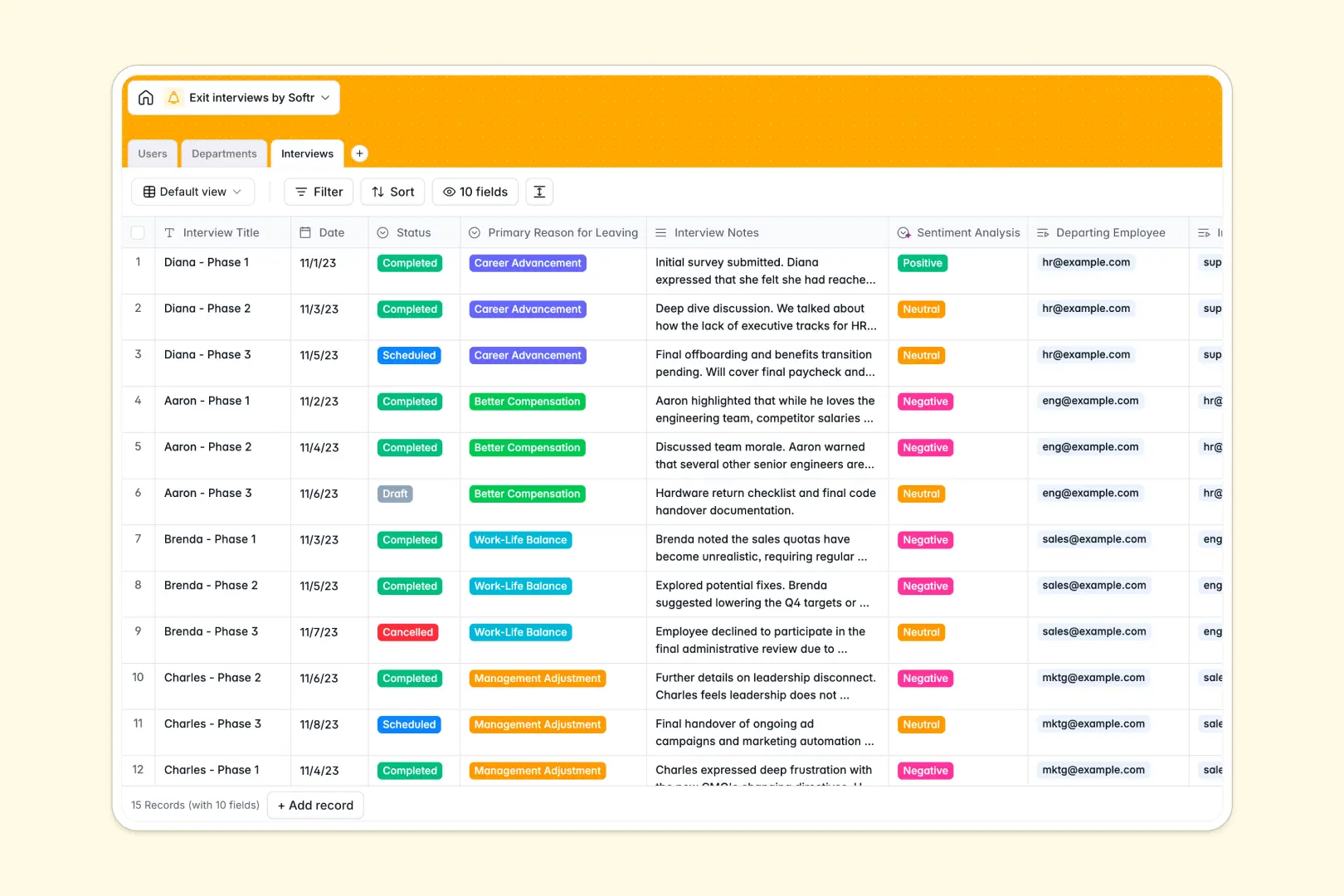
Your Exit Interviews database at a glance
This template centralizes employee offboarding feedback, making it simple to spot turnover patterns and understand why talent leaves. It keeps sensitive offboarding data structured and actionable across your entire organization.
Three linked tables connect departing team members, their assigned departments, and specific interview records. Lookups and rollups automatically update department headcount and aggregate feedback without manual recalculations.
Built-in AI fields automatically analyze long-form interview notes to extract core takeaways and categorize overall sentiment as positive, neutral, or negative.
What happens when exit feedback stays locked in static files
Exit notes scattered across disconnected documents make it nearly impossible to identify root causes behind employee turnover across departments.
What a structured database changes
A dedicated database maintains clear relational links between the departing employee, the interviewer, and department metrics. When an interview is completed, rollups and lookups immediately reflect the changes across related records without broken formulas.
Typed fields ensure dates, reasons for leaving, and long-form feedback stay clean and consistent. This is exactly what Softr Databases are designed for, giving you a reliable backend that adapts as your team grows.
What you can do with this template
Link every departing staff member directly to their manager and department to reveal retention trends across specific business units. You can filter by primary reasons for leaving to spot recurring compensation or management issues early.
Integrated Database AI agents automatically process raw interview notes upon completion, generating bulleted takeaways and sentiment scores instantly.
-
Users
Manage employee profiles, roles, and linked exit interview sessions
-
Departments
Organize company branches, department managers, and overall headcount
-
Interviews
Log departure notes with AI sentiment analysis and key takeaway summaries
Who is this Exit Interviews database for
This template helps people operations and leadership turn candid departure feedback into proactive retention strategies.
- HR Leaders: Spot company-wide turnover patterns and report retention insights directly to executive leadership.
- People Operations Managers: Standardize exit interview workflows, manage schedules, and keep confidential records organized.
- Department Heads: Understand specific reasons team members leave their division to improve culture and team dynamics.
- Talent Retention Specialists: Track sentiment shifts over time to adjust compensation benchmarks and career development paths.
How to take it further
Customize your database by adding custom fields to the Interviews table, such as handover status, rehire eligibility, or company rating scores. You can also adjust the choices in the Primary Reason for Leaving field to match your organization's internal benchmarks.
Import historical exit records quickly using CSV uploads or connect your HRIS via API to sync departing employee profiles automatically into the Users table.
When your team is ready, you can build an app on top of this database to give HR teams a private portal for logging notes while restricting manager views to their own departments. Configure granular users and permissions to ensure confidential compensation feedback remains strictly protected.
-
1
-
2
-
3
-
4
Frequently asked questions
-
What is an Exit Interviews database?
-
Why use a no-code database to build an exit interview system?
-
How can AI help managing data for exit interviews?
-
Can I build an app with this exit interviews database?
-
Is this Exit Interviews database free?
-
How do I import existing offboarding records into this template?
Start building today. It's free!
Build and launch your first app in under 30 minutes.