


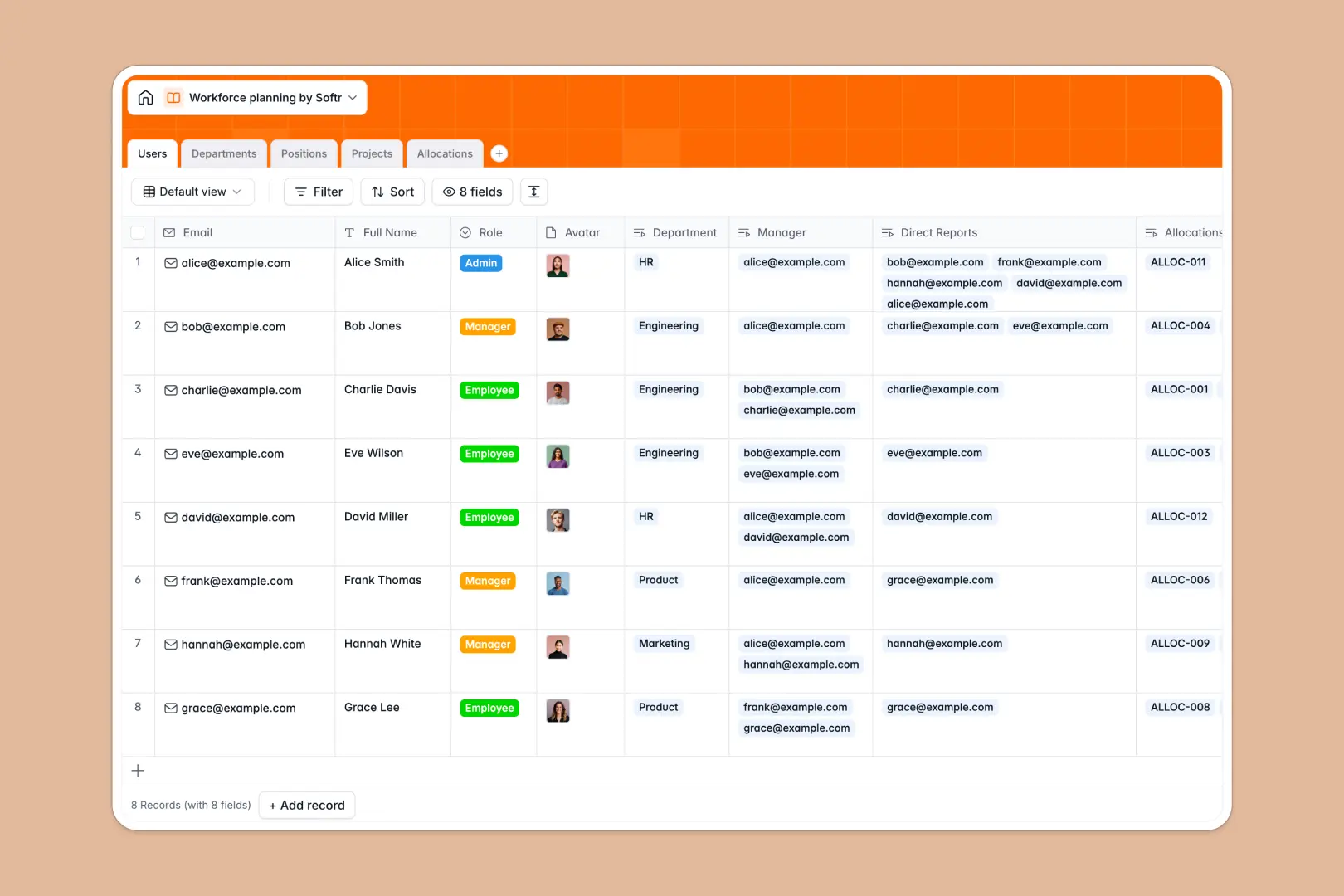
Your Workforce Planning Database at a glance
This template provides a clear, scalable view of your organization’s capacity, active projects, and hiring needs. It replaces scattered tracking sheets by perfectly mapping your active staff to upcoming initiatives.
The system uses connected relational tables to manage the resource lifecycle flawlessly. Every employee is tied securely to their department and nested under mapped project allocations, showing exact capacity percentages without duplicate data entry.
Built-in AI automatically generates professional job descriptions for new positions based on industry standards, saving massive amounts of drafting work. It also summarizes department mandates and active project scopes instantly as your records update.
Why workforce planning gets messy in Excel
Tracking employee capacity, headcount forecasting, and reporting matrices in spreadsheets quickly becomes chaotic. When you rely on fragile formulas to link a team member to an upcoming project, one sorted row can break your entire capacity model.
What a structured database changes
A structured setup fundamentally solves this by enforcing how information connects across your organization. Instead of manually typing an employee's name across multiple workflow tabs, you simply link their profile directly to projects with concrete capacity percentages and dates.
Because your organizational structure is built on these native relational connections, open positions stay properly attached to their correct departments effortlessly. This is exactly what Softr Databases are designed for.
What you can do with this template
Organize your operational hierarchy cleanly by linking direct reports to managers while tracking both approved and planned headcount. Focus entirely on strategic mapping instead of fixing mismatched internal data.
Instantly see who is over-allocated and which resource bottlenecks put your upcoming projects at risk. Stay proactive with automated intelligence that drafts standard job requirements straight from live internet research.
-
Users
Manage employee profiles, job titles, and internal reporting structures
-
Departments
Organize units with staff counts and AI-generated mandate summaries
-
Positions
Track open roles and use AI to generate detailed job descriptions
-
Projects
Monitor initiatives and use AI to create concise executive summaries
-
Allocations
Assign team members to projects with specific time and capacity limits
Who is this Workforce Planning Database for
This ready-to-use template helps operational leaders align their available talent with upcoming strategic goals.
- HR Leaders: Forecast hiring requirements and manage department transitions without updating dozens of decoupled tabs.
- Resource Managers: Monitor the exact capacity percentage of employees across active and planned projects.
- Department Heads: Keep a live catalog of approved, open, and filled positions connected securely to organizational units.
- Operations Directors: Prevent resource gridlocks by visually mapping reporting lines and direct reports.
How to take it further
Customizing the organizational structure is as simple as renaming columns or adjusting the predefined status tags for incoming projects. You can effortlessly append new fields to track employee hardware assignments or internal skill tags.
Migrate your current organization matrix rapidly by uploading a clean CSV file of your team directly into the users table. Your previously scattered spreadsheet immediately transforms into a structured, highly connected operational system.
When your tracking needs mature, you can build a full-stack interface around this data to create a custom employee portal. By configuring flexible users and permissions, you can ensure individual managers only access capacity data relevant to their specific direct reports, keeping sensitive operational plans completely secure.
-
1
-
2
-
3
-
4
Frequently asked questions
-
What is a workforce planning database?
-
Why use a no-code database to build a workforce planning system?
-
How can AI help managing data for workforce planning?
-
Can I build an app with this workforce planning database?
-
Is this Workforce Planning database free?
-
How is a workforce planning database different from Excel?
Start building today. It's free!
Build and launch your first app in under 30 minutes.