


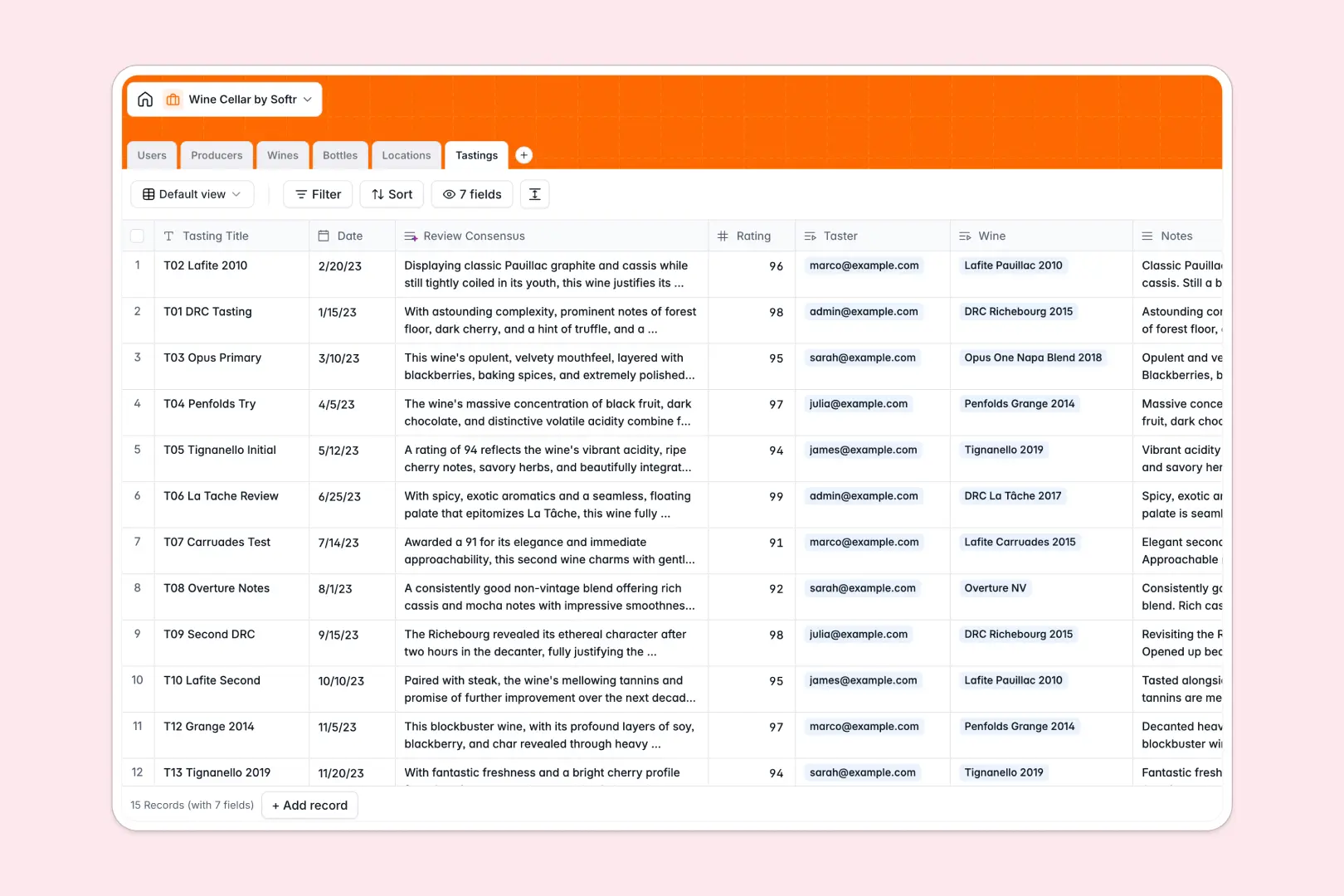
Your Wine Cellar Database at a glance
This template gives you a complete, connected system to track your wine collection, storage locations, and tasting history in one place.
Unlike flat spreadsheets, it uses relational tables to link individual bottles directly to specific wines, producers, and cellars. You can easily view how many bottles of a specific vintage you own or see which racks are nearing capacity.
Built-in AI automatically searches the web to write rich producer histories and generates expected tasting profiles the moment you add a new wine.
Why wine cellar inventory gets messy in Excel
Managing a growing wine collection in Excel quickly becomes a headache of duplicated rows, broken inventory counts, and data that is hard to navigate.
What a structured database changes
In a spreadsheet, tracking five identical bottles means copying and pasting the same producer and vintage details five times across different rows.
A structured system links one core wine record to multiple individual bottles, automatically counting what is "In Cellar" versus "Consumed."
This is exactly what Softr Databases are designed for, keeping your collection perfectly organized without fragile formulas or manual updates.
What you can do with this template
Easily log new bottle purchases, assign them to specific locations like a fridge or wooden rack, and update statuses as you consume them.
Record detailed tasting notes and ratings that remain permanently linked to the exact bottle and winemaker.
Leverage native Database AI agents to automatically pull historical contexts for vineyards or summarize your personal tasting reviews into a concise consensus.
-
Users
Manage system members handling the wine collection and personal reviews
-
Producers
Track vineyards with AI-generated historical context and wine style summaries
-
Wines
Catalog wine vintages using AI to generate detailed tasting profile expectations
-
Bottles
Inventory physical bottles with status, purchase history and storage locations
-
Locations
Organize physical wine storage units with capacity tracking and management
-
Tastings
Log reviews and ratings with AI synthesis of tasting notes and consensus
Who is this Wine Cellar database for
This database is perfect for anyone looking to step up their wine tracking and replace fragile spreadsheets with a reliable system.
- Private Collectors: Track exact bottle locations, purchase prices, and vintages to manage your collection's value.
- Restaurant Sommeliers: Maintain accurate stock levels across multiple off-site storages and floor cellars.
- Wine Enthusiasts: Keep a robust journal of tasting notes, ratings, and shared experiences with friends.
How to take it further
Customize the database. You can easily tweak this template to fit your exact needs. Rename location types, add a new field for peak drinking windows, or adjust the bottle status options natively without touching code.
Import your existing data. Don't start from scratch if you already have an inventory list. Simply upload your current Excel inventory via CSV to instantly populate your new cellar and immediately start tracking.
Build a full app around it. When your collection grows, you can easily build an app on top of this data to share your cellar catalog securely with friends or staff.
Softr connects your structured database to custom interfaces and workflows automatically. Setting up user access is effortless, ensuring staff can update stock counts while keeping your core database completely secure.
-
1
-
2
-
3
-
4
Frequently asked questions
-
What is a wine cellar database?
-
Why use a no-code database to build a wine cellar inventory?
-
How can AI help managing data for wine cellars?
-
Can I build an app with this wine cellar database?
-
Is this Wine Cellar Database free?
-
How is this database different from tracking wine in Excel?
Start building today. It's free!
Build and launch your first app in under 30 minutes.