


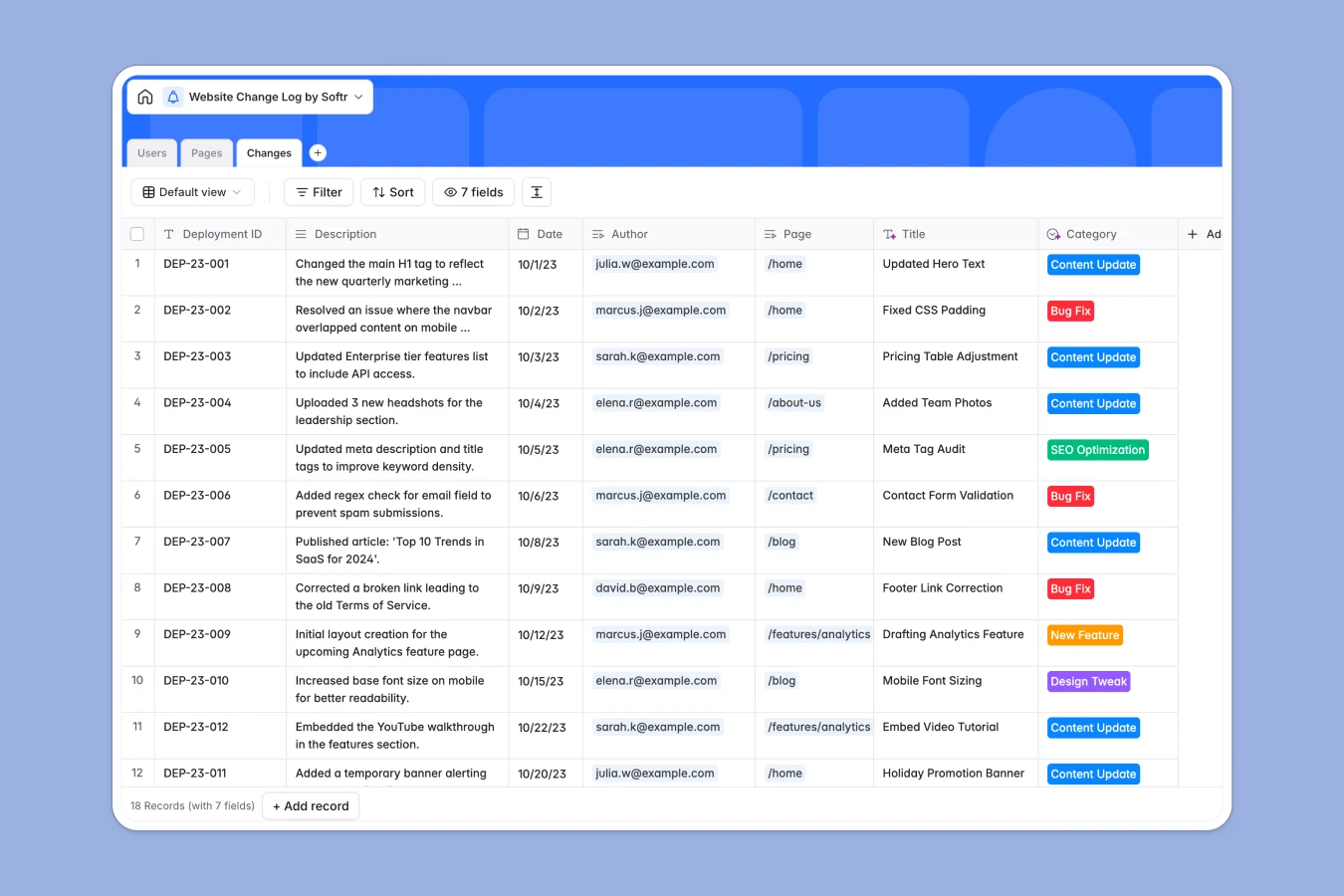
Your Website Change Log at a glance
Stop relying on scattered chats or static rows to track site evolution. This template gives you a central registry for every deployment, bug fix, and content update, ensuring total visibility across your web projects.
It connects three key tables: Pages, Users, and Changes. Instead of repeating data, you simply log a Change and link it directly to the responsible User and the specific Page affected, automatically updating the page's history.
Database AI agents can even analyze technical descriptions and generate plain-English summaries for non-technical stakeholders automatically as new records are added.
Why tracking site changes in Excel breaks down
Spreadsheets start fine but quickly become unmanageable as your site grows. Descriptions get cut off, version history is hard to trace per page, and it’s impossible to enforce who changed what without creating a mess.
What a structured database changes
In a database, every update is a distinct record linked to a specific page and author. You can view the entire history of a single URL instantly without filtering massive sheets or dealing with broken lookups.
This is exactly what Softr Databases are designed for. You get a relational structure that keeps your deployment history clean, searchable, and professional without manual maintenance.
What you can do with this template
Instantly see the "Last Updated" date and "Total Changes" count for every page via automatic rollups. No manual calculations required—the system updates itself.
Categorize updates by type—like "Bug Fix" or "SEO Optimization"—to analyze where your team spends the most time and filter logs by deployment ID.
-
Pages
Registry of unique website pages with URLs, statuses and change histories
-
Users
Authorized team members for logging changes with contact info and roles
-
Changes
Detailed log tracking website updates with dates, categories and authors
Who is this Website Change Log database for
This template helps technical and marketing teams stay in sync on site updates.
- Dev Teams: Log deployment IDs and technical details for precise version control.
- Marketing Managers: Track content updates and SEO optimizations per page URL.
- Agencies: Provide clients with a transparent, professional history of work performed.
How to take it further
Customize the database
Add a "Reviewer" field to the Changes table or update the "Status" options in the Pages table to match your specific publishing workflow. Editing fields is instant and flexible.
Import your existing data
If you have a historical log in CSV or Excel, import it in one click to populate your Pages and past Changes immediately. This connects your legacy data to immediate value.
Build a full app around it
Turn this data into an internal portal where developers log updates and stakeholders view summaries. With Softr's interface builder, you can create specific views for different roles instantly.
Use users and permissions to ensure only authorized Admins or Editors can approve or log new deployments, while Viewers can only read the history.
-
1
-
2
-
3
-
4
Frequently asked questions
-
What is a website change log database?
-
Why use a no-code database to build a change log?
-
How can AI help managing data for website changes?
-
Can I build an app with this change log database?
-
Is this Website Change Log template free?
-
How is this database different from tracking changes in Excel?
Start building today. It's free!
Build and launch your first app in under 30 minutes.