


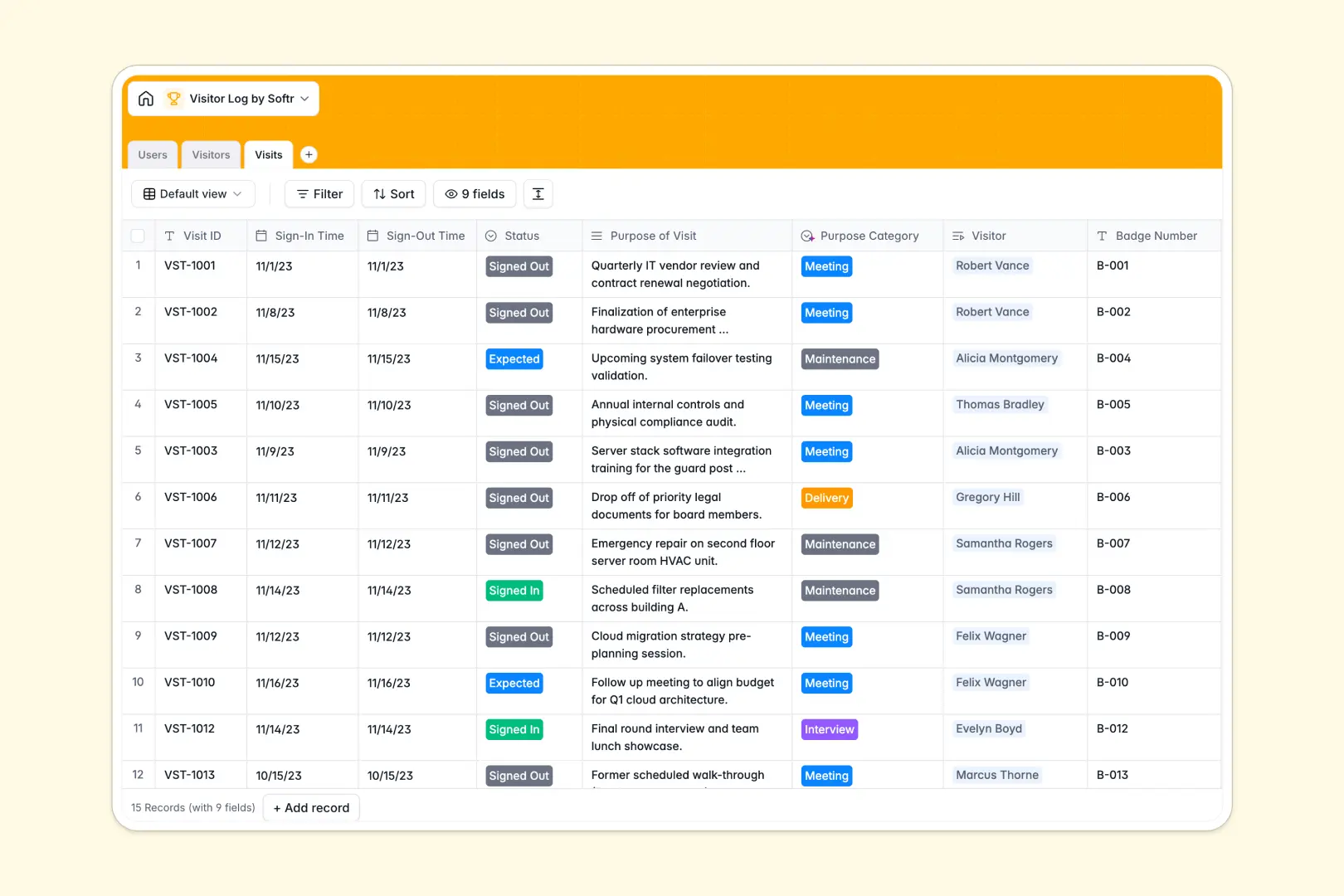
Your Visitor Log Database at a glance
This template gives you a robust, instantly ready system to manage external guests and track facility access. It replaces messy spreadsheets with a secure log where every visit is accurately recorded and easy to trace.
The database cleanly links three core components: incoming Visitors, individual Visits, and the internal Users or hosts expecting them. This relational structure means you never have to type out a returning guest's information twice.
Built-in AI automatically reviews the purpose of each visit to categorize it—like Delivery, Meeting, or Maintenance—while drafting quick summaries of newly registered guests.
Why visitor logs get messy in Excel
Tracking facility sign-ins with spreadsheets creates security risks and administrative nightmares. Rows get accidentally overwritten, uploaded photo IDs float around unattached, and tracing a prior visit requires broken formulas.
What a structured database changes
In a proper database, every column enforces strict rules so your data stays flawless. Dates remain dates, photo IDs upload directly into attachments, and statuses like "Expected" or "Signed-In" are clearly locked in.
You can effortlessly link a specific visitor to a host without manual copy-pasting across isolated tabs. This native connection is exactly what Softr Databases are designed for, keeping your records clean as your guest volume scales.
What you can do with this template
Log secure sign-ins, assign badge numbers, and monitor expected versus banned guests instantly. The template acts as a reliable single source of truth for your front desk.
You can track historical check-ins to see exactly who visited, when they arrived, and which host they met with. Built-in automation even categorizes the visit's purpose for faster reporting.
-
Users
Manage internal staff and security personnel authorized to host visitors
-
Visitors
Directory of guests with AI-powered summaries of profiles and history
-
Visits
Log check-ins using AI to categorize the purpose of each campus visit
Who is this Visitor Log database for
This system is built for operations teams requiring a secure, easy-to-use method for managing facility access.
- Security Guards: Track real-time sign-in and sign-out times, review expected arrivals, and verify photo IDs instantly.
- Office Managers: Keep an accurate directory of recurring guests, delivery personnel, and maintenance workers.
- Internal Staff: Function as hosts who can easily monitor when their scheduled visitors check in at the front desk.
How to take it further
Customize the database
Modifying this template takes seconds, letting you rename badge fields or add new visit statuses to match your exact security protocol. Because it operates natively inside your workspace, structural edits require zero technical configuring.
Import your existing data
Seamlessly bulk-upload your current directory of frequent guests or banned visitors via CSV. You can also use the API to automatically sync expected visitors directly from employee calendar invites.
Build a full app around it
When your team needs more than just a backend table, you can deploy a full application like a self-service check-in kiosk. By launching a custom interface builder on top of this structure, you turn static data into an interactive portal. A cleanly structured database is the perfect foundation for specialized daily operations apps.
-
1
-
2
-
3
-
4
Frequently asked questions
-
What is a visitor log database?
-
Why use a no-code database to build a visitor log system?
-
How can AI help managing data for visitor logs?
-
Can I build an app with this visitor log database?
-
Is this visitor log database free?
-
How does this template handle recurring visitors compared to Excel?
Start building today. It's free!
Build and launch your first app in under 30 minutes.