


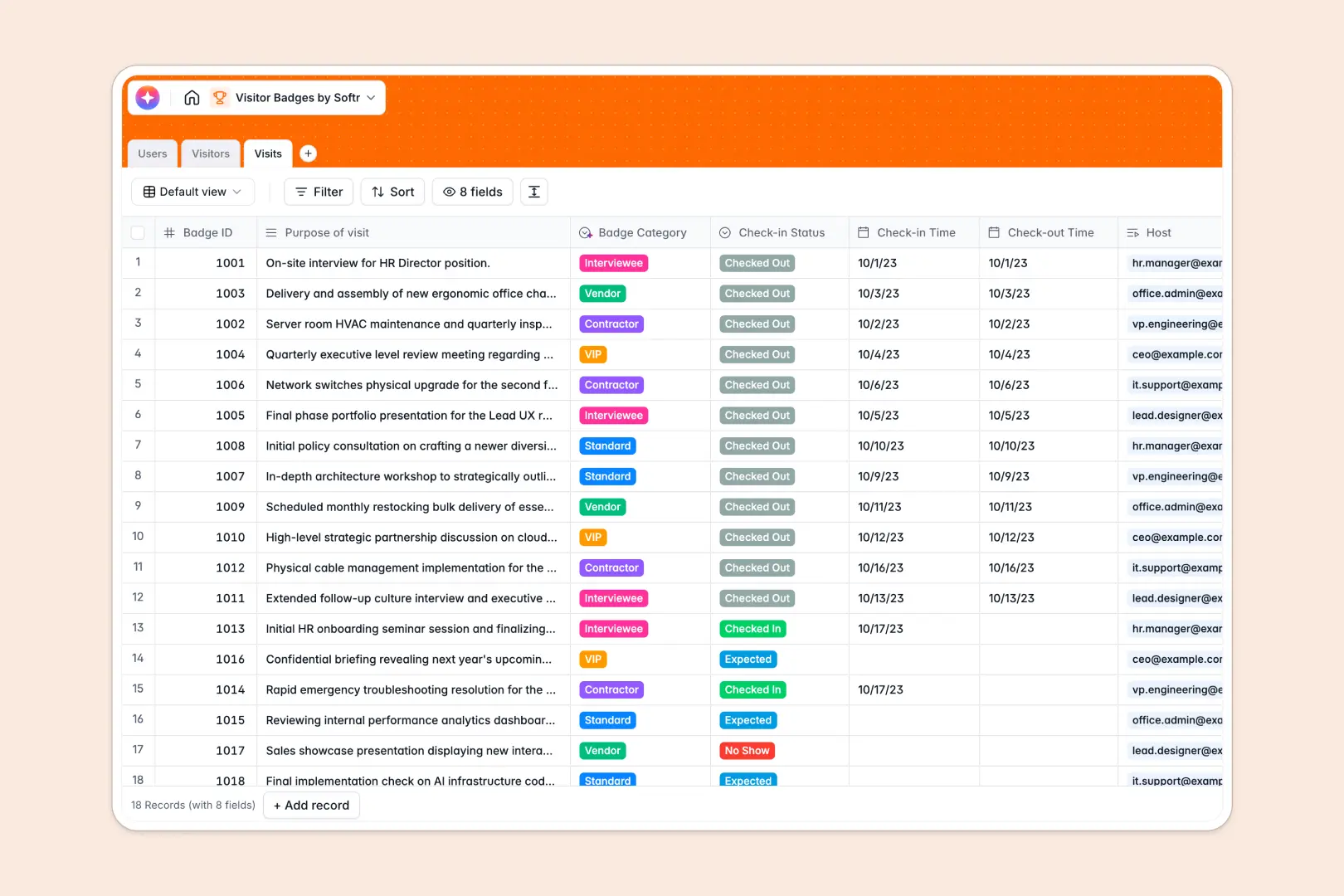
Your Visitor Badges Database at a glance
Ditch the clipboard and static files. This template helps you track external guests, issue accurate badges, and maintain secure check-in logs in one unified place.
It separates internal staff from temporary guests, connecting them intuitively through a dedicated Visits log. This structure ensures you always know exactly who hosted whom and when the visitor checked out of the building.
Native AI features automatically handle manual work for your front desk. The database researches the visitor's company background and auto-categorizes the required badge type (like VIP or Contractor) based entirely on their visit's purpose.
Why managing visitor logs in Excel breaks down
Keeping track of facility visitors in Excel quickly turns into a security nightmare of accidentally deleted rows, missing checkout times, and disconnected host information.
What a structured database changes
Instead of cramming critical timestamps and visitor photos into fragile spreadsheet cells, a database enforces clear column types so records stay secure and unalterable. You can link a daily guest directly to an internal employee without relying on broken VLOOKUPs.
This robust, relational foundation is exactly what Softr Databases are designed for. As your physical guest list grows, you maintain a highly accurate history of every person who entered the building without scrolling through a messy grid.
What you can do with this template
Log every visit instantly with a unique Badge ID, exact check-in time, and live statuses linked directly to both the guest and the host.
You can also leverage built-in Database AI agents to keep your lobby moving fast. The database can automatically pull company summaries from the live web and classify visits on the fly, ensuring you always issue the correct security badge.
-
Users
Manage internal staff profiles, roles, and authorized meeting hosts
-
Visitors
Track guest details and use AI to research visitor company backgrounds
-
Visits
Log guest sessions using AI to categorize badges based on visit purpose
Who is this Visitor Badges database for
This template provides a secure, organized foundation for any facility or office welcoming external guests daily.
- Front Desk Receptionists: Speed up the check-in process while keeping an accurate list of expected daily arrivals.
- Security Teams: Monitor facility access securely and see exactly who is currently occupying the building in real time.
- Office Managers: Issue strict badge credentials, like VIP or Vendor passes, cleanly based on the visit purpose.
- Compliance Officers: Maintain a clear, digital audit trail of all physical building visitors for strict regulatory tracking.
How to take it further
Customize the database
You can easily tweak this database to fit your lobby's specific security protocol. Add new badge categories, modify the live check-in dropdown statuses, or add attachment fields for signed NDAs.
Import your existing data
Ditch your old digital logbooks by bulk-uploading your historical data via CSV. You can instantly map past guest lists directly into this clean, relational structure to start fast.
Build a full app around it
When your operations are ready, you can transform this database into a complete front-desk tablet app. Using the native interface builder, you can create a self-serve kiosk for guests to easily check themselves in upon arrival.
By adjusting users and permissions, you can ensure security guards view the complete daily log, while individual employees only see their own scheduled visitors. A cleanly structured database makes building these secure facility apps effortless.
-
1
-
2
-
3
-
4
Frequently asked questions
-
What is a visitor badges database?
-
Why use a no-code database to build a visitor management system?
-
How can AI help manage data for visitor badges?
-
Can I build an app with this visitor badges database?
-
Is this Visitor Badges template free?
-
Why shouldn't I just use Excel to track visitor badges?
Start building today. It's free!
Build and launch your first app in under 30 minutes.