


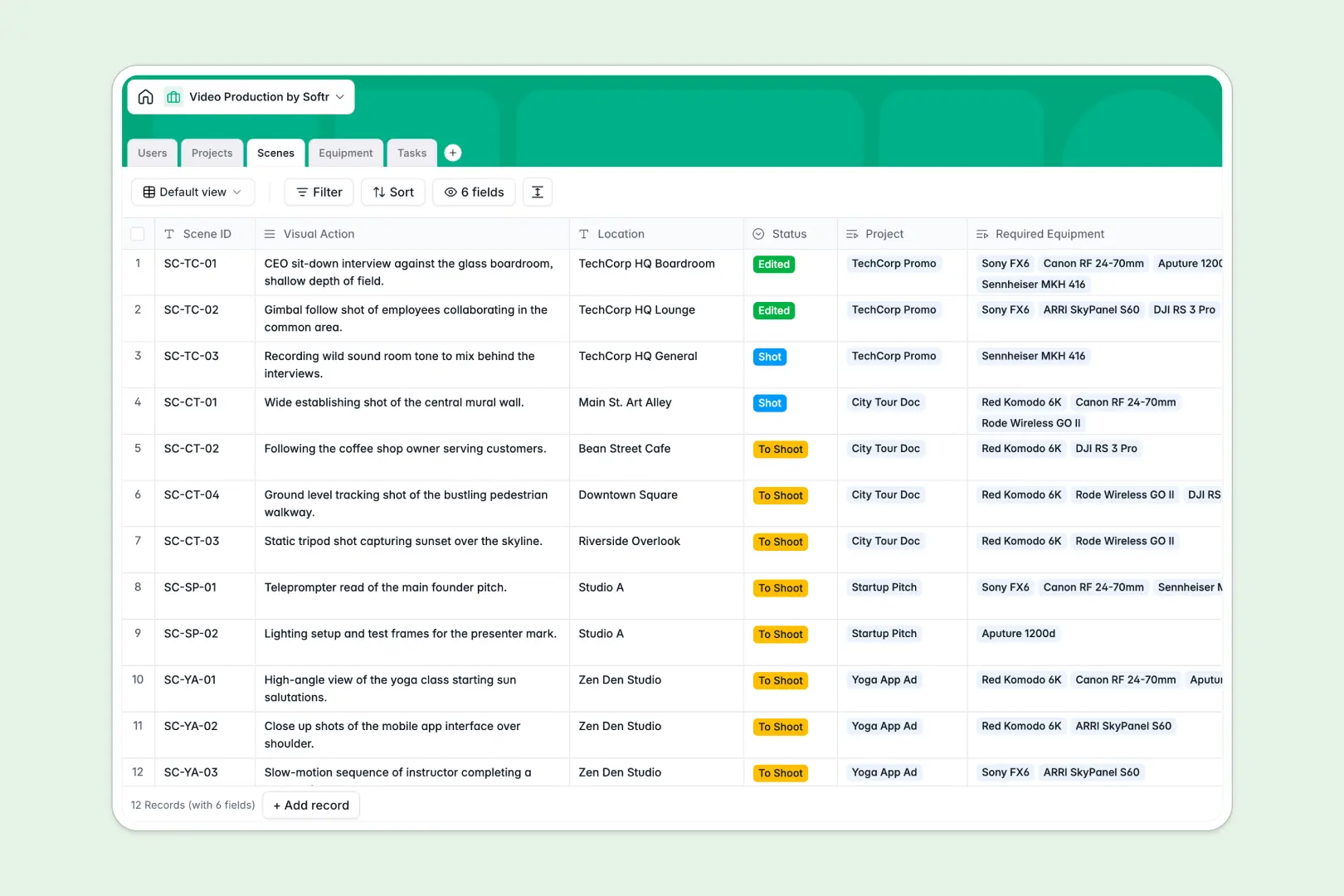
Your Video Production database at a glance
Manage your entire video production workflow from pre-production to final edit. This template connects your team, scenes, and equipment so nothing slips through the cracks.
Track your Projects and link them directly to required Scenes and daily Tasks. Every piece of Equipment is tied to specific shoots, meaning you always know what gear is in use or available in real time.
Built-in AI instantly summarizes long project briefs and categorizes your tasks automatically. It even searches the web to pull critical technical specs for your specific cameras and lighting gear right into your records.
Why video production gets messy in Excel
Managing production schedules, gear inventory, and shot lists across multiple spreadsheets inevitably leads to missing gear, missed deadlines, and endless email threads.
What a structured database changes
In a spreadsheet, linking a task to a specific scene or camera means using fragile VLOOKUP formulas that break when someone deletes a row. Mixed columns mean you cannot easily filter what gear is available versus currently on set.
A relational structure fixes this by letting you connect tables together seamlessly. You can link a lighting rig to a particular scene with one click, ensuring everyone sees an accurate, real-time inventory without copy-pasting.
This is exactly what Softr Databases are designed for. They enforce clear structure so your dates stay clean, your statuses remain standardized, and your production data stays intact as your projects scale.
What you can do with this template
Connect your producers, clients, and crew to the exact projects and tasks they need to see. You can effortlessly track scene statuses from "To Shoot" to "Edited" without losing vital context along the way.
Leverage built-in Database AI agents to automate the heavy lifting of production management. The database can automatically summarize dense client briefs, instantly classify tasks as "Filming" or "Review", and research technical specifications for your camera equipment.
-
Users
Manage production staff, crew, and clients with roles and contact info
-
Projects
Oversee video projects with AI-powered brief summaries and status tracking
-
Scenes
Organize individual shots and visual actions required for each production
-
Equipment
Inventory gear with AI-generated technical specs from manufacturer data
-
Tasks
Track production to-dos using AI to automatically categorize task types
Who is this Video Production database for
This template is built for creative teams who need tight coordination without dealing with clunky software.
- Producers: Track project statuses, assign daily tasks, and keep deadlines clear across the entire crew.
- Directors & Cinematographers: Plan scene locations, visual actions, and required camera gear without digging through email threads.
- Equipment Managers: Monitor inventory statuses and track exactly which scenes your cameras and lenses are currently assigned to.
- Post-Production Teams: Instantly see which scenes are "Shot" and ready for editing, categorized automatically by AI.
How to take it further
Customize your database. Easily modify the status tags for your scenes or add new equipment categories like Drones or Wardrobe. Because the fields are fully flexible, you can adapt the values to match exactly how your particular crew operates.
Import your existing data. Bring your current shot lists, gear inventories, or user directories over via CSV. You can instantly map your spreadsheet data into these structured tables and hit the ground running without downtime.
Build a full app around it. When you are ready, you can use the interface builder to turn this database into a custom portal for your crew or clients. You can build a streamlined mobile view for crew members to check off tasks directly from the set.
You can set up robust users and permissions to ensure clients only see their own project briefs, while your crew has access to edit scene details. A beautifully structured database makes building these full-stack web apps completely seamless.
-
1
-
2
-
3
-
4
Frequently asked questions
-
What is a video production database?
-
Why use a no-code database to build a video production system?
-
How can AI help managing data for video production?
-
Can I build an app with this video production database?
-
Is this Video Production database free?
-
Why should I use this template instead of Excel or Google Sheets?
Start building today. It's free!
Build and launch your first app in under 30 minutes.