


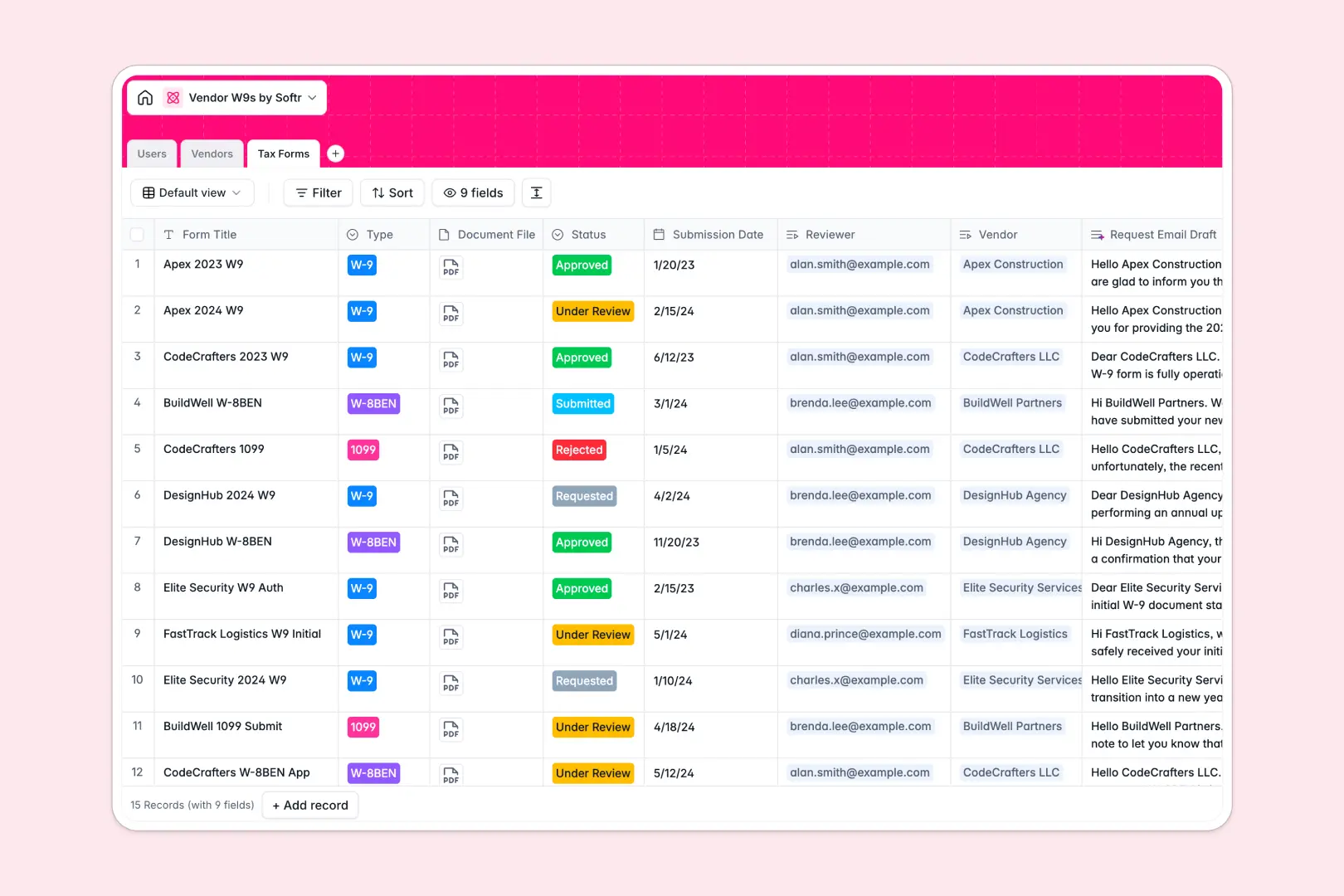
Your Vendor W9s Database at a glance
This template replaces scattered spreadsheets with a central hub to track vendor W9s, 1099s, and compliance statuses.
It connects three simple tables—Vendors, Tax Forms, and your internal Users—so you can easily link a submitted W-8BEN directly to the correct contractor.
Built-in AI automatically drafts professional follow-up emails for missing documents and researches vendor profiles straight from their websites.
Why tracking vendor W9s gets messy in Excel
Managing tax forms and compliance statuses across a spreadsheet quickly becomes a chaotic mix of broken links, forgotten follow-ups, and floating PDF files.
What a structured database changes
Columns in a specialized database enforce strict data types, so critical attachments stay securely tied to vendor records instead of getting lost in external desktop folders.
You can automatically link a contractor to their current W9 without writing fragile VLOOKUPs that break the second someone sorts a row. This is exactly what Softr Databases are designed to handle beautifully.
Data integrity scales effortlessly, meaning your compliance log stays highly reliable whether you manage ten contractors or a thousand.
What you can do with this template
Instantly see which specific vendors are compliant versus pending onboarding using perfectly connected rollup fields.
Let Database AI agents generate personalized request emails the minute a vendor is marked as needing a new tax form.
-
Users
Manage internal team members with roles, profiles and compliance review tasks
-
Vendors
Directory of providers using AI to generate company summaries from web sources
-
Tax Forms
Track tax document submissions with AI-powered draft generation for email requests
Who is this Vendor W9s database for
This template is perfect for finance and operations teams who need to maintain strict contractor compliance seamlessly.
- Accounting Teams: Ensure all 1099s and W9s are correctly logged, verified, and safely stored before closing the books.
- Operations Managers: Track contractor onboarding systematically and securely collect necessary tax documentation without endless email threads.
- Compliance Officers: Maintain an easily accessible, audit-ready log of form submissions, review statuses, and approval histories.
How to take it further
Customize the database
You can effortlessly tweak this template to fit your exact operational workflow. Add new choices to the Compliance Status field or create new columns to track contract expiration dates without touching a single line of code.
Import your existing data
Move away from Excel instantly by uploading your current vendor lists and contacts via CSV. Your existing chaotic list maps cleanly into your new structured tables in seconds.
Build a full app around it
When you are ready, use the interface builder to turn this database into a secure, professional vendor portal. Contractors can log in to safely upload their own W9s directly, while your internal teams seamlessly review submissions on the backend.
Thanks to granular users and permissions, vendors will only ever see their own records, keeping extremely sensitive tax information strictly confidential. A well-structured database makes launching practical apps like this perfectly straightforward.
-
1
-
2
-
3
-
4
Frequently asked questions
-
What is a vendor W9s database?
-
Why use a no-code database to build a compliance tracking system?
-
How can AI help managing data for vendor compliance?
-
Can I build an app with this vendor W9s database?
-
Is this Vendor W9s template free?
-
How is this template different from tracking vendor W9s in Excel?
Start building today. It's free!
Build and launch your first app in under 30 minutes.