


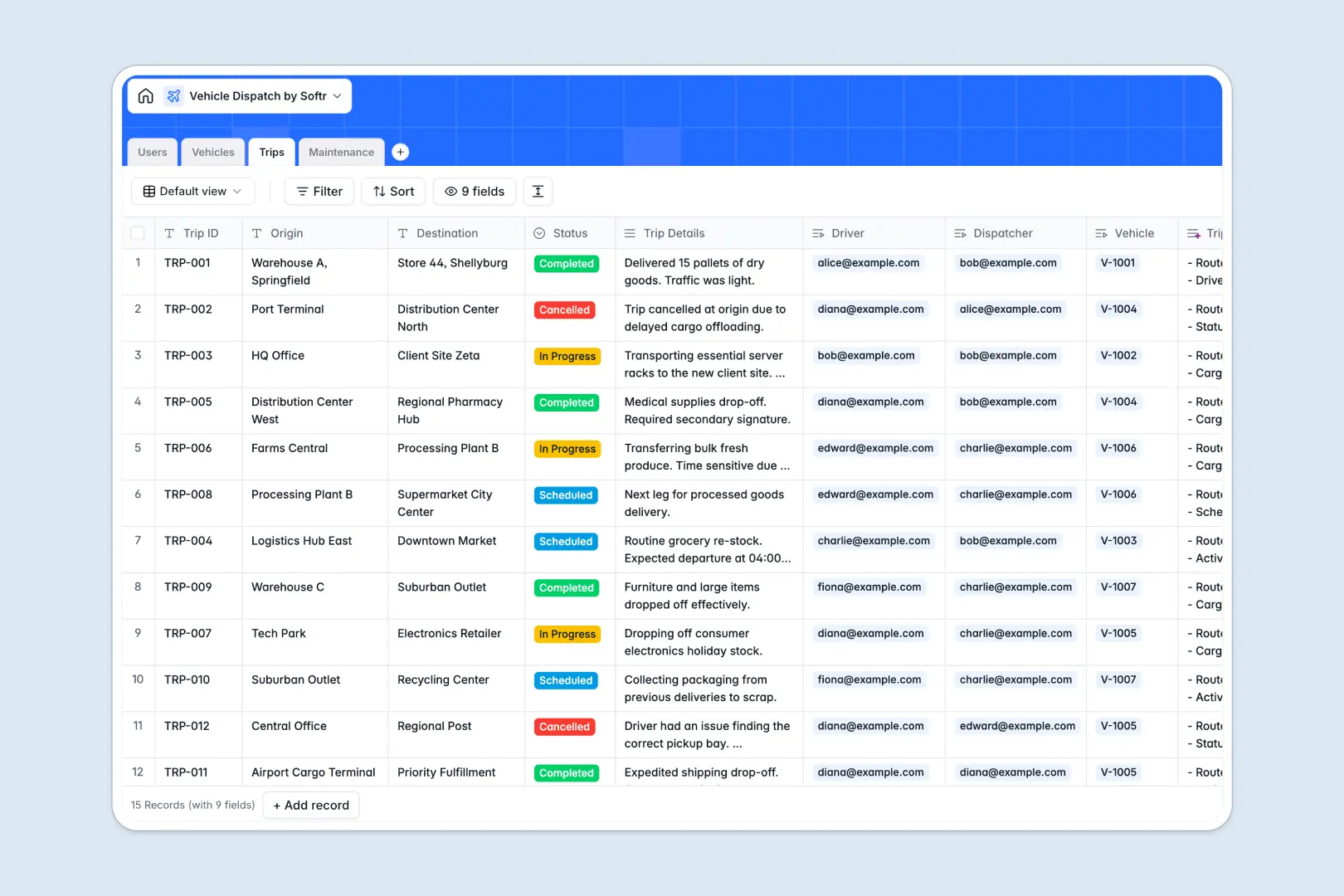
Your Vehicle Dispatch Database at a glance
This template tracks your entire fleet operations in one place, giving you instant visibility into vehicle statuses, driver assignments, and maintenance logs.
It uses connected tables to link individual vehicles directly to your drivers, active trips, and repair history. When a dispatcher assigns a route, the vehicle's status updates automatically without duplicate data entry.
Built-in AI features instantly draft vehicle status reports, auto-summarize trip details into readable bullets, and categorize maintenance records by service type automatically.
Why vehicle dispatch gets messy in Excel
Managing a fleet in spreadsheets quickly turns into a logistical nightmare of mixed data types, buried repair logs, and accidental overwrites.
What a structured database changes
A true database keeps your operations reliable by enforcing strict field types for dates, costs, and statuses. You can link a specific trip to a driver and a vehicle without relying on manually updated rows or fragile VLOOKUPs.
As your fleet expands, related records automatically calculate total repair costs or tally the number of completed trips per driver without breaking. This is exactly what Softr Databases are designed for.
What you can do with this template
Log origins, destinations, and trip details while instantly seeing which drivers and cars are currently available or en route. Keep detailed maintenance logs tied directly to specific license plates to track repair costs accurately over time.
You can also leverage Database AI agents to automatically classify routine services versus urgent repairs based on mechanic notes, saving hours of manual data entry.
-
Users
Manage fleet personnel including drivers and dispatchers with roles and contact info
-
Vehicles
Track the vehicle fleet and status with AI-powered synopsis of current conditions
-
Trips
Log journeys and assignments using AI to generate concise trip performance summaries
-
Maintenance
Monitor repairs and costs using AI to automatically classify the type of service
Who is this Vehicle Dispatch Database for
This template provides a reliable foundation for teams managing active fleets and mobile workforces.
- Fleet Managers: Track real-time vehicle availability, total maintenance costs, and service schedules.
- Dispatchers: Assign routes, monitor trip statuses from scheduled to completed, and log trip summaries.
- Logistics Companies: Keep a centralized directory of drivers and admin staff tied directly to active journeys.
How to take it further
You can easily customize this database to fit your exact operations. Add new select options for trip statuses or create additional columns to track fuel expenses and mileage.
If you already have existing driver rosters or vehicle registries, you can bulk import your data via CSV or sync it directly via API to gain immediate value.
When you are ready to scale, you can use the interface builder to create a full dispatch portal for your team. Drivers can log in on their phones to view assigned routes, while dispatchers manage the main active dashboard.
By configuring users and permissions, you ensure drivers only see their own assigned trips and vehicles, keeping your company data secure and organized.
-
1
-
2
-
3
-
4
Frequently asked questions
-
What is a vehicle dispatch database?
-
Why use a no-code database to build a dispatch system?
-
How can AI help managing data for vehicle dispatch?
-
Can I build an app with this vehicle dispatch database?
-
Is this Vehicle Dispatch Database free?
-
How is a vehicle dispatch database different from Excel?
Start building today. It's free!
Build and launch your first app in under 30 minutes.