


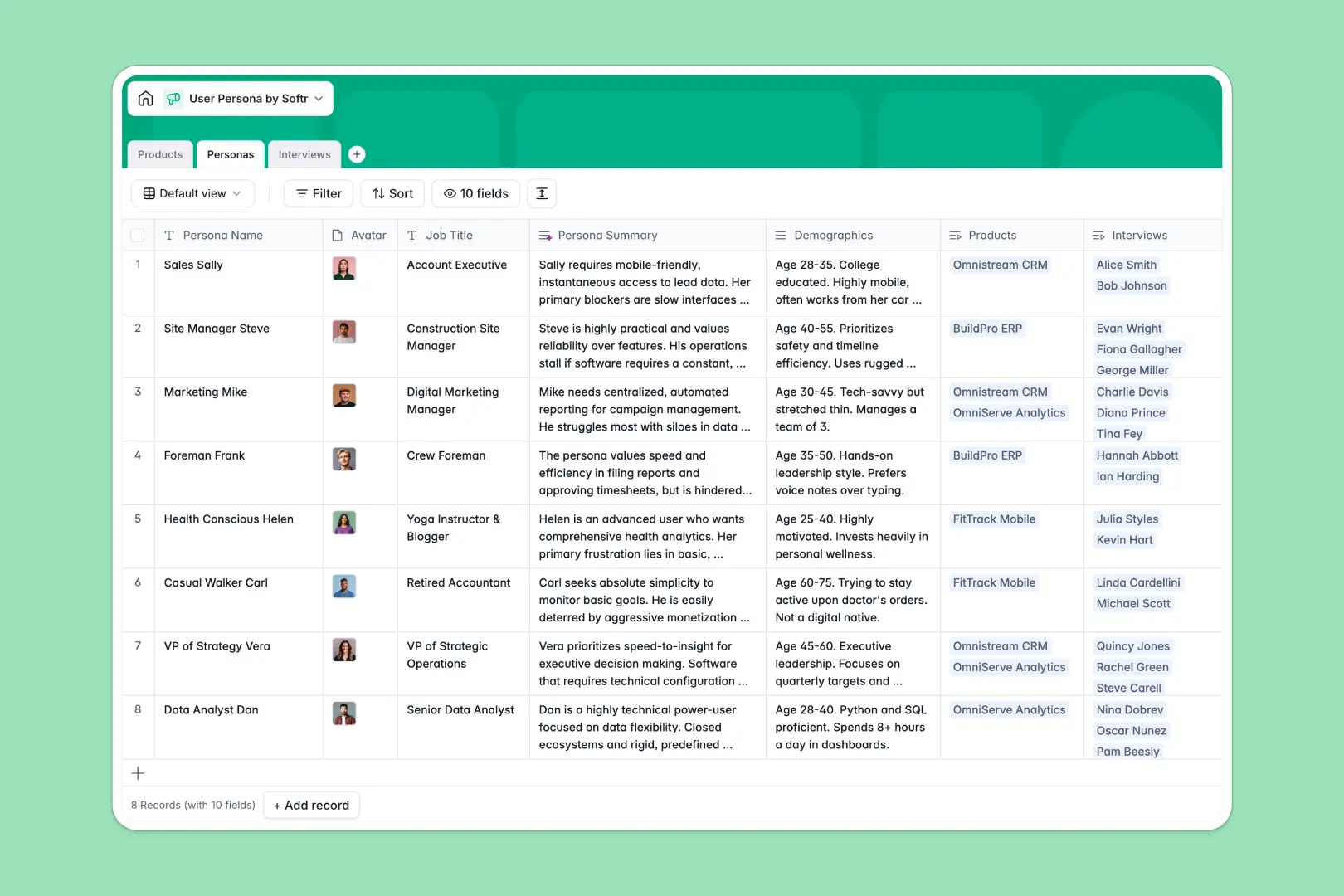
Your User Persona Database at a glance
This User Persona Database helps product teams centralize target audience profiles, connect them to specific products, and track real interview data.
It natively links three core tables—Products, Personas, and Interviews—so you can instantly see which qualitative feedback applies to which audience segment.
Plus, built-in AI fields automatically summarize persona goals, extract key takeaways from interview transcripts, and rate user sentiment effortlessly.
Why user personas get messy in Excel
Managing qualitative user research in Excel quickly becomes a headache of endless scrolling, broken links, and disjointed data.
What a structured database changes
Spreadsheets aren't built for long interview transcripts, attached avatars, or complex multi-table relationships. When you try to link a specific user interview to a persona in Excel, you end up duplicating rows or relying on fragile, messy formulas.
A relational database connects these records seamlessly, allowing you to link dozens of interviews to a precisely defined persona without duplicating data.
This is exactly what Softr Databases are designed for—giving your qualitative research a rigid, scalable structure that stays clean as insights grow.
What you can do with this template
Map your core software products directly to the specific buyer personas and user demographics that rely on them.
Log raw interview transcripts and let Database AI agents automatically extract the top three takeaways and classify user sentiment as positive, neutral, or negative.
Keep everything instantly accessible in one organized workspace, ensuring cross-functional teams always have reliable customer context at their fingertips.
-
Products
Manage software offerings and track associated user personas by category
-
Personas
Define user profiles with goals and AI-generated summaries of their needs
-
Interviews
Log user sessions with AI-extracted takeaways and automated sentiment analysis
Who is this User Persona Database for
This template provides a strong foundation for any team relying on deep customer understanding to make critical decisions.
- Product Managers: Link user feedback directly to product planning and prioritize specific features based on sentiment.
- UX Researchers: Centralize interview recordings, auto-summarize key takeaways, and build accurate demographic profiles.
- Founders & Marketers: Map buyer pain points and goals clearly to refine messaging for specific target audiences.
How to take it further
Start by customizing the database structure to match your exact user research process. You can easily tweak the sentiment choices or adjust the AI prompts to extract entirely different qualitative insights.
Next, import your existing customer data quickly and securely. You can upload CSVs of past interview notes or link current survey tools via API to auto-populate new responses.
When your team is ready, you can use the Softr interface builder to turn this relational database into a fully custom product research portal.
You can configure precise users and permissions so external stakeholders can only view validated personas, while researchers retain full editing access to raw interviews. Well-structured data makes app development effortless.
-
1
-
2
-
3
-
4
Frequently asked questions
-
What is a user persona database?
-
Why use a no-code database to build a user research system?
-
How can AI help managing data for user personas?
-
Can I build an app with a user persona database?
-
Is this User Persona Database free?
-
How is this template different from managing personas in Excel?
Start building today. It's free!
Build and launch your first app in under 30 minutes.