


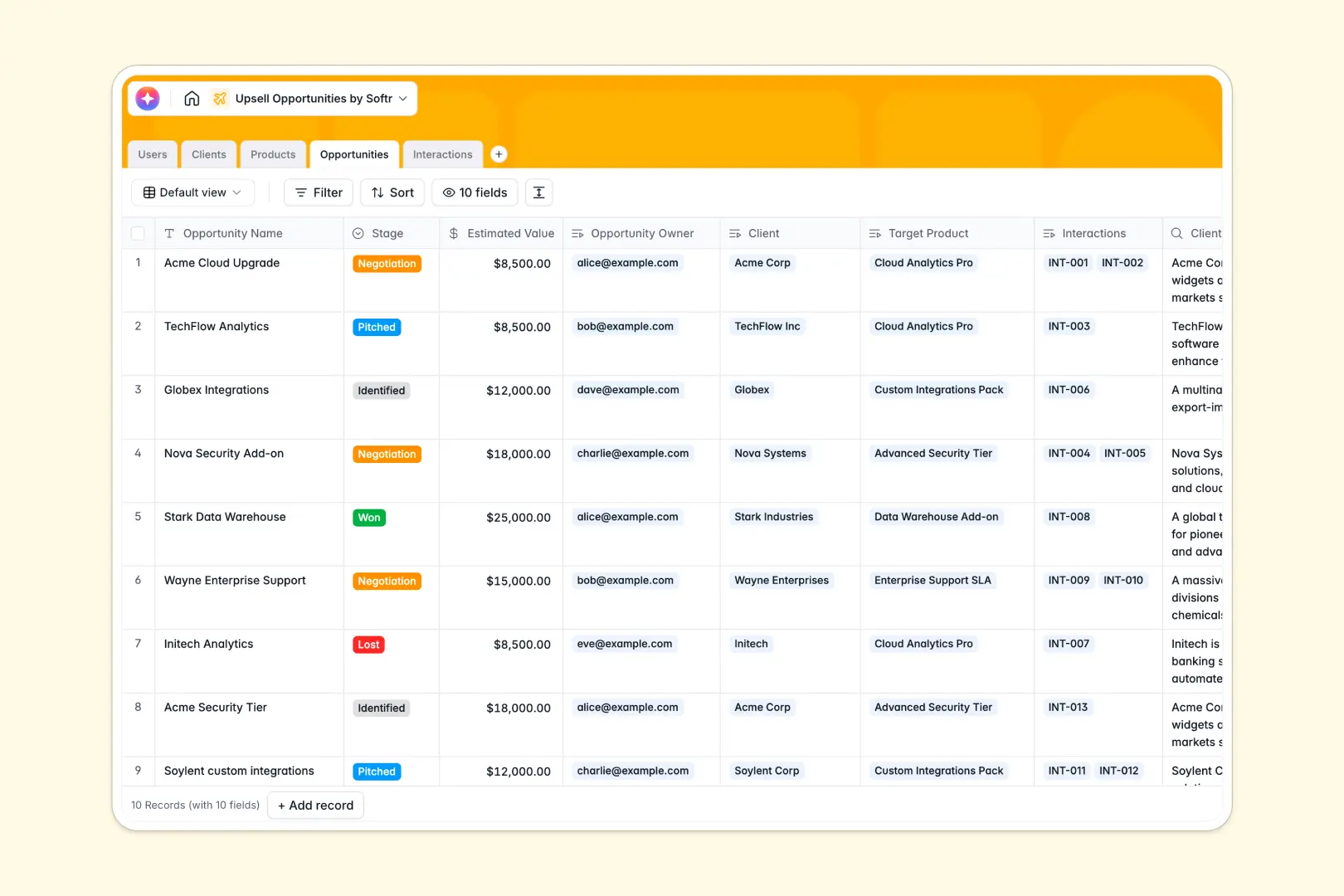
Your Upsell Opportunities database at a glance
This template gives your sales team a clear, reliable system to track account growth and manage product pitches. It moves deal information out of isolated spreadsheets into a connected workspace.
The database links your active opportunities directly to existing clients, available product tiers, and account managers. When an interaction is logged, it instantly syncs to both the relevant client and the specific deal.
Built-in AI agents take over manual research and writing tasks. The database automatically pulls company backgrounds from the web, drafts personalized outreach based on product features, and extracts action items from your meeting notes.
Why tracking upsells gets messy in Excel
Managing existing accounts in spreadsheets quickly becomes chaotic. When deals are scattered across rows, account managers lose visibility, and tracking interactions against specific opportunities breaks down.
What a structured database changes
A true database enforces strict data types so your deal stages, estimated values, and interaction dates stay perfectly uniform. Instead of relying on fragile formulas or copy-pasting data across sheets, tables communicate natively.
You can effortlessly link multiple discovery calls and follow-ups to a single client without duplicating rows. This clear, relational structure is exactly what Softr Databases are designed for.
What you can do with this template
You can capture every touchpoint, from initial discovery calls to final negotiations, with complete clarity. Account managers can instantly see which clients are ready for an enterprise upgrade or specialized services.
Thanks to integrated Database AI agents, your records enrich themselves automatically as you work. The system drafts your next pitch based on actual client context, freeing your team to focus on closing.
-
Users
Manage internal team roles, contact info, and assigned upsell accounts
-
Clients
Store customer data and use AI to research deep company background insights
-
Products
Catalog of available services and pricing tiers used for upsell offers
-
Opportunities
Track deal stages and generate AI-powered sales pitches for specific clients
-
Interactions
Log client communications and use AI to extract key tasks and action items
Who is this Upsell Opportunities database for
This system is built for revenue teams looking to maximize the value of their existing customer base.
- Account Managers: Track client health, monitor upgrade potential, and keep all historical interactions centralized.
- Sales Representatives: Manage active pitches across different product tiers and rely on automated pitch drafting.
- Sales Leaders: Gain immediate visibility into pipeline value, deal stages, and team performance across all managed accounts.
How to take it further
1. Customize the database entirely to match your internal sales process. You can instantly modify the opportunity stages, add custom fields for commission tracking, or adjust the predefined product tiers.
2. Import your existing data to get your pipeline fully operational in minutes. Upload your current client directory and product catalog via CSV or connect via API to sync smoothly with your billing platform.
3. Build a full app around it when your team needs a dedicated revenue portal. By pairing this database with a no-code interface builder, you can create custom dashboards for each distinct role.
You can configure robust users and permissions so sales reps only see their own accounts, while leadership views the full pipeline. A well-structured database makes launching these tailored apps incredibly fast.
-
1
-
2
-
3
-
4
Frequently asked questions
-
What is an upsell opportunities database?
-
Why use a no-code database to build an upsell tracking system?
-
How can AI help managing data for upsell opportunities?
-
Can I build an app with this upsell opportunities database?
-
Is this Upsell Opportunities database free?
-
How is this template different from tracking deals in Excel?
Start building today. It's free!
Build and launch your first app in under 30 minutes.