


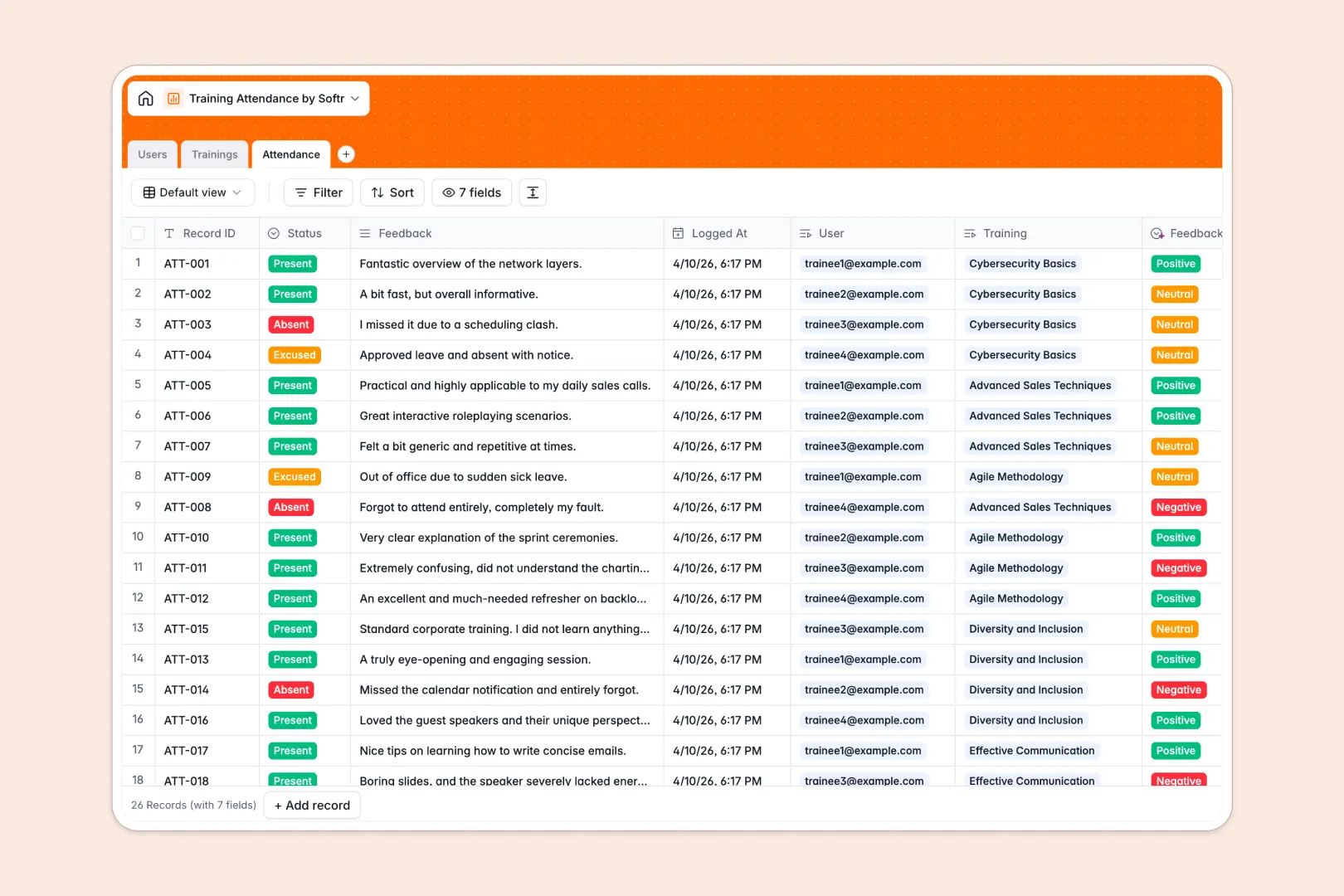
Your Training Attendance database at a glance
This template allows you to track attendees, schedule learning sessions, and gather feedback seamlessly without manual administrative work.
It works by connecting dedicated tables for Users, Trainings, and Attendance records. When a trainee logs their status, the database instantly calculates the session's total registrations through automated rollups.
Built-in AI features automatically draft training syllabuses based on session titles and instantly analyze trainee feedback sentiment.
Why training attendance gets messy in Excel
Managing hundreds of employees across multiple training sessions in spreadsheets quickly becomes a chaotic mess of duplicate rows and broken formulas.
What a structured database changes
In a relational system, you never need to copy-paste employee details into every new session row. A single "Users" table links perfectly to individual "Trainings" to create clean attendance records.
This structure ensures data integrity. Durations stay as numbers, dates stay as dates, and dropdown statuses never get overwritten by typos.
This is exactly what Softr Databases are designed for. You get clean, scalable data relationships without relying on fragile VLOOKUPs.
What you can do with this template
Instantly see who attended, missed, or was excused from every session with automated rollups counting your total registrations in real time.
Use Database AI agents to automatically categorize qualitative trainee feedback into Positive, Neutral, or Negative sentiment without manual review.
Start managing your corporate learning securely in minutes, keeping HR, Trainers, and Trainees perfectly aligned.
-
Users
Manage trainees and trainers with roles, department info and profiles
-
Trainings
Schedule sessions with AI-generated syllabuses and instructor assignments
-
Attendance
Track presence and use AI to analyze sentiment from trainee feedback
Who is this Training Attendance database for
This database is designed for teams that need to organize and measure their internal learning programs seamlessly.
- HR Managers: Track compliance and departmental training completion rates efficiently.
- Corporate Trainers: Manage session schedules, share location links, and review automated feedback sentiment.
- Department Heads: Monitor team skill development without digging through scattered files.
How to take it further
Customize the database to fit your exact workflow in seconds. You can easily add new departments, adjust attendance status options, or modify the AI prompts for generating session descriptions.
Import your existing learning data seamlessly. Upload a CSV of your employee directory or past training logs to instantly populate your tables and get right to work.
Once your data is organized, you can easily build an app to give everyone secure, tailored access. Create an employee portal where trainees log in to view their upcoming sessions or submit feedback directly.
By utilizing custom permissions, you can ensure trainers only edit their own sessions while HR gets a comprehensive overview of all company attendances.
-
1
-
2
-
3
-
4
Frequently asked questions
-
What is a training attendance database?
-
Why use a no-code database to build a training attendance system?
-
How can AI help managing data for training attendance?
-
Can I build an app with this training attendance database?
-
Is this Training Attendance database free?
-
How does this template handle different user roles?
Start building today. It's free!
Build and launch your first app in under 30 minutes.