


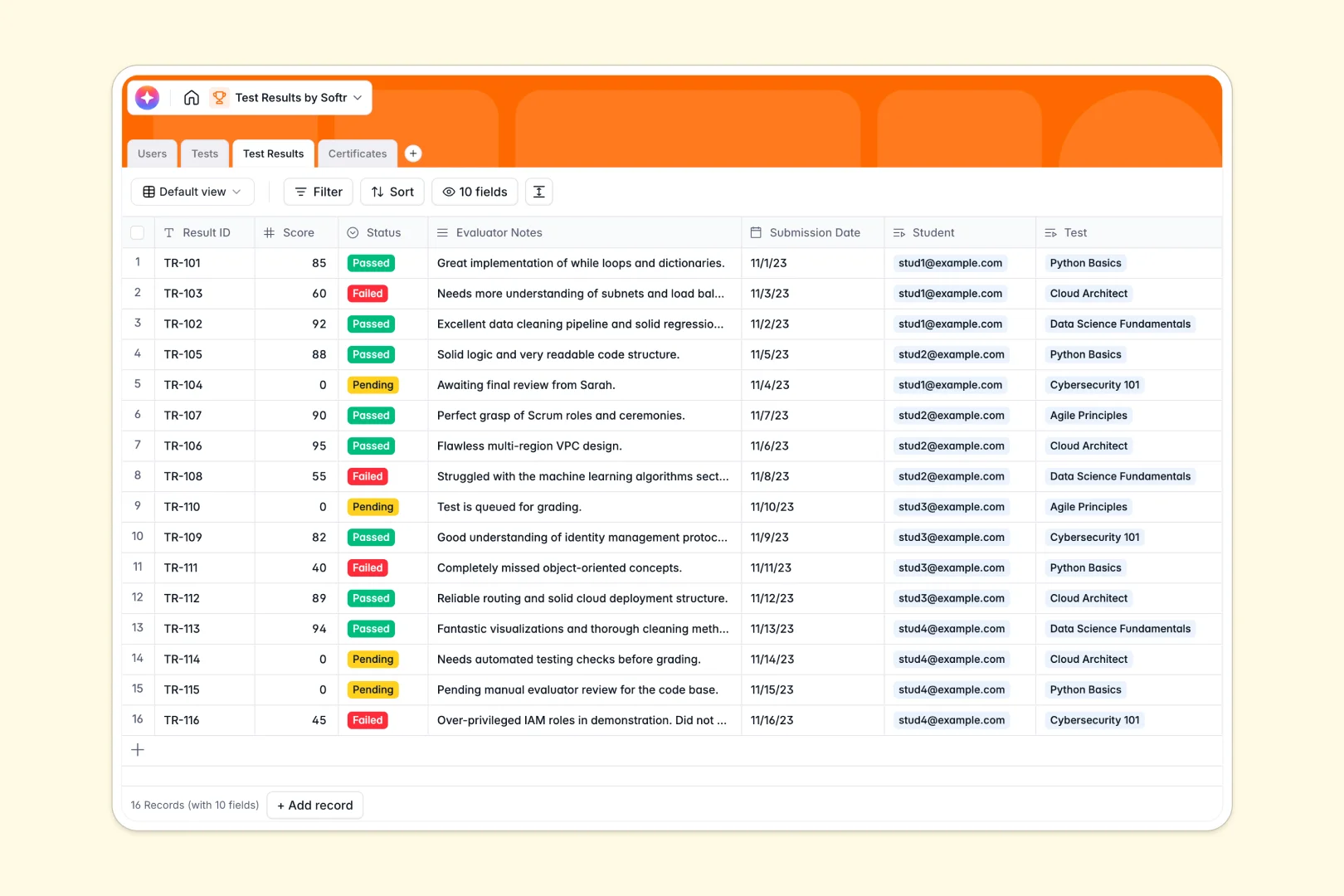
Your Test Results database at a glance
Track scores, manage evaluators, and automatically issue certificates without wrestling with messy spreadsheets.
This template connects four clean tables: Users, Tests, Test Results, and Certificates. When a student completes an assessment, their score instantly links to their dedicated profile and available credentials.
Built-in AI automatically generates personalized assessment guides for evaluators and drafts customized feedback letters for students based on their actual scores.
Why tracking test results gets messy in Excel
Managing student scores and official certificates in spreadsheets quickly becomes a nightmare of broken formulas and hidden tabs.
What a structured database changes
Spreadsheets force you to cram user details, passing criteria, and individual scores into endless, disconnected rows. This leads to duplicate records, mixed data types, and scaling issues.
A strictly structured database solves this by treating every component as its own connected object. You can directly link a student's profile to their pending tests and issued certificates without relying on fragile VLOOKUPs.
This is exactly what Softr Databases are designed for—keeping grading data clean, connected, and scalable as your training program grows.
What you can do with this template
Ditch manual grading administrative work. Native Database AI agents instantly read evaluator notes and scores to draft highly personalized feedback letters for every single student.
You can issue official certificates the exact moment a test status changes from "Pending" to "Passed," totally eliminating administrative bottlenecks.
Keep your evaluation criteria standardized across your entire team, ensuring every student is graded fairly with comprehensive AI assessment guides.
-
Users
Manage student and evaluator profiles with roles and test activity records
-
Tests
Catalog tests and use AI to generate assessment guides for evaluators
-
Test Results
Log test outcomes and generate personalized student feedback using AI
-
Certificates
Store official credentials and files issued upon successful test completion
Who is this Test Results database for
This template is built for teams delivering educational content, official certifications, or internal training.
- HR Teams: Track employee compliance training and onboarding assessments securely without losing records.
- Course Creators: Manage hundreds of student scores, feedback loops, and successful completions easily.
- School Administrators: Organize standardized test criteria and connect scores to specific student profiles instantly.
How to take it further
You can fully customize this database to fit your exact grading rubrics in minutes. Change the "Status" tags, modify evaluation criteria, or add new columns for specific curriculum requirements.
Stop starting from scratch by importing your historical grades. Use a simple CSV upload to map your old Excel scores directly into this beautifully structured format.
When your team is ready, turn this data into an interactive external portal by building interfaces on top of your tables. You can establish specific users and permissions to give students secure logins to check their own scores and download their certificates. A well-structured database inherently makes this app-building process seamless.
-
1
-
2
-
3
-
4
Frequently asked questions
-
What is a test results database?
-
Why use a no-code database to build a testing system?
-
How can AI help managing data for test results?
-
Can I build an app with this test results database?
-
Is this Test Results template free?
-
How is a test results database different from Excel?
Start building today. It's free!
Build and launch your first app in under 30 minutes.