


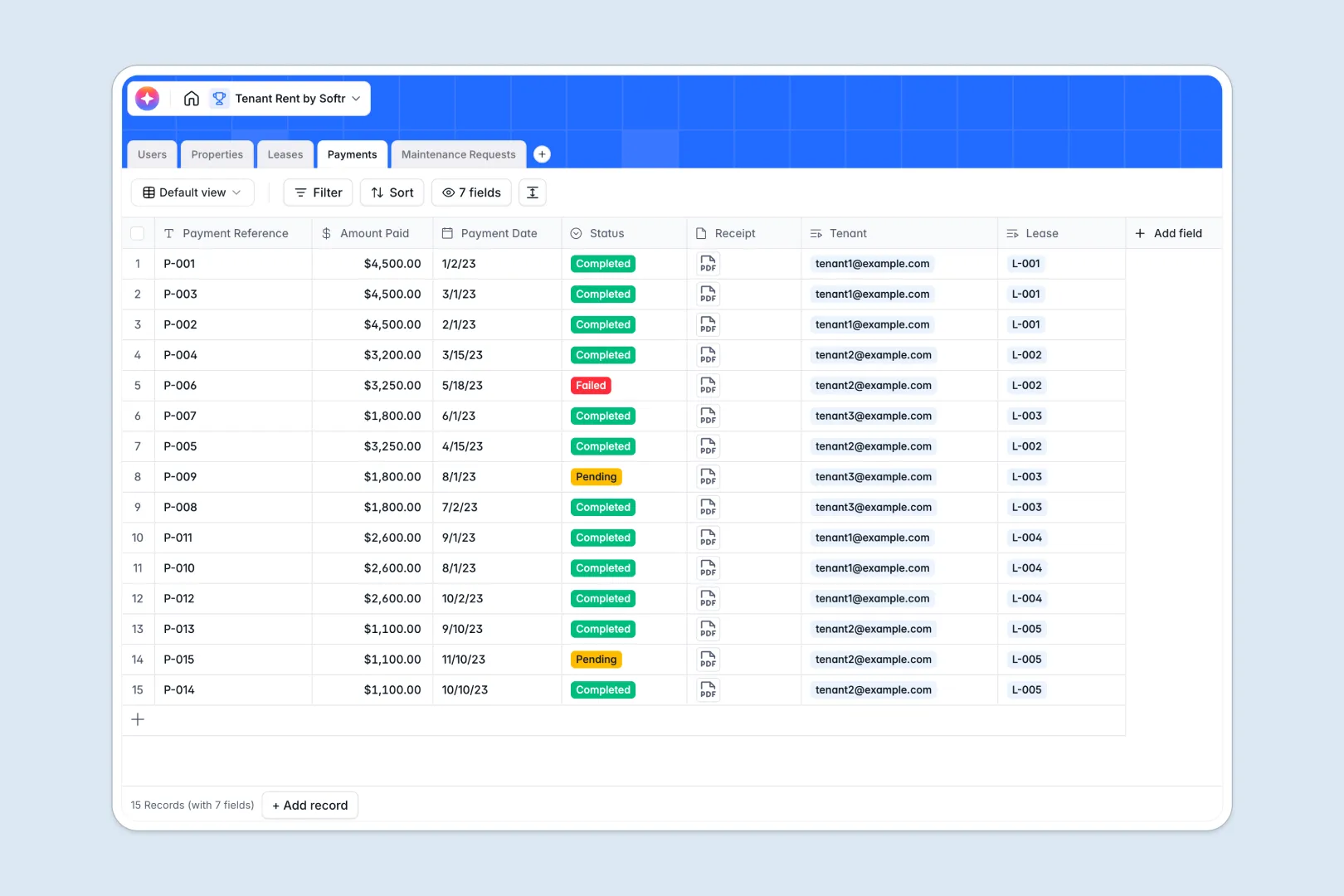
Your Tenant Rent Database at a glance
This template makes managing properties, active leases, and monthly rent collections simple. It centralizes landlords, tenants, and units in one structured place.
The system connects your tenants to their respective property leases. This allows you to log monthly rent payments and resolve incoming maintenance tickets without losing context.
It also features built-in AI support to automatically summarize complex lease terms, write property listings, and flag how urgently a tenant request needs attention.
Why tracking tenant rent in Excel gets messy
When managing multiple properties, using a tenant rent Excel sheet quickly leads to broken formatting, accidental data overrides, and disjointed information. It is difficult to keep tenant files, contract notes, and payment receipts aligned when everything lives in flat, disconnected grid cells.
What a structured database changes
A relational database keeps your property management clean by dedicating one central place to each asset. Properties link directly to active leases, and leases relate to monthly payment records automatically.
Every field enforces strict parameters, meaning payment dates stay formatted properly and monetary amounts are always tracked cleanly. This is exactly what Softr Databases are built to tackle.
What you can do with this template
Run your real estate operations efficiently by tracking rental statuses alongside maintenance logs. You can store PDF receipts directly within payment records to maintain audit trails.
Additionally, you can utilize built-in Database AI agents to generate property listing descriptions based on address features, or categorize support requests based on urgency.
-
Users
Manage profiles for landlords and tenants with contact info and roles
-
Properties
Store rental unit details and use AI to generate marketing descriptions
-
Leases
Track rental agreements with AI-generated summaries of contract terms
-
Payments
Record rent transactions with status tracking and digital receipt storage
-
Maintenance Requests
Manage issue tickets with AI-powered urgency assessment for faster repairs
Who is this Tenant Rent Database for
This database is tailored for property managers and landlords looking for a clean system without spreadsheet headaches.
- Independent Landlords: Maintain accurate digital records of active leases, track monthly rental payments, and document property details in a centralized hub.
- Property Managers: Coordinate multiple administrative roles, track rent balances across diverse portfolios, and assign maintenance tickets to specific units.
- Real Estate Agencies: Keep historical records of tenant contracts, manage owner partnerships, and store property marketing descriptions ready for reuse.
How to take it further
Customize the database to match your exact business flows. You can easily modify payment status tags, rename tables, or write custom formulas as your portfolio expands.
Import your existing data instantly to drop Excel behind. Bring in tenant lists via CSV files or automatically sync property listings directly utilizing the integrated API.
Build a full app around it when your operation is ready to scale. You can create custom interfaces so tenants can pay rent online and submit maintenance issues directly.
Using Softr, you can instantly turn this schema into a tailored tenant portal. Combine this structure with our secure interface builder and set granular users and permissions so landlords and tenants view only their respective data.
-
1
-
2
-
3
-
4
Frequently asked questions
-
What is a tenant rent database?
-
Why use a no-code database to build a tenant rent tracking system?
-
How can AI help managing data for tenant rent?
-
Can I build an app with my tenant rent database?
-
Is this Tenant Rent Database free?
-
How does this tenant rent database fix Excel's limitations?
Start building today. It's free!
Build and launch your first app in under 30 minutes.