


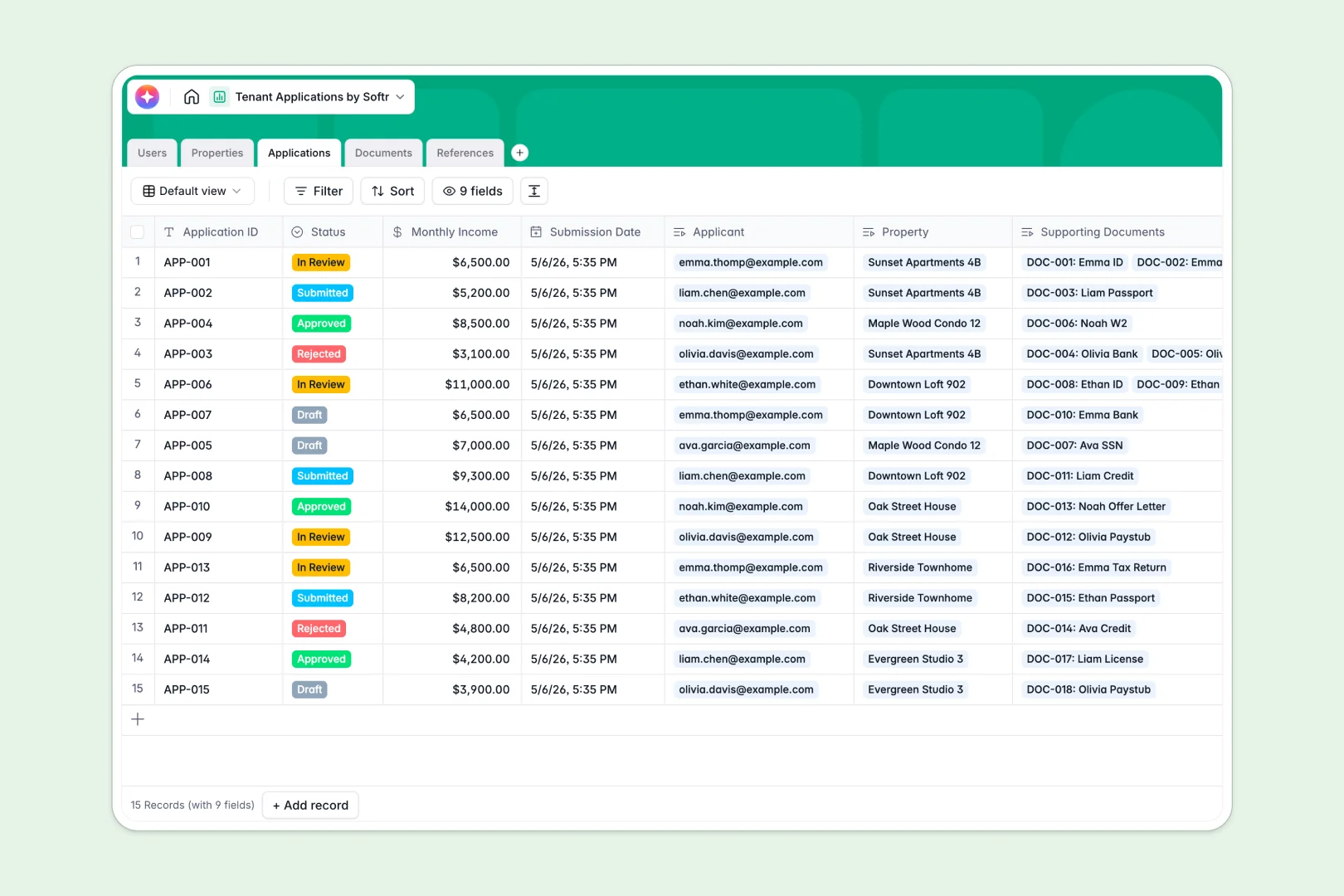
Your Tenant Applications database at a glance
This template replaces messy rental tracking with a clean, connected system. It helps you evaluate prospective tenants, organize their documents, and make faster approval decisions.
Everything is linked logically, meaning an applicant connects directly to their requested property, uploaded files, and reference checks. You never have to hunt for a missing paystub or guess which unit a tenant applied for.
Built-in AI drafts compelling property descriptions, summarizes application statuses automatically, and analyzes reference feedback sentiment. This lets your team focus on choosing the right applicants instead of manually reviewing raw data.
Why tenant applications get messy in Excel
Tracking prospective renters in a spreadsheet quickly turns into an administrative nightmare. VLOOKUPs break as you add new applicants, and you cannot safely attach sensitive government IDs or bank statements directly to a row.
What a structured database changes
A proper database keeps your rental business organized by enforcing data types and linking information logically. A property manager can click on a unit and instantly see every connected application without filtering through hundreds of rows.
Documents, applicant details, and references are treated as related, manageable records. This is exactly what Softr Databases are designed for, keeping your pipeline clean no matter how many properties you manage.
What you can do with this template
You can centralize everything from credit reports to employer references in a single, secure environment. No more searching through email threads or scattered folders to piece together an applicant's profile.
You can also leverage built-in Database AI agents to automatically summarize an applicant's financial eligibility based on their monthly income. Start grouping applications by status—from draft to approved—with zero formula errors.
-
Users
Manage property managers and rental applicants with roles and contact info
-
Properties
Track rental units and use AI to generate attractive listing descriptions
-
Applications
Evaluate tenant submissions with AI summaries of financial eligibility
-
Documents
Store and verify applicant documents like IDs and financial statements
-
References
Review applicant references with AI-driven sentiment analysis of feedback
Who is this Tenant Applications database for
This system is built for professionals managing rental properties and tenant pipelines.
- Property Managers: Track unit availability and review application pipelines seamlessly.
- Leasing Agents: Gather applicant documents and references in one unified workflow.
- Real Estate Investors: Monitor portfolio vacancies and keep accurate records of tenant approvals.
How to take it further
You can easily modify the database to match your specific rental criteria. Add new document types, adjust approval stages, or change the required monthly income fields.
Bring your existing leasing pipeline to life instantly. Upload an ongoing CSV of applicants or connect via API to sync new applications directly into your workspace.
When you need a smoother experience, upgrade this database into a secure portal using the interface builder.
You can give prospective tenants appropriate users and permissions to log in, upload missing paystubs, and check their application status safely. A well-structured database makes building this client-facing portal incredibly fast.
-
1
-
2
-
3
-
4
Frequently asked questions
-
What is a tenant applications database?
-
Why use a no-code database to build a rental application tool?
-
How can AI help manage data for tenant applications?
-
Can I build an app with this tenant applications database?
-
Is this Tenant Applications database free?
-
Why is tracking tenant applications in Excel problematic?
Start building today. It's free!
Build and launch your first app in under 30 minutes.