


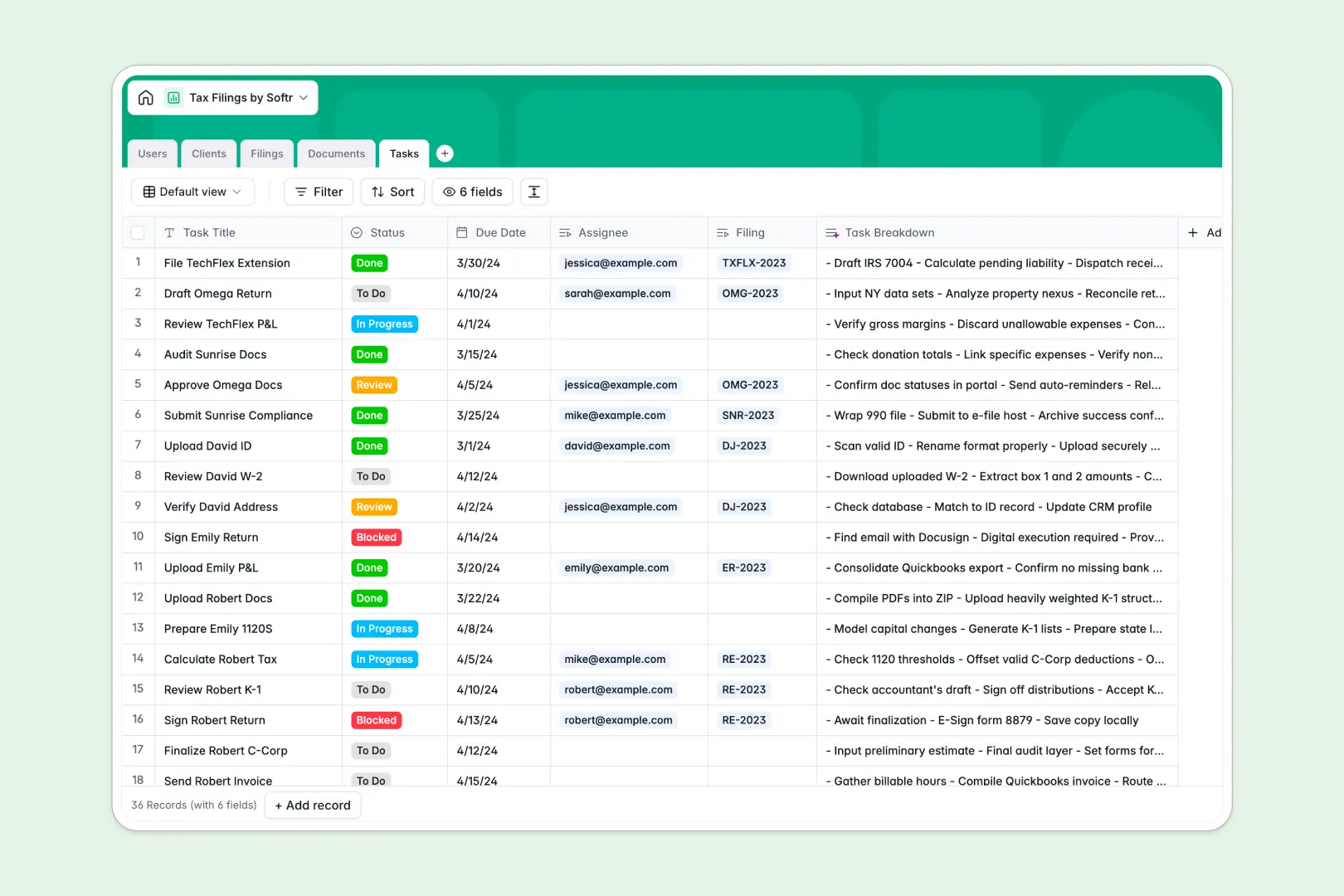
Your Tax Filings database at a glance
This pre-built template gives your accounting team a centralized system to track returns, collect documents, and manage preparation tasks. It replaces scattered folders with a clean, connected workflow that keeps every tax season highly organized.
The database connects exactly how your firm works. Clients are linked directly to their specific Filings and secure Documents, while your accountants can track their daily Tasks to ensure nothing slips through the cracks.
Built-in AI features automatically summarize client profiles and quickly generate task checklists. The system can even research and draft filing state digests pulling live data directly from the web.
Why managing tax filings gets messy in Excel
Tracking tax seasons in spreadsheets usually means digging through endless rows to find attachments or repeatedly typing out the same statuses. When a single client has multiple filings, W-2s, and P&L statements, flat rows quickly turn into a chaotic, error-prone mess.
What a structured database changes
A structured database naturally organizes information the way it exists in the real world. Every column handles a specific type of data—dates stay formatted as dates, attachments upload cleanly into specific cells, and filing statuses are strictly restricted by dropdowns.
Instead of relying on fragile formulas to connect tabs, tables link to each other natively. You can link a client's 1099 form directly to their 2024 filing without duplicating any data points. This is exactly what Softr Databases are designed for.
What you can do with this template
You can immediately start tracking client entity types, monitoring document collection, and managing preparation pipelines. Everything flows intuitively from "Pending Engagement" all the way to "Filed Successfully."
Because AI is built natively into these tables, the database self-maintains as you work. The moment you assign a new filing, it can autonomously research filing requirements and summarize them to save your team hours of manual drafting.
-
Users
Manage administrative staff and client access with role-based permissions
-
Clients
Organize tax entities and generate AI-powered client profile summaries
-
Filings
Manage annual tax projects using AI to draft internal requirement memos
-
Documents
Store tax forms and financial records with AI-generated content summaries
-
Tasks
Track preparation steps with AI-powered checklists for tax action items
Who is this Tax Filings database for
This system is designed for financial professionals who need to manage complex tax preparation workflows securely.
- Accounting firms: Track thousands of individual and corporate returns simultaneously without losing visibility on missing documents.
- Freelance CPAs: Organize client forms, 1099s, and procedural checklists in one professional, centralized system.
- Corporate tax departments: Monitor quarterly tasks, entity filing statuses, and required documentation effortlessly.
How to take it further
Because this is a native database, you can customize every field to match your firm's exact methodology. You can quickly add new tax years, adjust corporate entity types, or create custom statuses for your specific review processes.
Getting started is incredibly fast. You can import your existing client list via CSV or connect via API to bring over historical tax data in just a few clicks.
When your firm is ready, you can transform this database into a fully functioning web application. By configuring users and permissions, you can build a secure client portal where individuals can log in, upload their own W-2s, and check their return status safely without seeing your internal task lists. Having a well-structured database makes building these portals incredibly simple.
-
1
-
2
-
3
-
4
Frequently asked questions
-
What is a tax filings database?
-
Why use a no-code database to build a tax preparation tool?
-
How can AI help managing data for tax filings?
-
Can I build an app with this tax filings database?
-
Is this tax filings template free?
-
How is a tax filings database different from Excel?
Start building today. It's free!
Build and launch your first app in under 30 minutes.