


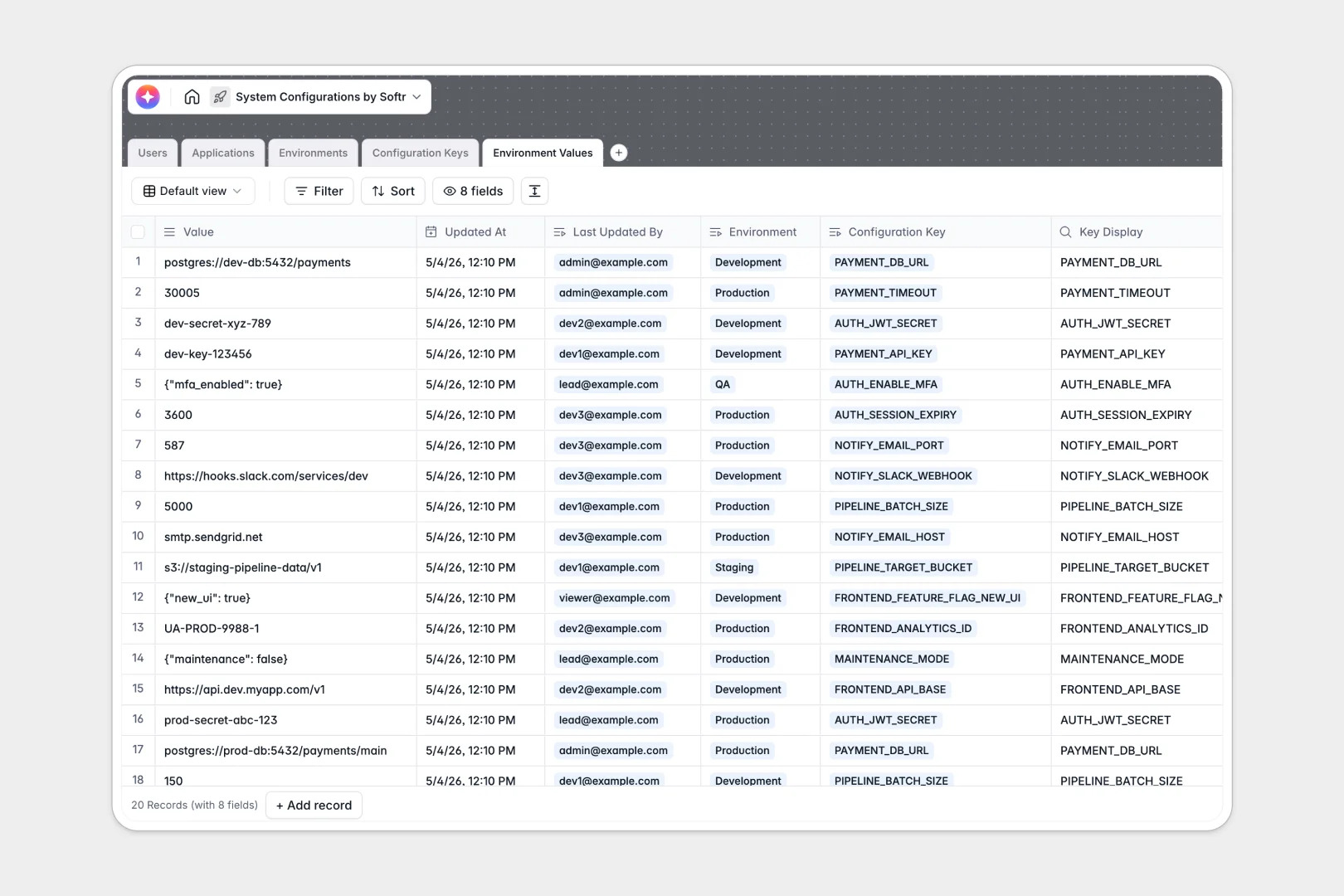
Your System Configurations Database at a glance
This template centralizes your configuration keys and environment variables, keeping sensitive values secure and deployments predictable. It replaces scattered files with a unified truth source for your engineering and ops teams.
The database connects Applications to specific Configuration Keys and their distinct Environment Values. This intentional relational logic ensures you never mix up a production secret with a staging default value.
Built-in AI fields automatically generate technical summaries for your apps and write clear, standardized descriptions for every config key as you add them.
Why system configurations get messy in Excel
Tracking environment variables in spreadsheets quickly becomes an operational hazard. Rows get overridden, secret keys risk exposure, and knowing who updated a production value is nearly impossible.
What a structured database changes
Spreadsheets don't understand the difference between an application, a key, and an environment—they just see rows. A proper database enforces structure by making sure data types stay strict and tables reference each other seamlessly.
For example, you can link a specific config key directly to a staging environment without duplicating records or relying on fragile VLOOKUPs. This relationship management is exactly what Softr Databases are specifically designed for.
You can securely track exactly who updated what and when using automatic timestamping, all while enforcing role-based structure out of the box.
What you can do with this template
Instantly map all your applications to their respective configuration requirements across Development, Staging, and Production layers.
Log updates accurately using auto-capturing fields that show exactly which admin or developer last changed a sensitive environment value.
Leverage native Database AI agents to automatically draft technical documentation for keys based on their data types and names, saving your engineers serious time.
-
Users
Manage system administrators and developers with roles and access permissions
-
Applications
Catalog software services using AI to generate technical application summaries
-
Environments
Define deployment stages like Staging or Production and their access levels
-
Configuration Keys
Define variables with AI-generated technical descriptions of their functions
-
Environment Values
Store environment-specific values for configuration keys with audit logs
Who is this System Configurations Database for
This template provides instant clarity for any team managing software deployments and infrastructure.
- DevOps Engineers: Maintain a single source of truth for CI/CD pipeline variables and deployment keys.
- System Administrators: Control and audit environment access while tracking every configuration change securely.
- Software Developers: Easily reference required application variables without digging through scattered documentation.
- Engineering Managers: Get a standardized, high-level view of all active applications and their operational requirements.
How to take it further
Customize the database
Tailor the structure in seconds by updating access levels or adding new environment types (like QA or UAT) to your select fields. Since it's a native database, changing a column type or adding an application relation takes just one click.
Import your existing data
Easily migrate your existing variables by importing a CSV file directly into your tables. You can also use the API to automatically sync live config keys from your current repositories so data stays fresh.
Build a full app around it
When your team needs strict access control, you can wrap this database into a secure internal developer portal. By building an app, you can create specific, restricted views for different team members.
Leverage advanced users and permissions to ensure software developers can only see public keys, while restricted Production variables remain visible exclusively to trusted Admins. A clean, well-structured database makes this app-building process completely frictionless.
-
1
-
2
-
3
-
4
Frequently asked questions
-
What is a system configurations database?
-
Why use a no-code database to build a system configurations tool?
-
How can AI help managing data for system configurations?
-
Can I build an app with system configurations database?
-
Is this System Configurations Database free?
-
How is a system configurations database different from Excel?
Start building today. It's free!
Build and launch your first app in under 30 minutes.