


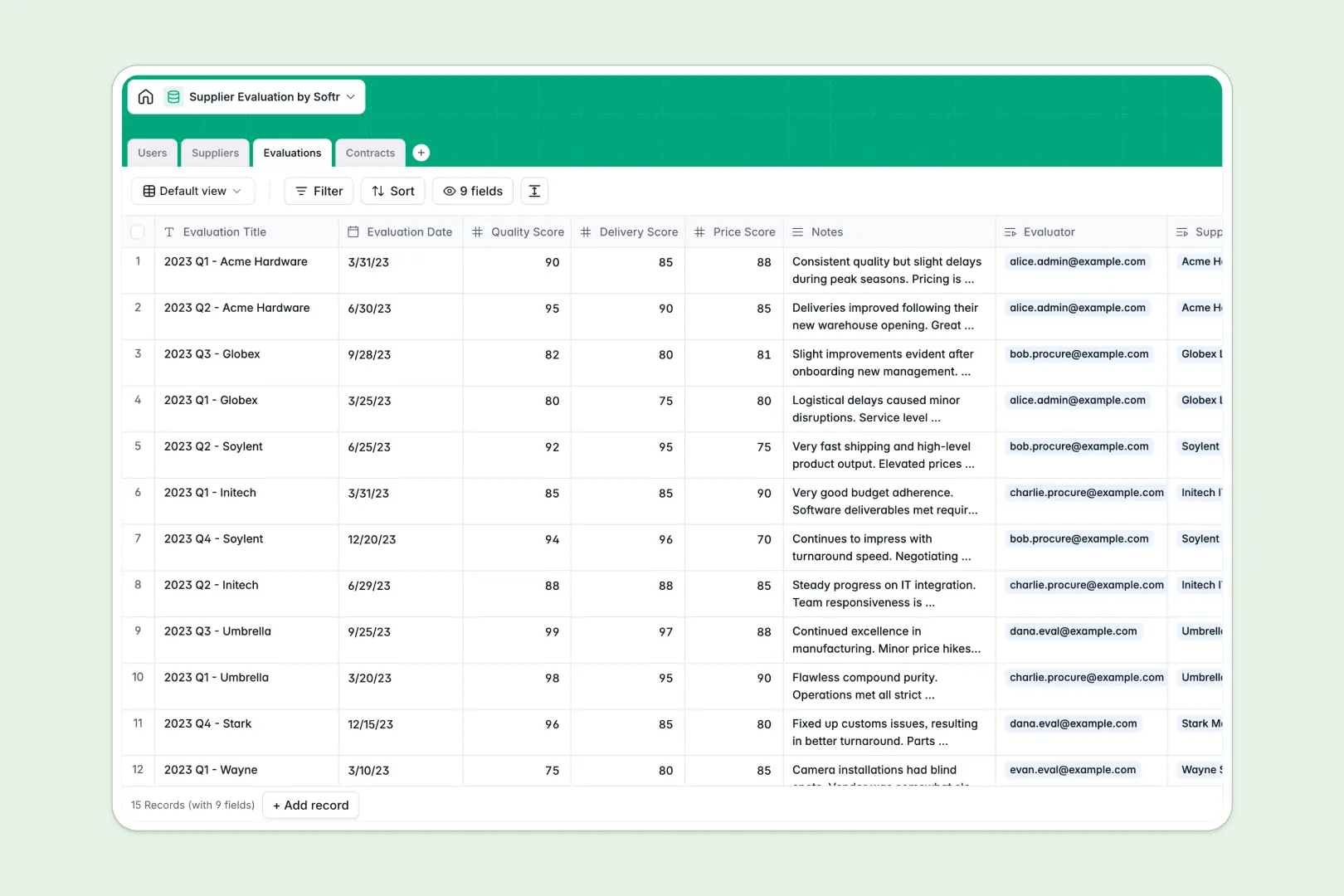
Your Supplier Evaluation database at a glance
This template tracks your vendors, standardizes performance reviews, and organizes active contracts in one unified workspace.
Manage dedicated tables for suppliers, contracts, and evaluations safely. When a procurement manager logs an assessment, it automatically links to the vendor's profile without complex and broken formulas.
Built-in AI pulls company descriptions directly from vendor websites, generates evaluation summaries based on scores, and automatically classifies contract risk levels.
Why supplier evaluation gets messy in Excel
Relying on Excel to grade vendors and track renewals quickly turns into a nightmare of scattered files, broken VLOOKUPs, and hidden data.
What a structured database changes
When you use a structured system, every piece of information has a strict format. Dates remain dates, and scores stay numbers, preventing errors from multiplying across rows.
Instead of copying and pasting details into every new contract tab, you simply link records together naturally. This is exactly what Softr Databases are designed for, keeping everything clean as you scale operations.
What you can do with this template
Instantly see which suppliers are active, under review, or disapproved in a single structured view. Log quality, delivery, and price scores effortlessly to keep your entire procurement team aligned.
Leverage native Database AI agents to pull company details automatically from vendor URLs without leaving your workflow. You can also automatically assign high or low risk categories to new contracts without manual reading.
-
Users
Manage internal procurement staff, roles, and assigned supplier evaluations
-
Suppliers
Track vendor details with AI-generated professional company descriptions
-
Evaluations
Assess vendor performance using AI-powered assessment summaries and scores
-
Contracts
Monitor legal agreements with AI-automated risk level classification
Who is this Supplier Evaluation database for
This template is designed for operations and procurement teams who need a reliable way to monitor vendor relationships and minimize risk.
- Procurement Managers: Compare vendor performance across quality, delivery, and price scores to make fast sourcing decisions.
- Operations Leads: Keep all active, expired, and terminated contracts organized in one highly visible list.
- Compliance Teams: Quickly review AI-generated risk categories to identify high-risk suppliers before renewing agreements.
How to take it further
Customize the database. Easily edit the evaluation criteria or add new contract statuses to fit your needs. Since the structure is entirely flexible, you can modify dropdown values to match your team's exact workflow.
Import your existing data. Upload your current Excel rosters directly via CSV integration. You can automatically populate your suppliers, past assessments, and active contracts in just a few minutes.
Build a full app around it. When you're ready to share this data more widely, turn it into a custom dashboard for your entire procurement department.
By setting up proper users and permissions, you can ensure evaluators only see the specific vendors they are assigned to manage. Well-structured data makes creating these internal company portals completely effortless.
-
1
-
2
-
3
-
4
Frequently asked questions
-
What is a supplier evaluation database?
-
Why use a no-code database to build a supplier evaluation tool?
-
How can AI help managing data for supplier evaluation?
-
Can I build an app with this supplier evaluation database?
-
Is this supplier evaluation template free?
-
How is a supplier evaluation database different from Excel?
Start building today. It's free!
Build and launch your first app in under 30 minutes.