


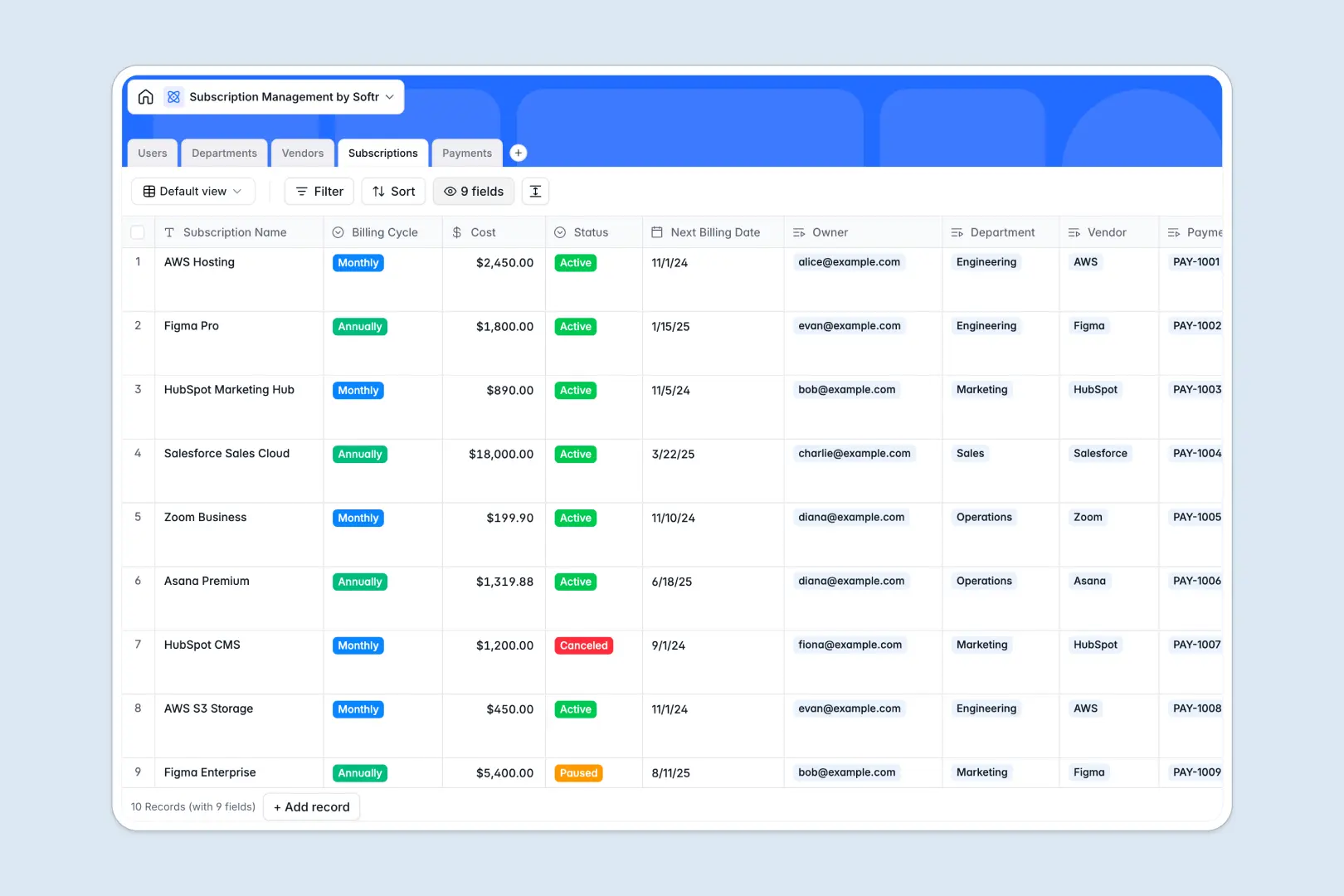
Your Subscription Management Database at a glance
This template centralizes your software stack, helping you track active subscriptions, monitor upcoming renewals, and control departmental spending in one place.
It connects your users, departments, vendors, and payments seamlessly. Rather than copying vendor details across rows, linking a subscription automatically pulls the correct billing cycles and payment history.
Because it features native AI agents, this tool actively works for you. Just enter a vendor's website, and AI will automatically research their category and write a company description.
Why subscription management gets messy in Excel
Managing software subscriptions in Excel works until your stack grows. Once you have multiple departments, variable billing cycles, and scattered invoices, spreadsheets turn into a chaotic, manual mess.
What a structured database changes
A structured database enforces clear rules for your data. Cost fields stay as currency, payment dates are locked in, and attached invoice files stay neatly organized in their correct rows.
Instead of relying on fragile VLOOKUPs to tie a payment to a vendor, databases use native relationships. You can instantly see all active subscriptions owned by the Marketing department without building complex pivot tables.
This is exactly what Softr Databases are designed for. They give you the clarity and scale of a real system without forcing you to write code or manage formulas.
What you can do with this template
Stop missing cancellation windows. You can clearly track next billing dates and see exactly which user owns which tool, making renewals totally transparent.
You can also instantly flag payment irregularities. The built-in AI automatically reviews payment statuses and amounts to summarize anomalies before they impact your budget.
-
Users
Manage employee access, roles, and ownership of software subscriptions
-
Departments
Organize business units and track their total active software budgets
-
Vendors
Store provider data with AI-generated descriptions and classifications
-
Subscriptions
Track active software plans, costs, and recurring billing cycles
-
Payments
Log transaction history with AI-powered summaries to flag irregularities
Who is this Subscription Management Database for
This system is built for business operators who need strict control over their software spend.
- IT Directors: Maintain a clear overview of all active vendors and eliminate shadow IT.
- Finance Teams: Track past payments, monitor upcoming costs, and keep invoices easily accessible.
- Department Heads: Manage budget allocations and see exactly what tools their team members are using.
How to take it further
You can easily customize this database to match your exact approval workflows. Just add a new column for required compliance checks or modify the billing cycle options.
Getting started takes minutes. Just export your current Excel tracker as a CSV and import it directly into the relevant tables to populate your data instantly.
When your team grows, you can evolve this database into a complete internal portal. By utilizing our interface builder, you can create a custom app where employees can request new SaaS tools.
You can then set specific users and permissions so department heads only see their team's subscriptions. A well-structured database makes building these secure apps completely effortless.
-
1
-
2
-
3
-
4
Frequently asked questions
-
What is a subscription management database?
-
Why use a no-code database to build a subscription tracker?
-
How can AI help managing data for subscriptions?
-
Can I build an app with this subscription management database?
-
Is this Subscription Management database free?
-
How is a subscription tracker database different from Excel?
Start building today. It's free!
Build and launch your first app in under 30 minutes.