


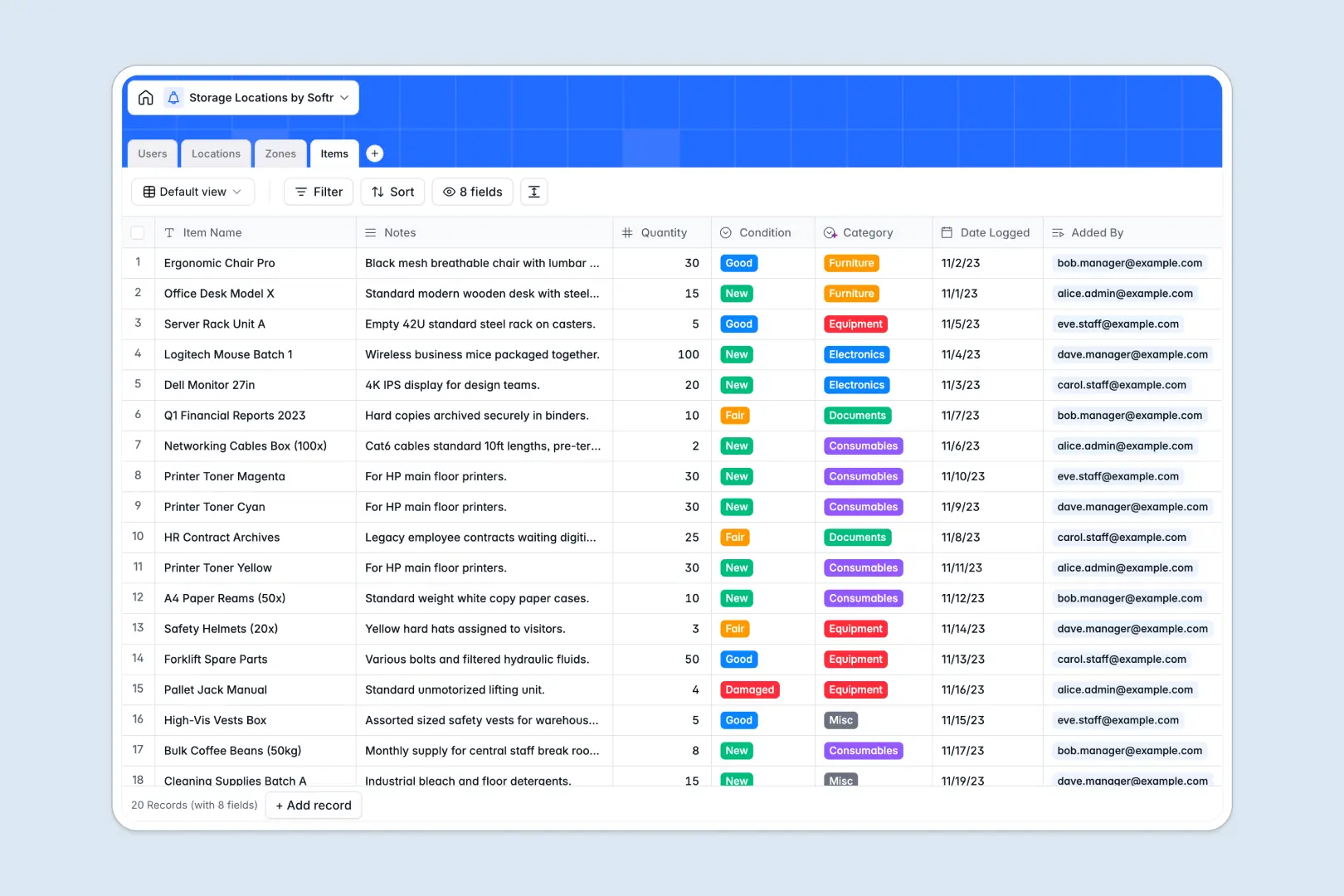
Your Storage Locations Database at a glance
This template provides a structured way to track facilities, sub-divisions, and individual assets without the chaos of disconnected files. It replaces fragmented spreadsheets with a reliable system where everything connects automatically.
It works by linking four core tables: Users, Locations, Zones, and Items. You can define specific aisles or shelves within a warehouse and accurately log exactly where every single item lives.
Plus, AI capabilities automatically categorize your logged items and generate detailed facility profiles by searching the web. Everything stays organized with significantly less manual data entry.
Why storage locations get messy in Excel
When you track inventory across multiple physical locations using spreadsheets, things break down quickly. Relying on multiple tabs for warehouses, aisles, and asset lists inevitably leads to duplicate data, broken VLOOKUPs, and outdated stock counts.
What a structured database changes
A structured database gives your inventory a strict hierarchy, so rooms, shelves, and items stay tightly connected. You do not have to copy-paste an item's location continuously across rows, because native relationships handle it for you.
This stops users from accidentally deleting vital columns or entering inconsistent location names. This is exactly what Softr Databases are designed for—creating secure, scalable records where every data type is strictly enforced.
What you can do with this template
You can immediately log new items, track their condition, and assign them to a specific bin or closet within a warehouse. Automated rollups will automatically calculate exactly how many items exist in any given zone for flawless tracking.
It also uses built-in Database AI agents to classify new items, like electronics or furniture, based entirely on their notes. It can even research and write neighborhood logistical profiles for your warehouse addresses automatically.
-
Users
Manage warehouse staff and managers with roles and access permissions
-
Locations
Track physical facilities using AI to generate logistical descriptions
-
Zones
Organize storage sub-divisions like aisles and shelves within facilities
-
Items
Manage stored assets and use AI to automatically classify item categories
Who is this Storage Locations database for
This system is built for teams that need accurate, hierarchical tracking of physical assets across multiple facilities.
- Warehouse Managers: Track exact inventory counts across aisles and rooms without hunting through messy spreadsheets.
- Operations Teams: Manage multiple facility details, staff assignments, and logistics profiles in one clean view.
- Inventory Staff: Quickly log item quantities and categorize asset conditions exactly where they belong.
How to take it further
Start by customizing the database to fit your exact operational terminology. You can quickly adjust the "Zone Type" options to match your specific bins, pallets, or shelving setups.
Next, import your existing inventory counts. You can natively bulk upload CSV files from your current spreadsheets to populate your locations and items instantly.
When your team is ready, you can transform this tracking system into a secure internal application. By leveraging the native interface builder, you can create dedicated dashboards for your warehouse managers and floor staff.
You can configure strict users and permissions to ensure staff only view or edit the inventory in their assigned facilities. A well-structured backend makes building these tailored operational portals incredibly fast.
-
1
-
2
-
3
-
4
Frequently asked questions
-
What is a storage locations database?
-
Why use a no-code database to build a storage location system?
-
How can AI help managing data for storage locations?
-
Can I build an app with this storage locations database?
-
Is this Storage Locations template free?
-
Why is tracking storage locations in Excel problematic?
Start building today. It's free!
Build and launch your first app in under 30 minutes.