


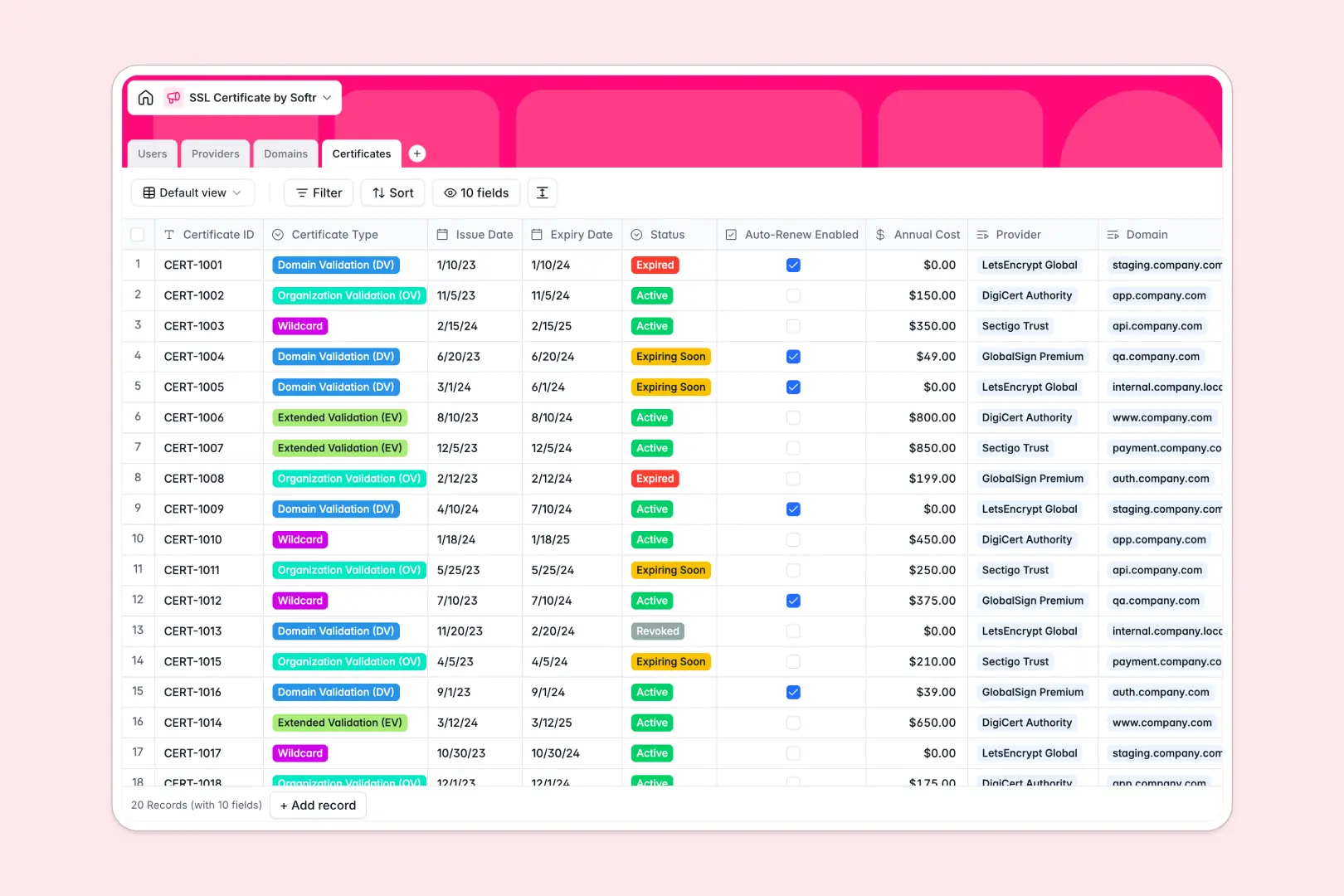
Your SSL Certificate database at a glance
This template centralizes your SSL tracking so you never miss a critical renewal or face unexpected site downtime. It gives your IT team complete visibility into certificate statuses, expiry dates, and costs in one place.
Four connected tables link your `Certificates` directly to their respective `Domains` and `Providers`. When a certificate nears expiration, you instantly know which environment it belongs to and the exact manager responsible.
Built-in intelligence automatically researches provider details and summarizes domain purposes directly from the web. It also generates a customized, step-by-step renewal action plan based on the specific certificate type and status.
Why tracking SSL dates in Excel breaks down
Spreadsheets weren't built to track time-sensitive assets across multiple server environments. When you manage certificates in Excel, expiring dates get buried in rows and scattered information leads to offline websites.
What a structured database changes
A proper database strictly enforces column types, meaning your issue and expiry dates function reliably instead of sitting as idle text. Links between tables eliminate messy VLOOKUPs entirely, keeping data clean as your infrastructure scales.
You can seamlessly connect a specific certificate to an environment—like Production or Staging—and tie it directly to the IT Manager responsible. This is exactly what Softr Databases are designed for.
What you can do with this template
Track every certificate's lifecycle from "Active" to "Expiring Soon" in one comprehensive view. You can instantly clearly see your annual costs and auto-renewal statuses rolled up by provider.
Stop writing manual procedures for routine renewals. With Database AI agents, the template automatically drafts the right renewal action plan depending on whether the certificate is DV, OV, or EV.
-
Users
Manage system administrators and staff responsible for domain health
-
Providers
Store certificate authorities using AI to generate vendor overviews
-
Domains
Monitor protected websites with AI insights for domain functionality
-
Certificates
Control SSL life cycles using AI to draft technical renewal protocols
Who is this SSL Certificate database for
This ready-to-use template helps technical and operational teams maintain complete control over domain security.
- IT Managers: Monitor expirations across production and staging environments without relying on manual checks.
- DevOps Teams: Connect specific certificates to domain managers to ensure quick action on renewals.
- System Administrators: Maintain a clean, accessible registry of Certificate Authorities and support contacts.
How to take it further
You can easily tweak this template to fit your specific infrastructure needs. Add new certificate tracking statuses or modify the environment drop-downs with just a few clicks.
Getting started is immediate, even if your current logs are scattered across different tools. Simply upload your existing Excel files via CSV to populate your domains and certificates instantly.
When your team scales, you can transform this database into a complete internal management dashboard. Use Softr's interface builder to create portals that highlight clearly expiring certificates for specific users.
By leveraging users and permissions, you can ensure IT staff only see and edit the domains they personally manage. A well-structured backend makes building these secure operational workflows incredibly simple.
-
1
-
2
-
3
-
4
Frequently asked questions
-
What is an SSL certificate tracking database?
-
Why use a no-code database to build an SSL management tool?
-
How can AI help manage data for SSL certificates?
-
Can I build an app with this SSL certificate database?
-
Is this SSL certificate database free?
-
How is this template different from an Excel spreadsheet?
Start building today. It's free!
Build and launch your first app in under 30 minutes.