


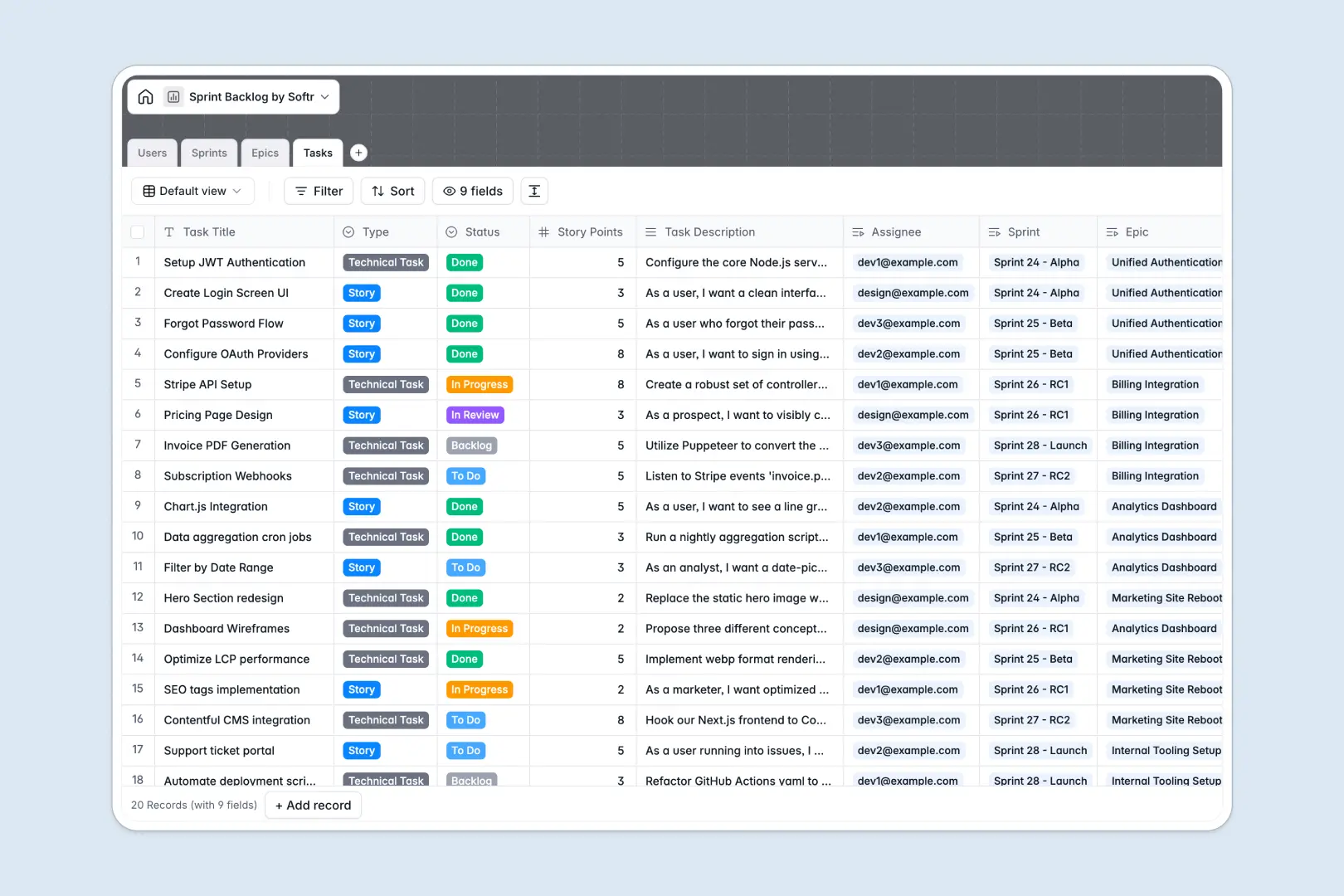
Your Sprint Backlog database at a glance
This ready-to-use template helps agile teams plan development cycles, track story points, and monitor goals in one unified space. By leaving messy spreadsheets behind, you gain total visibility into who is working on what without delays.
The database comes pre-configured with connected tables for Users, Sprints, Epics, and Tasks. You can effortlessly link individual bugs or user stories directly to active sprints and assign them to specific team members.
Native AI capabilities automatically generate detailed acceptance criteria for new tasks based on descriptions. It also writes instant executive summaries for massive epics, saving product managers hours of manual formatting.
Why sprint backlogs get messy in Excel
Tracking agile development in spreadsheets quickly turns into a nightmare of hidden rows and mixed data. When you manage backlogs in Excel, connecting related stories to overarching epics usually relies on fragile formulas that break as your team scales.
What a structured database changes
A smart system ensures that data stays organized with dedicated column types for story points, statuses, and assignees. You can link multiple technical tasks directly to a single epic without copy-pasting across isolated tabs.
This native relational structure is exactly what Softr Databases are designed for. Your team can run concurrent sprints and update records reliably, knowing the underlying data will not accidentally be overwritten.
What you can do with this template
You can group user stories, track active sprints by status, and monitor total progress through simple visual rollups. These rollups accurately count total tasks per epic without requiring complex manual calculation.
Built-in Database AI agents act as your co-pilot to summarize sprint goals and generate reporting instantly. This lets developers focus entirely on shipping features instead of writing repetitive status updates.
-
Users
Manage agile team members with roles, contact info, and assigned work
-
Sprints
Track development cycles and use AI to generate summaries of progress
-
Epics
Organize large initiatives and create AI-powered executive summaries
-
Tasks
Handle work items and use AI to draft precise acceptance criteria
Who is this Sprint Backlog database for
This agile template is built for teams ready to organize their software lifecycle clearly.
- Product Managers: Plan releases efficiently and track overall progress across multiple epics.
- Scrum Masters: Monitor team capacity, sprint goals, and active bugs without switching context.
- Developers: See exactly which tasks are assigned to them, along with clear acceptance criteria.
- Designers: Track design stories alongside engineering tasks in shared sprint iterations.
How to take it further
Start by customizing the database to match your exact agile methodology quickly. You can add new task statuses like 'In QA' or modify the role options to reflect your internal structure perfectly.
If you already have a product backlog, you can import your existing tasks instantly via a CSV upload. You can also sync live data through an API connection to keep historical sprints securely archived.
When your team scales, you can easily turn this database into a robust project management tool with an interface builder. This lets you create a dedicated portal natively to streamline specific workflows.
By configuring custom users and permissions, you can ensure admins manage epics while developers only update their task statuses. Building business software happens much faster when sitting on top of a well-structured database.
-
1
-
2
-
3
-
4
Frequently asked questions
-
What is a sprint backlog database?
-
Why use a no-code database to build a sprint backlog system?
-
How can AI help managing data for sprint backlogs?
-
Can I build an app with a sprint backlog database?
-
Is this Sprint Backlog database free?
-
How is a Sprint Backlog database different from Excel?
Start building today. It's free!
Build and launch your first app in under 30 minutes.