


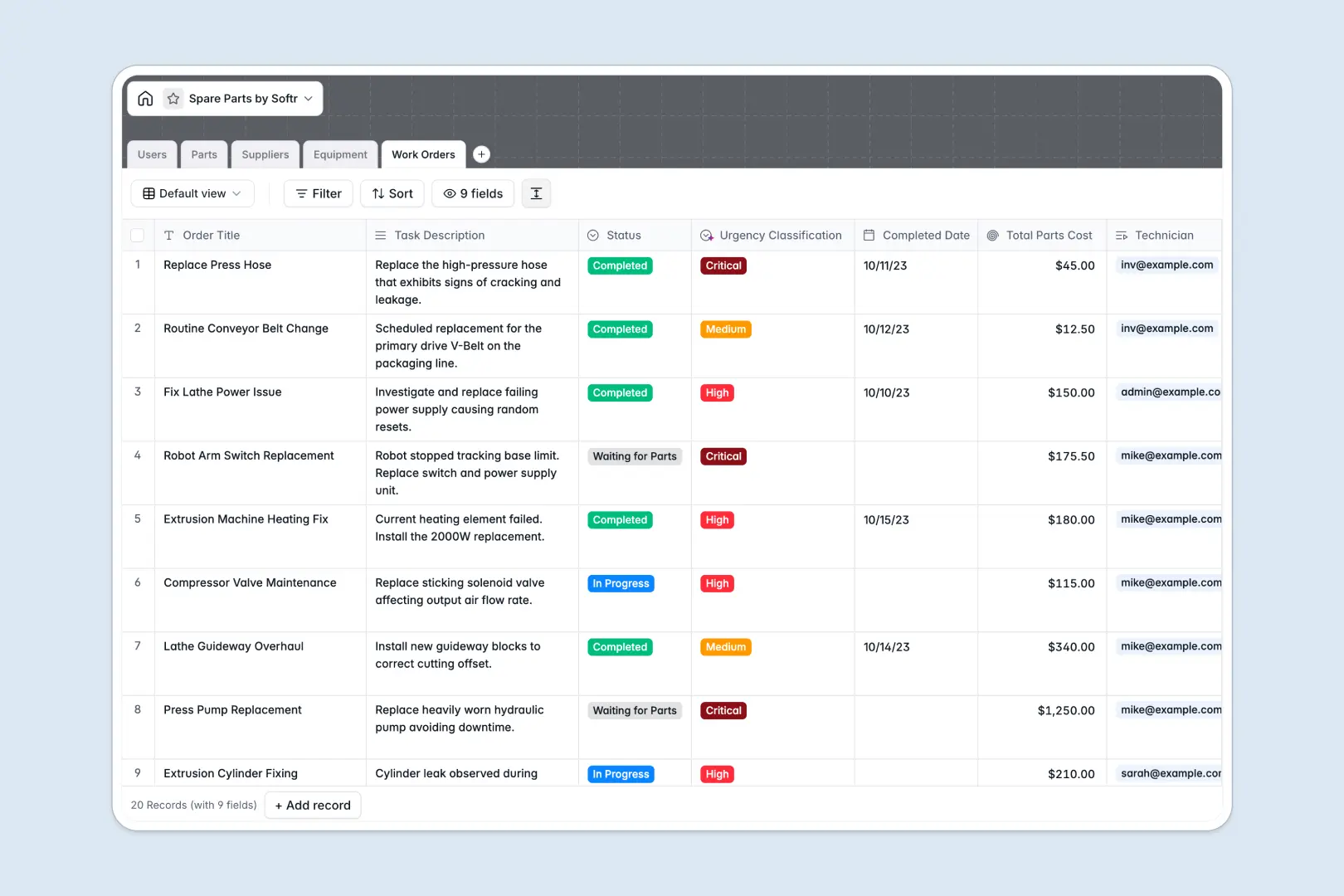
Your Spare Parts Database at a glance
This template helps you track inventory levels, organize suppliers, and log maintenance work orders all in one connected system. It gives your team immediate visibility into what parts are available and which machines they belong to.
Instead of isolated tabs, information flows naturally across tables. When a technician logs a work order, it links directly to the consumed parts and updates the equipment status instantly.
Built-in AI automatically classifies work order urgency based on task descriptions and researches supplier websites to generate company overviews. This keeps your records enriched and prioritized without manual data entry.
Why tracking spare parts gets messy in Excel
Managing a dynamic inventory across multiple Excel files usually leads to outdated stock levels and disconnected maintenance logs. It becomes nearly impossible to track which supplier provided a failing component without digging through endless rows.
What a structured database changes
A relational model fixes this by keeping every piece of data strictly categorized. You can link a single part to multiple compatible machines and work orders without fragile spreadsheets formulas breaking.
This exact structure is what Softr Databases are designed for. Every column enforces a clear data type, ensuring stock quantities stay as numbers and urgent statuses remain standardized as your operations grow.
What you can do with this template
Standardize your stock tracking from day one. You can monitor unit prices, categorize parts by type, and connect them directly to their respective vendors.
You can also automate data enrichment using Database AI agents. The system can automatically write technical part descriptions and summarize vendor profiles straight from their web addresses.
-
Users
Manage system users with roles and track assigned maintenance work orders
-
Parts
Control stock with AI-generated technical summaries based on part details
-
Suppliers
Maintain vendor data with AI-powered web-sourced company overviews
-
Equipment
Track machinery status, physical location, and compatible spare parts
-
Work Orders
Manage repairs using AI to classify task urgency from task descriptions
Who is this Spare Parts database for
This ready-to-use system is built for teams who need reliable control over their inventory and maintenance schedules.
- Inventory Managers: Monitor stock quantities and track total parts costs to avoid expensive shortages.
- Maintenance Technicians: Log consumed parts against specific work orders and equipment quickly.
- Operations Leaders: Map out equipment downtime and supplier performance to keep facilities running smoothly.
How to take it further
You can easily tweak this database to fit your exact warehouse taxonomy. Simply rename the equipment status options or add new choice labels for your specific internal part categories.
Bring your existing spreadsheets directly into the new system to get value instantly. You can bulk upload a CSV of your current stock levels or connect an API to sync your existing vendor catalogs.
When you are ready, you can transform this data into a secure desktop or mobile app using our interface builder. This lets you create a dedicated portal where mechanics log repairs directly on the facility floor.
By configuring users and permissions, you guarantee that technicians only see the specific work orders assigned to them, while administrators get the full real-time inventory overview.
-
1
-
2
-
3
-
4
Frequently asked questions
-
What is a spare parts database?
-
Why use a no-code database to build a spare parts tool?
-
How can AI help managing data for spare parts?
-
Can I build an app with this spare parts database?
-
Is this spare parts template free?
-
How is a spare parts database different from Excel?
Start building today. It's free!
Build and launch your first app in under 30 minutes.