


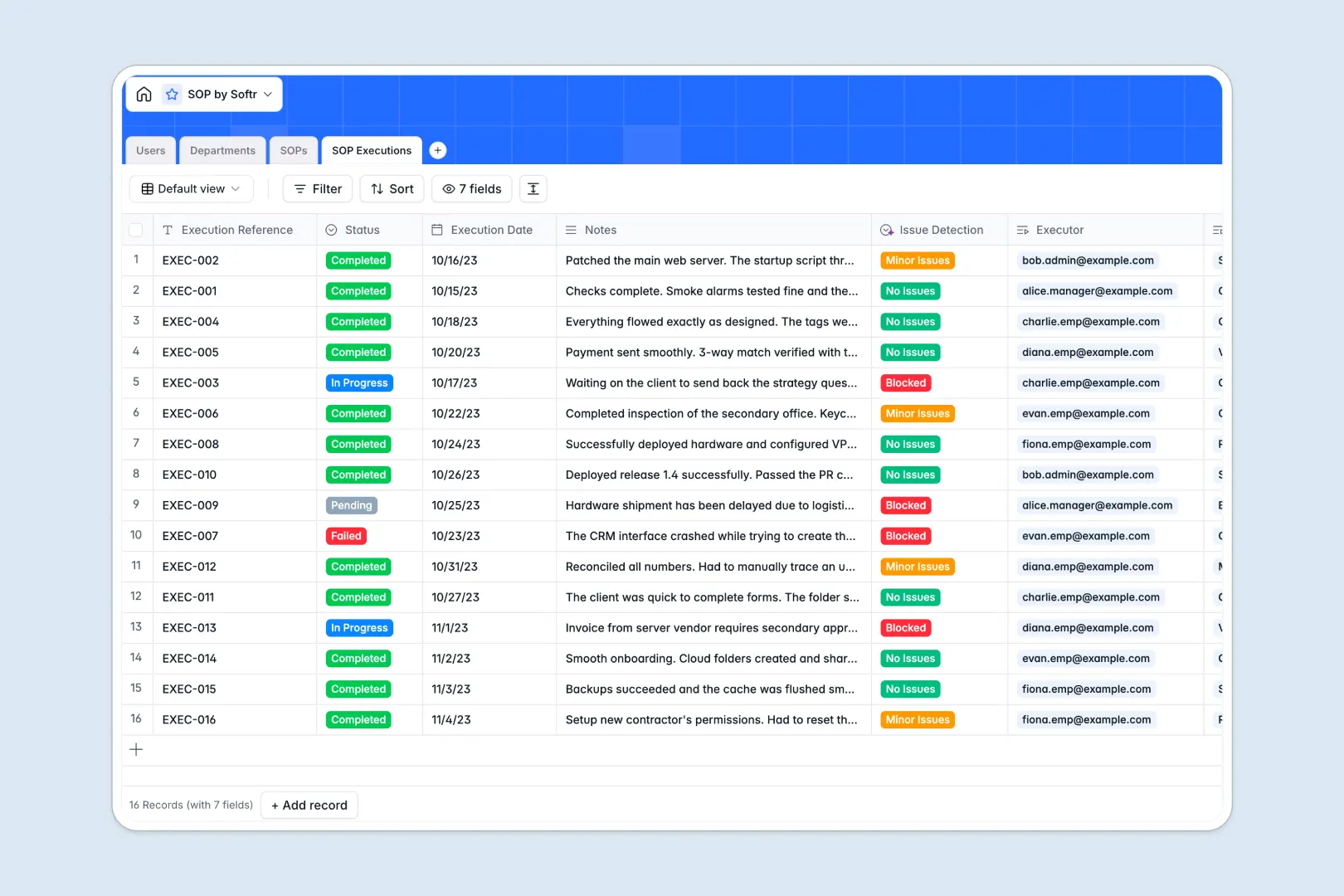
Your SOP Database at a glance
This template gives your team a centralized, easy-to-manage hub for all standard operating procedures. It eliminates the chaos of scattered documents by tracking every procedure, assignment, and execution log in one place.
The system seamlessly connects structured tables for Users, Departments, SOPs, and SOP Executions. When an employee completes a procedure, their execution log directly links back to the original SOP document and their department.
Built-in AI automatically generates concise summary bullets of lengthy SOP contents for faster reading. It also analyzes execution notes to instantly flag minor issues or blocked procedures without demanding manual review.
Why managing SOPs in Excel gets messy
Relying on spreadsheets to manage standard operating procedures quickly leads to outdated files and broken compliance tracking. When multiple users edit the same sheet, critical process details easily get overwritten, duplicated, or lost forever.
What a structured database changes
A proper database keeps your documents securely linked without relying on fragile VLOOKUPs that break when rows are added. You can connect a specific SOP directly to the department it belongs to and the exact employees assigned to execute it.
This ensures that when a procedure is updated, the changes reflect instantly across all connected logs and departments. This is exactly what Softr Databases are designed for.
What you can do with this template
You can immediately organize all your procedures by status, tracking exactly which SOPs are drafted, under review, or published. Every time a procedure is performed, the execution is securely logged with accurate timestamps and status updates.
The template also comes equipped with Database AI agents that auto-summarize long procedures into quick bullet points. The AI even scans execution notes to automatically detect and classify operational roadblocks as they happen.
-
Users
Manage system accounts, specific roles, and department assignments
-
Departments
Organize teams and people into groups to manage document access levels
-
SOPs
Store operational guides and use AI to generate concise brief summaries
-
SOP Executions
Track procedural logs and use AI to detect specific execution issues
Who is this SOP Database for
This database is perfect for teams that need to standardize their workflows and track process compliance without technical overhead.
- Operations Managers: Ensure every team member follows standardized procedures and track execution logs effortlessly.
- Department Heads: Organize department-specific SOPs and keep documentation up to date as processes evolve.
- HR & Compliance Teams: Monitor employee procedure adherence and automatically flag operational bottlenecks.
- Team Leaders: Assign specific procedures to employees and track their completion status in real time.
How to take it further
Start by customizing the database to match your specific organizational structure. You can easily add new departments, modify the target roles, or adjust the SOP status options to fit your internal review cycle.
Next, bring your existing documentation into the system effortlessly. You can import your current procedures and employee directories in bulk via CSV, giving your team immediate access to their workflows.
When you are ready to scale, you can transform this database into a fully functional internal portal using Softr's interface builder. This enables employees to log in and interact only with the specific SOPs assigned directly to them.
By configuring users and permissions, you can ensure that managers can edit documentation while employees can only read procedures and submit execution logs. Starting with a structured database makes building this custom employee portal incredibly fast and secure.
-
1
-
2
-
3
-
4
Frequently asked questions
-
What is an SOP database?
-
Why use a no-code database to build an SOP management tool?
-
How can AI help managing data for SOPs?
-
Can I build an app with this SOP database?
-
Is this SOP database template free?
-
How is an SOP database different from Excel?
Start building today. It's free!
Build and launch your first app in under 30 minutes.