


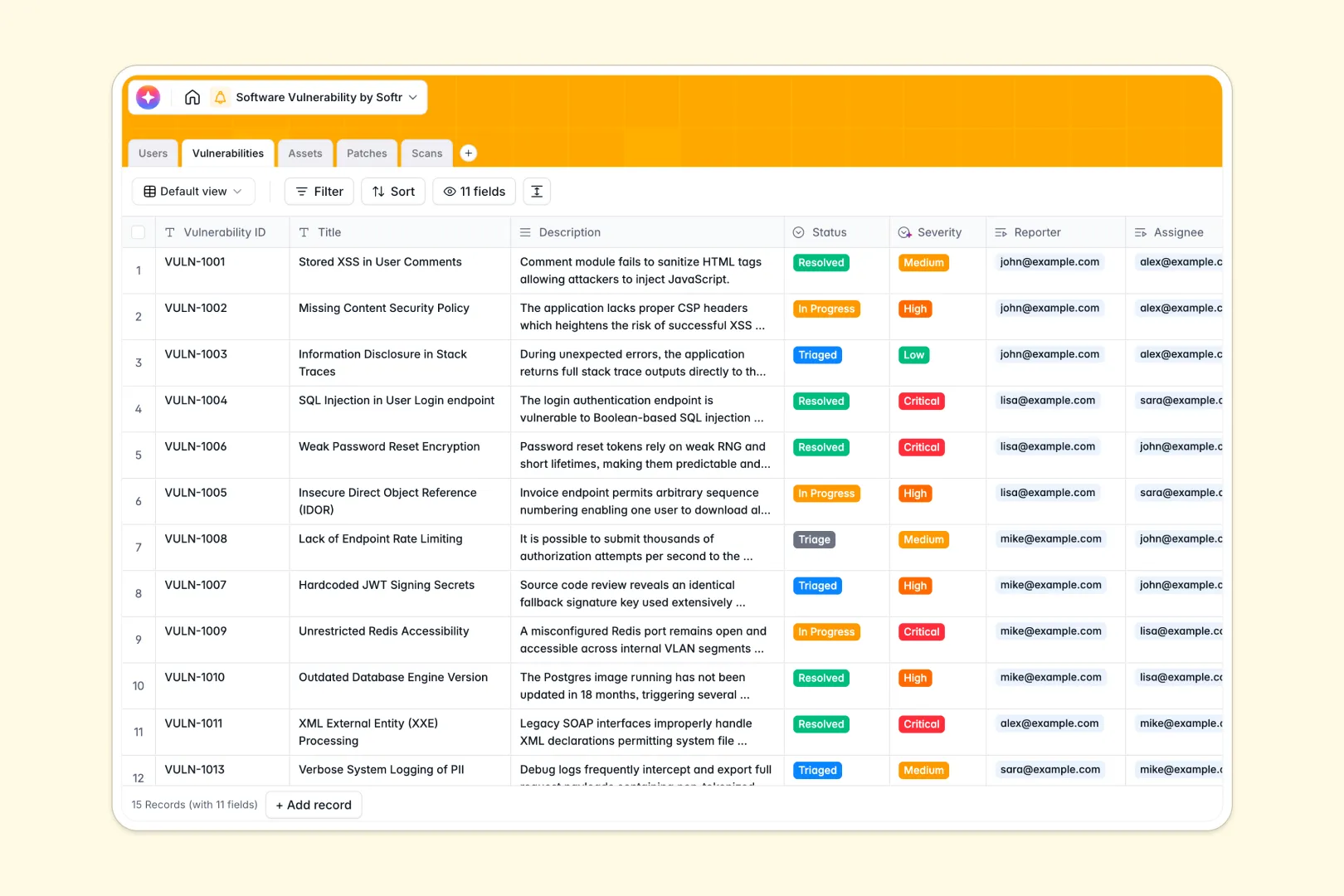
Your Software Vulnerability Database at a glance
Secure your tech stack by tracking identified bugs, mapping them to software assets, and scheduling patch deployments all in one secure space.
Manage security workflows effortlessly with pre-linked tables connecting Users, Vulnerabilities, Assets, Patches, and automated Scan logs.
Save time using built-in AI fields that automatically write vendor intelligence web-research briefs or draft customer-facing patch release notes.
Why software vulnerability gets messy in Excel
Tracking critical CVEs and system bugs in a flat Excel spreadsheet quickly turns into a disjointed, manual security risk.
What a structured database changes
Spreadsheets rely on complex formulas that break when teams update records, making it easy to miss an urgent, unpatched security risk.
A relational structure enforces column rules so vulnerability IDs, threat severity, and patch dates remain clean, organized, and error-free.
Connecting assets and scans instantly to specific vulnerabilities replaces messy copy-pasting across sheets. This is exactly what Softr Databases are designed for.
What you can do with this template
Drag-and-drop file attachments of raw security scan logs directly into your database to keep audit histories instantly accessible.
Use Database AI agents to automatically evaluate vulnerability descriptions and categorize their severity levels from low to critical.
Track patch deployment pipelines closely to ensure staging and production systems remain fully updated against active threats.
-
Users
Maintain security staff profiles, roles, and assigned vulnerability tasks
-
Vulnerabilities
Log security flaws with AI-generated summaries and severity assessments
-
Assets
Monitor systems and codebases with AI-powered vendor security intelligence
-
Patches
Track software updates and automate release notes with AI assistance
-
Scans
Record security audit results, execution dates, and tool logs for analysis
Who is this Software Vulnerability Database for
This structured system is built for teams looking to secure their applications without dealing with chaotic spreadsheet version control.
- SecOps Leaders: Monitor vulnerability statuses and oversee risk mitigation progress across the organization's entire IT infrastructure.
- IT Support & Admins: Coordinate patch deployments, map vulnerabilities to affected software assets, and organize raw scan logs safely.
- Development Teams: Access clear, prioritized lists of assigned vulnerability tickets containing detailed descriptions and urgency tags.
How to take it further
Customize your database. Adapt the fields easily to match your current tech stack. Add personalized taxonomy like custom environment stages or unique vendor names in seconds.
Import your existing security data. Instantly import historical bugs, asset lists, or active patch records directly using a quick CSV upload or secure API.
Build a full app around it. When your security operations are ready to scale, transform the database into a secure vulnerability management portal.
Softr's interface builder lets you design specialized dashboards for devs and IT leads without writing code. You can easily manage users and permissions to control who sees sensitive system data.
-
1
-
2
-
3
-
4
Frequently asked questions
-
What is a software vulnerability database?
-
Why use a no-code database to build a software vulnerability tool?
-
How can AI help managing data for software vulnerabilities?
-
Can I build an app with software vulnerability database?
-
Is this Software Vulnerability Database free?
-
How is a vulnerability database better than Excel for tracking security issues?
Start building today. It's free!
Build and launch your first app in under 30 minutes.