


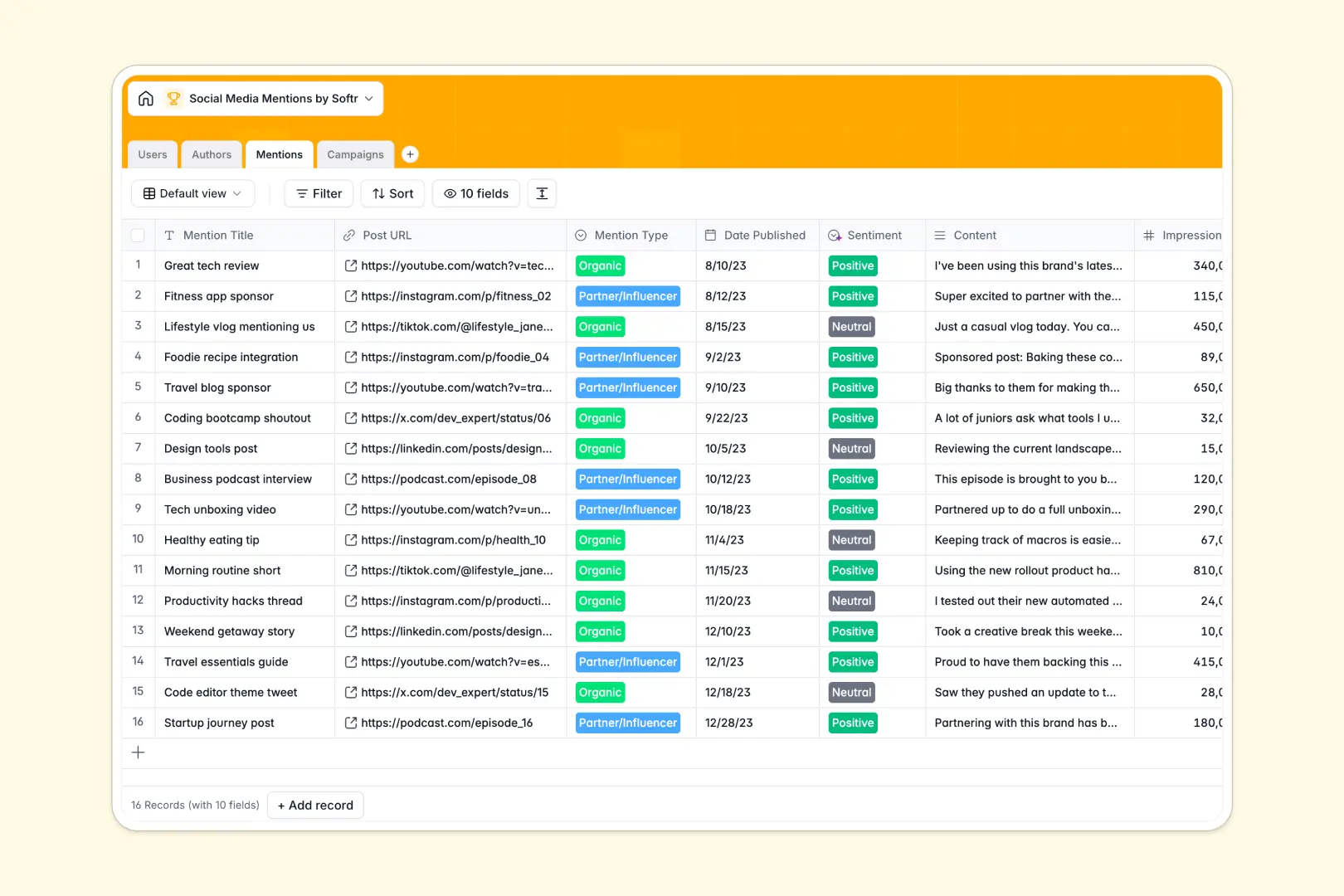
Your Social Media Mentions Database at a glance
This ready-to-use template tracks brand mentions, content creators, and overarching marketing campaigns cleanly in one place. It eliminates the manual effort of jumping between different spreadsheet tabs just to see how a specific post performed.
The database includes four connected tables that automatically link individual mentions back to specific authors and broader campaigns. This relational structure ensures every post is organized and impressions are rolled up accurately.
Integrated AI automatically scores mention sentiment, summarizes overarching campaign descriptions, and browses the web to build author bios based on their profile URLs.
Why tracking social media mentions in Excel breaks down
Managing hundreds of organic posts and influencer shoutouts in Excel quickly becomes a nightmare of endless rows and broken VLOOKUPs. When you try to match individual mentions to specific creators or track metrics across campaigns, spreadsheets constantly fail to keep your data organized.
What a structured database changes
A structured database solves this by treating your data relationally. Instead of copying and pasting an influencer's handle next to every single post, you simply link multiple mentions to a single author profile and let the system do the rest.
Native rollup fields automatically sum up total impressions across an entire campaign without relying on fragile spreadsheet formulas. This is exactly what Softr Databases are designed for—keeping your tracking clean and scalable.
What you can do with this template
Instantly see which campaigns are driving the most impressions and seamlessly track which authors mention your brand the most often.
You can also take advantage of integrated Database AI agents to automatically categorize public sentiment as positive, neutral, or negative the moment a post is logged. Frame your social listening around automated insights rather than manual data entry.
-
Users
Manage internal team members with roles, contact info and admin access
-
Authors
Catalog influencers and accounts with personal summaries generated by AI
-
Mentions
Track brand mentions across platforms using AI for sentiment analysis
-
Campaigns
Group media activity into campaigns with AI-generated executive summaries
Who is this Social Media Mentions database for
This template is an immediate starting point for teams looking to measure brand awareness and streamline their social listening efforts.
- Marketing Managers: Seamlessly track campaign performance and aggregate total impressions across all posts in real time.
- PR Professionals: Monitor brand sentiment automatically and keep a highly organized log of critical media mentions.
- Influencer Marketers: Maintain an easily searchable directory of content creators, their follower counts, and their associated posts.
How to take it further
Customize the database to match your exact tracking workflows. You can effortlessly add new platforms to your select lists, adjust user roles, or tweak the AI prompts to extract specific insights from creator bios.
Import your existing data in minutes. Just drop an Excel file or CSV map directly into the tables to bulk upload historic mentions, campaigns, and author profiles.
When your volume grows, use Softr's interface builder to turn this database into a robust custom portal. You can build a streamlined dashboard for external PR agencies or internal stakeholders to review campaign results securely.
By layering custom users and permissions over your data, you guarantee that team members only see the campaigns assigned to them. Starting with a well-structured database makes deploying these advanced tools completely frictionless.
-
1
-
2
-
3
-
4
Frequently asked questions
-
What is a social media mentions database?
-
Why use a no-code database to build a brand tracking system?
-
How can AI help managing data for social media tracking?
-
Can I build an app with this mentions database?
-
Is this Social Media Mentions database free?
-
How is this database different from tracking mentions in Excel?
Start building today. It's free!
Build and launch your first app in under 30 minutes.