


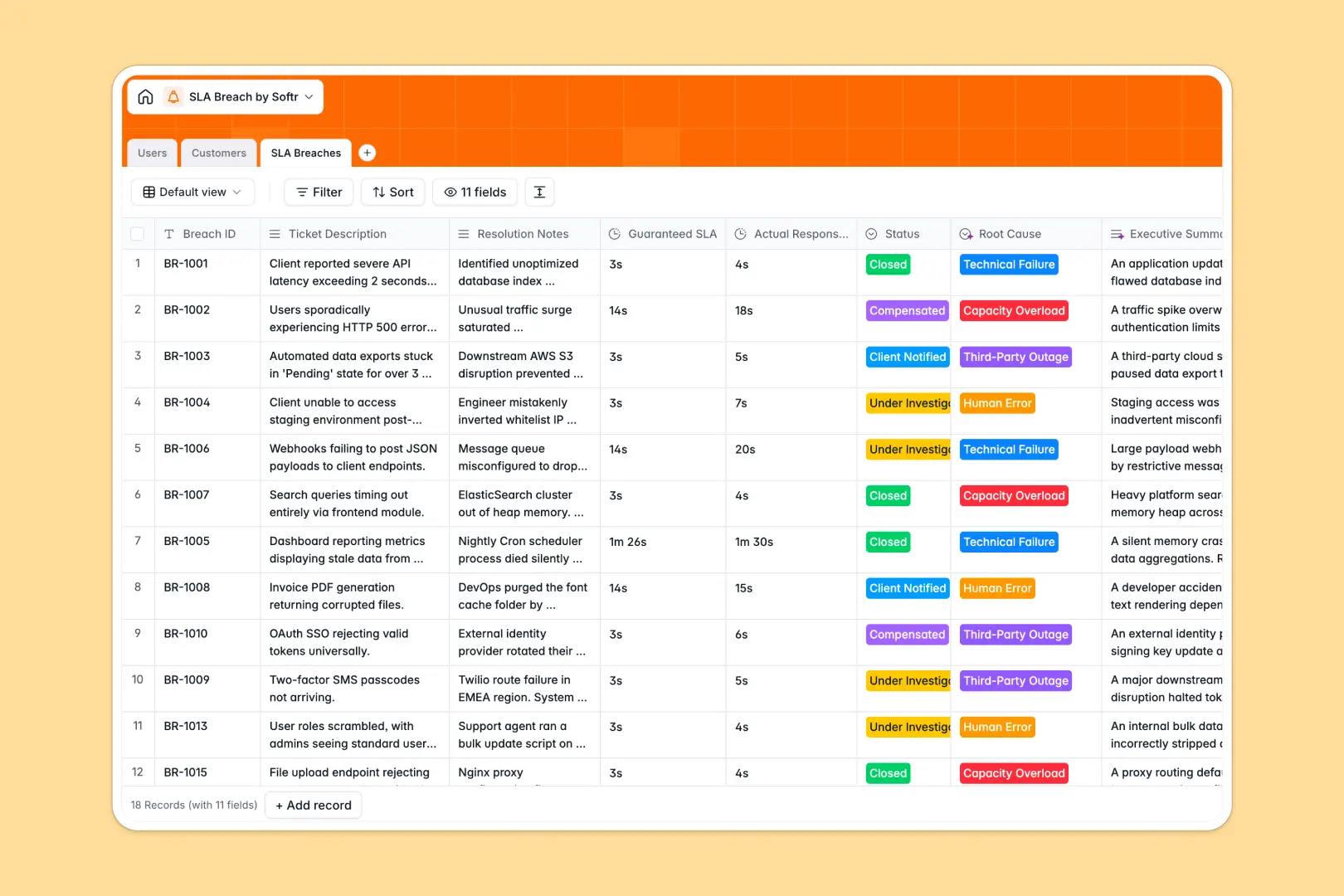
Your SLA Breach Database at a glance
This template tracks missed response time guarantees, ties them to specific customers, and logs investigation details in one place.
It connects your Customers, Users, and SLA Breaches tables seamlessly. When a breach occurs, you simply assign an investigator and link the affected client without fragile formulas.
Built-in AI automatically generates executive summaries from ticket descriptions and classifies the root cause. It even searches the web to enrich customer profiles with precise background information.
Why tracking SLA breaches gets messy in Excel
Managing Service Level Agreements in Excel quickly becomes chaotic. As breach logs grow, tracking resolution notes and tying incidents to specific customer tiers requires endless copy-pasting and complex VLOOKUPs.
What a structured database changes
A real database enforces data types, so actual response times stay accurately recorded and statuses remain consistent. Instead of duplicating customer details on every row, you simply connect records across tables.
This means you can view every breach associated with a premium client instantly. This is exactly what Softr Databases are designed for.
What you can do with this template
Log every breach with exact resolution notes, guaranteed SLA durations, and assigned investigators effortlessly.
You can automatically categorize breaches—like "Human Error" or "Technical Failure"—based on your resolution notes using native AI capabilities. You will keep your team completely aligned and resolve issues faster.
-
Users
Manage internal team members, account roles, and assigned breach investigations
-
Customers
Store client details and SLA tiers with AI-generated professional backgrounds
-
SLA Breaches
Track missed guarantees using AI to identify root causes and generate summaries
Who is this SLA Breach database for
This template is perfectly built for support teams and operations managers needing strict oversight on service guarantees.
- Support Managers: Track all ongoing investigations, assign tech support agents, and monitor resolution statuses effortlessly.
- Customer Success Leads: Monitor total breaches per client and review AI-generated company background contexts.
- Operations Directors: Analyze root causes clearly to prevent future third-party outages or capacity overloads.
How to take it further
Start by customizing the database to perfectly fit your operational needs. You can easily adjust the SLA Tier select values or modify the root cause categories without any code.
Next, import your historical breach data securely into the system. Use a fast CSV upload or connect via API to sync missed guarantees instantly.
When your team is ready, you can build a full internal portal around this initial setup. By designing a secure front-end, you can create custom dashboards for investigators to log their findings quickly.
You can also set up strict users and permissions to ensure clients only see their specific SLA records. A properly structured database makes scaling this entire workflow absolutely seamless.
-
1
-
2
-
3
-
4
Frequently asked questions
-
What is an SLA breach database?
-
Why use a no-code database to build an SLA tracking tool?
-
How can AI help managing data for SLA breaches?
-
Can I build an app with an SLA breach database?
-
Is this SLA Breach database free?
-
How is an SLA Breach database different from Excel?
Start building today. It's free!
Build and launch your first app in under 30 minutes.