


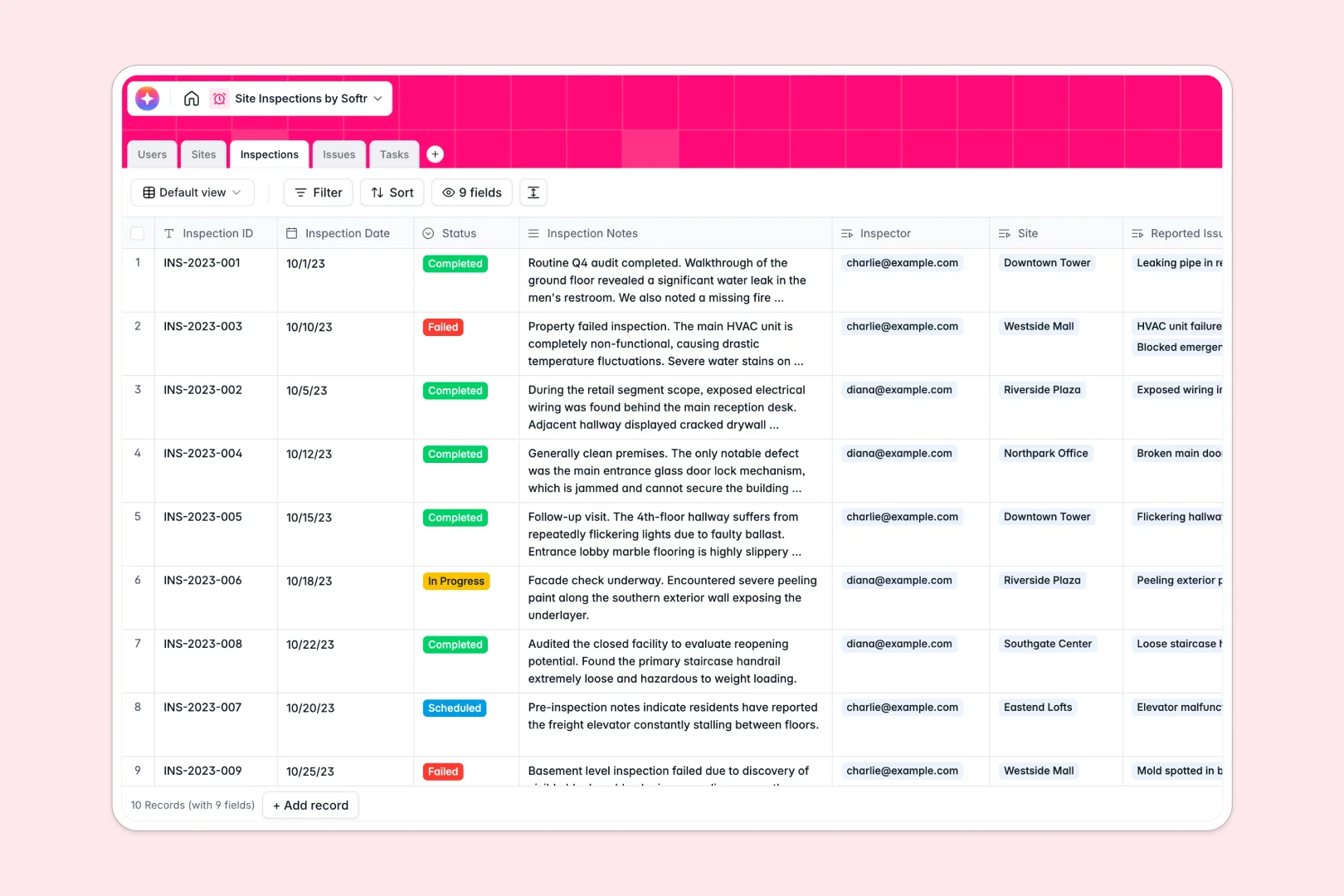
Your Site Inspections database at a glance
The Site Inspections template replaces messy trackers with a connected system for logging visits, capturing defects, and assigning tasks. Field inspectors and managers can view real-time compliance updates from anywhere.
The database links Sites directly to Inspections, Issues, and follow-up Tasks natively. If an inspector logs a new issue, they can instantly assign corrective actions without jumping between multiple sheets.
Built-in AI automatically extracts location details, summarizes lengthy inspection notes, and classifies issue severity. It even generates step-by-step task resolution instructions based on the defect reported.
Why site inspections get messy in Excel
Logging complex site visits in spreadsheets quickly leads to lost photos, buried compliance issues, and unsafe action delays.
What a structured database changes
In a real database, every piece of data stays organized and strongly formatted. You can securely store photo evidence right next to an issue description instead of pasting messy image links into cells.
Instead of fragile VLOOKUPs breaking when a row is deleted, relational tables seamlessly connect a site history to every assigned technician. This is exactly what Softr Databases are designed for.
What you can do with this template
Instantly capture inspection details and log severity levels for safety violations with a reliable, structured layout. When defects are spotted, you can trigger assigned tasks tied directly to the parent inspection record.
Using native Database AI agents, your tables can perform work for you automatically. The system can prioritize high-severity conditions and summarize confusing field notes into clear executive action steps.
-
Users
Manage personnel profiles, roles, and assignments for site monitoring
-
Sites
Track locations with AI-powered background research and status history
-
Inspections
Log site visits using AI to generate concise executive summaries of notes
-
Issues
Identify defects using AI to classify severity based on descriptions
-
Tasks
Manage remedial actions with AI-generated step-by-step resolution advice
Who is this Site Inspections database for
This functional template is perfect for teams managing field operations, audits, and facility maintenance.
- Site Managers: Track property statuses and generate executive summaries of ongoing field audits.
- Field Inspectors: Log issues, attach photo evidence, and write notes without struggling with spreadsheet formatting.
- Safety Officers: Monitor real-time hazard severity and ensure corrective tasks are completed before deadlines.
How to take it further
Modify your database in seconds by adjusting dropdown fields like inspection status or adding completely new columns for equipment handling. Because it relies on standard records, you are never locked into an unchangeable format.
Use a simple CSV upload to push your old Excel site lists and safety records into the new system natively. Your past inspections will map perfectly to your newly created fields.
When your team is ready, you can easily build an app on top of this backend data for out-in-the-field usage. It allows inspectors to log data from mobile devices without ever touching the raw database views.
By layering strong permissions, inspectors only see locations assigned to them, while administrators monitor the entire portfolio. A well-organized database makes launching these custom team portals perfectly seamless.
-
1
-
2
-
3
-
4
Frequently asked questions
-
What is a site inspections database?
-
Why use a no-code database to build a site inspection tool?
-
How can AI help managing data for site inspections?
-
Can I build an app with this site inspections database?
-
Is this Site Inspections database free?
-
Why is an Excel spreadsheet bad for site inspections?
Start building today. It's free!
Build and launch your first app in under 30 minutes.