


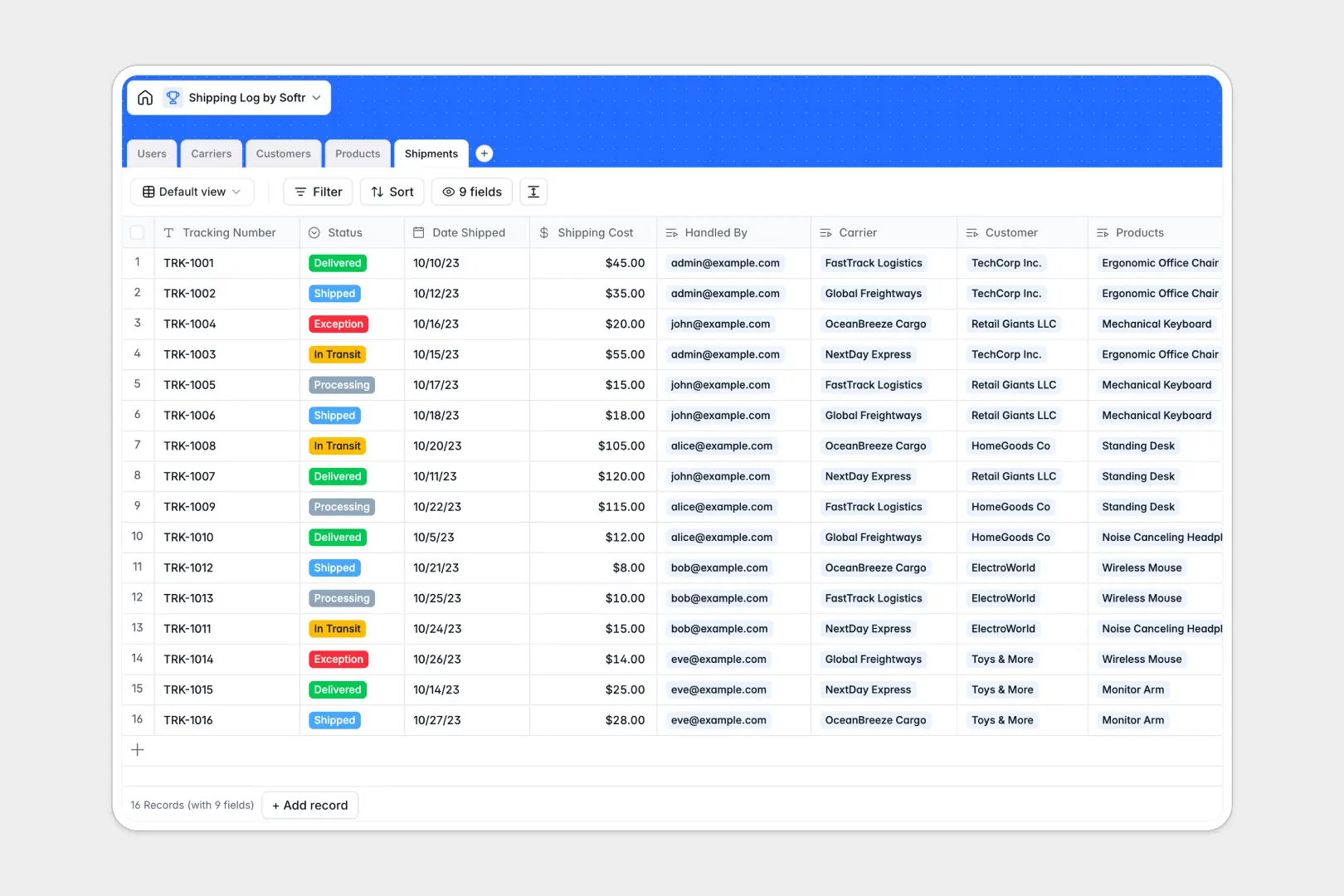
Your Shipping Log database at a glance
This template gives logistics teams, warehouse staff, and ecommerce operators an organized system to manage outgoing orders, carriers, and fulfillment milestones in real time.
It connects Shipments directly with Customers, Carriers, Products, and internal Users. Updating a tracking status or assigning a handler automatically reflects across every linked record without manual cross-referencing.
Native AI features streamline updates: generate carrier profiles from website links and draft personalized customer notification emails automatically whenever a status changes.
The carrier seat tax: why logistics workflows stall behind per-user licenses
Logistics operations require warehouse staff, dispatchers, support agents, and managers to coordinate daily. When your tracking database charges extra for every single teammate who needs edit access, team leads end up sharing accounts or bottlenecking updates through a single admin.
What changes with a database built for apps
Managing fulfillment at scale requires native relational tables combined with accessible collaboration. You need real database relations between shipments, products, and customer records, but without arbitrary seat costs or restrictive record limits as order volumes climb.
This is where Softr Databases excel: you get structured tables, rapid API throughput, and unlimited collaborators on all plans, allowing your entire warehouse and support crew to update tracking numbers and statuses freely.
What you can do with this template
Maintain full visibility over package dispatches, shipping costs, and customer destinations from day one. Rollups instantly calculate total expected shipments per customer, while status tags highlight transit delays and exceptions.
Built-in Database AI agents research carrier details and write context-aware customer notification emails instantly, saving hours of manual communication every week.
-
Users
Manage internal logistics staff, contact profiles, and assigned shipments
-
Carriers
Track courier partners with contact details and AI-generated company summaries
-
Customers
Maintain client directory with shipping addresses and package delivery history
-
Products
Catalog inventory items with SKUs and unit weights for outbound orders
-
Shipments
Log parcel deliveries with tracking statuses and automated AI notification drafts
Who is this Shipping Log database for
This database is built for businesses and operations teams that need clear visibility over outgoing freight and parcel logistics.
- Ecommerce Brands: Centralize order tracking, carrier assignments, and customer delivery updates in one hub.
- Warehouse Managers: Assign fulfillment tasks to internal handlers and track dispatched product SKUs accurately.
- Logistics Coordinators: Monitor carrier performance, shipping costs, and exception statuses across multiple transit partners.
- Customer Support Teams: Look up real-time tracking numbers and shipment history instantly to resolve customer inquiries.
How to take it further
Customize this database immediately to match your warehouse conventions. Add custom carrier options, include package dimension fields, or configure custom status stages like customs clearance.
Bring in your historical fulfillment data in minutes using direct CSV import, or connect your ecommerce platform via API to sync new dispatches automatically.
When your team expands, turn this database into a full tracking portal. Use Softr's AI app generator to generate a custom dispatch dashboard with tailored users and permissions so warehouse operators, shippers, and managers only access the operational tools they need.
-
1
-
2
-
3
-
4
Frequently asked questions
-
What is a shipping log database?
-
Why use a no-code database to build a shipping log system?
-
How can AI help managing data for shipping logs?
-
Can I build an app with this shipping log database?
-
Is this Shipping Log template free?
-
How is this Shipping Log different from an Airtable template?
Start building today. It's free!
Build and launch your first app in under 30 minutes.