


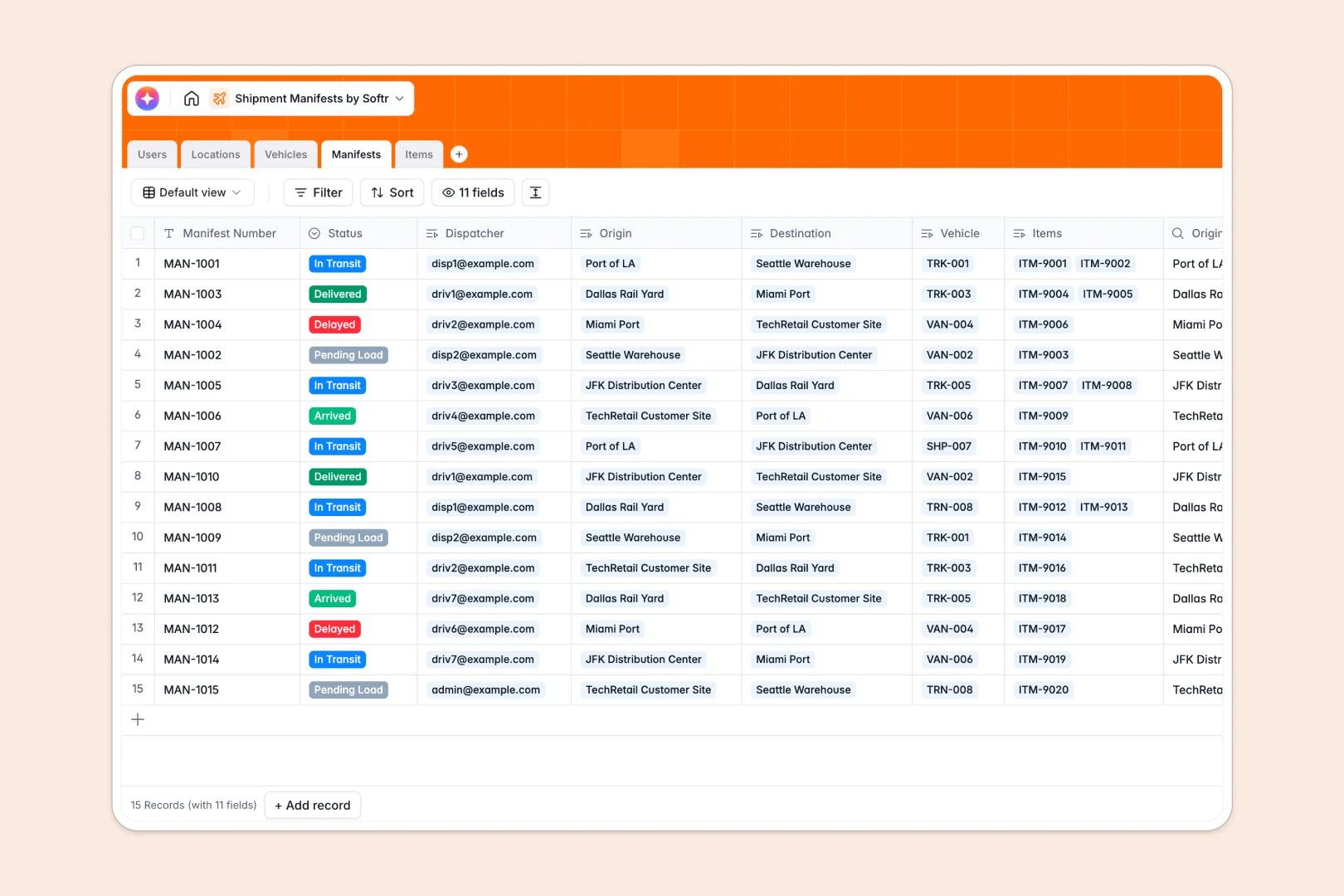
Your Shipment Manifests Database at a glance
This pre-built template gives logistics teams a centralized hub to track every route, vehicle, and cargo load in real time. It replaces fragile spreadsheets with a reliable system that keeps dispatchers and drivers perfectly aligned.
The database connects essential shipping data together logically. A central hub links specific items, delivery trucks, and destination nodes directly to manifests, creating a clear operational picture without repetitive data entry.
Built-in AI automatically drafts transit summaries based on the origin and live status of each shipment. It can also instantly evaluate incoming cargo descriptions to apply the correct logistic categories automatically.
Why tracking shipment manifests gets messy in Excel
When managing massive logistics operations in Excel, a single deleted row or broken formula can cause downstream chaos. Spreadsheets simply aren't engineered to handle interconnected data like driver rosters and multi-item freights.
What a structured database changes
Unlike spreadsheets holding mixed data types, a structured database enforces rules to keep dates perfectly formatted and weight entries purely numerical. You can link a semi-truck to a pending manifest with a single click instead of relying on fragile VLOOKUPs.
This robust approach is exactly what Softr Databases are designed for. As your daily volume scales, your records stay remarkably clean and easy to navigate for the entire team.
What you can do with this template
By combining fleet records, locations, and cargo into one unified view, you can instantly see total load weights and live transit updates. Dispatchers can adjust destination facilities without copying and pasting data across multiple tabs.
You can even deploy Database AI agents to eliminate manual data entry entirely. The system instantly evaluates text descriptions to assign the correct inventory categories and maintains an accurate log of all transit progress automatically.
-
Users
Manage logistics staff, dispatchers, and drivers with roles and contact info
-
Locations
Log geographical nodes including warehouses and ports for route mapping
-
Vehicles
Track the transport fleet, weight capacities, and assigned primary drivers
-
Manifests
Coordinate shipments with AI-generated transit logs based on route data
-
Items
Catalog individual cargo parcels using AI to auto-classify item categories
Who is this Shipment Manifests database for
This template is built for operations teams needing centralized control over their ongoing shipments.
- Dispatchers: Assign fleet vehicles and monitor transit statuses without chasing down drivers for updates.
- Logistics Managers: Track total shipment weights and distribution center utilization to optimize mapping decisions.
- Warehouse Operators: View pending dock arrivals and cargo requirements intuitively to prepare offloading space.
- Fleet Coordinators: Maintain a visible record of semi-truck availability, driver pairings, and maximum capacities.
How to take it further
Make this database your own by customizing the status dropdowns or adding new facility types to match your physical network. Because it acts as a native database system, modifying cargo categories or renaming priority fields takes only seconds.
You do not have to start from scratch to see immediate results. Use bulk CSV imports or API connections to load your existing fleet roster and pending freight directly into the tables.
When your team is ready, easily transition this database into a complete internal logistics portal. Using a simple drag-and-drop interface builder, you can securely build customized dashboard views for drivers out on the road.
By enabling granular access control, you guarantee drivers only see their assigned routes while administrators maintain full oversight. Starting from a well-structured foundation makes launching this kind of operational software completely effortless.
-
1
-
2
-
3
-
4
Frequently asked questions
-
What is a shipment tracking database?
-
Why use a no-code database to build a logistics system?
-
How can AI help managing data for shipment tracking?
-
Can I build an app with this logistics database?
-
Is this shipment manifests template free?
-
How is a shipment database different from Excel?
Start building today. It's free!
Build and launch your first app in under 30 minutes.