


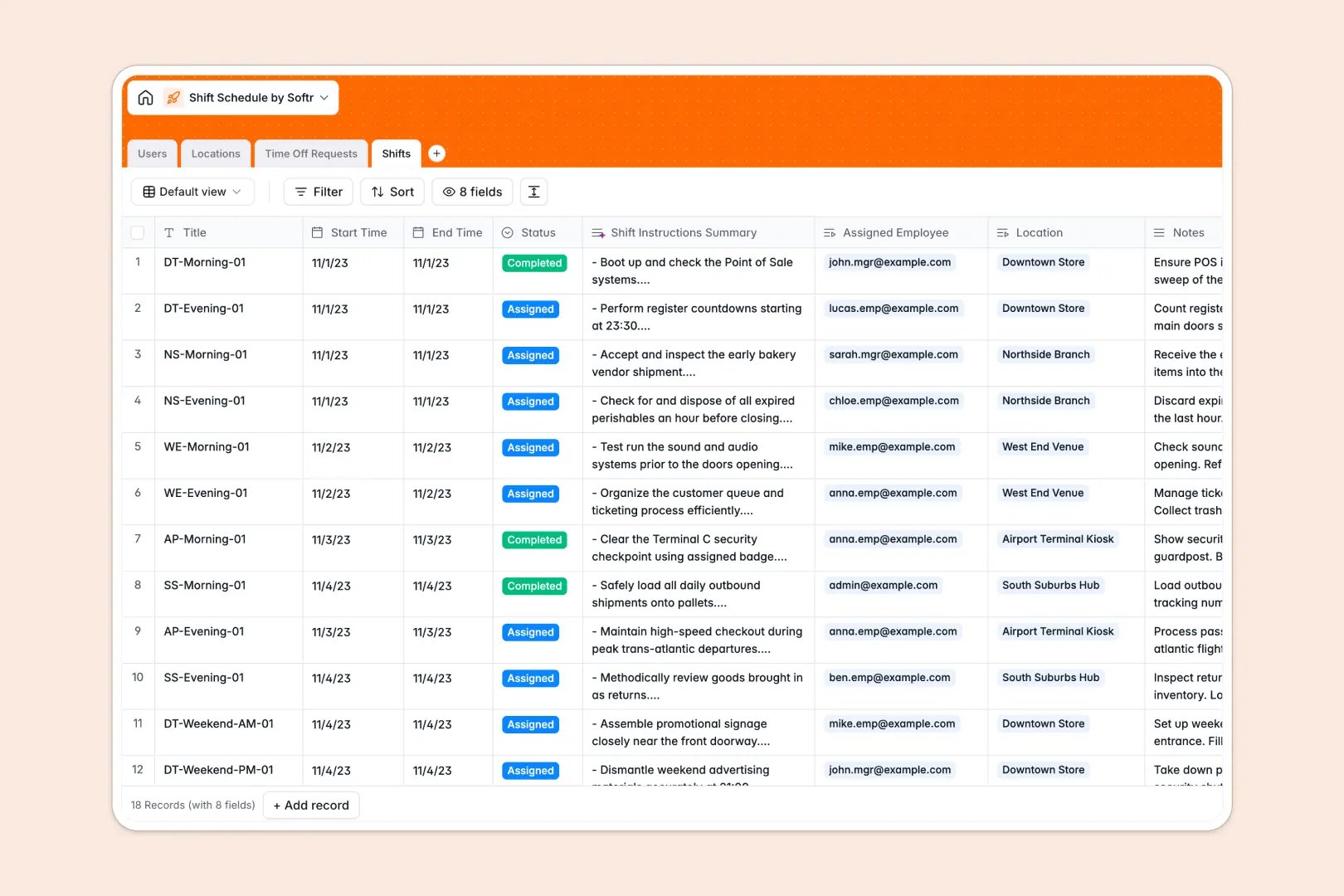
Your Shift Schedule Database at a glance
This shift scheduling template gives you a central place to manage staff assignments, location schedules, and employee availability. Instead of juggling loose files, you can match employees to open shifts instantly while keeping a clear view of their total hours.
The template connects four straightforward tables: Users, Locations, Shifts, and Time Off Requests. When you assign an employee to a shift, their total shift assignment count updates automatically across the system.
It also includes built-in AI to handle manual administrative work for you. The database automatically categorizes time off requests based on the reason provided, and summarizes detailed instructions directly from the manager's shift notes.
Why managing shift schedules in Excel gets messy
Scheduling shifts in Excel might start out fine, but it quickly turns chaotic as your roster grows. Rows get accidentally deleted, manual formulas break, and managers waste hours cross-checking staff availability against requested time off.
What a structured database changes
In a structured system, columns enforce strict rules so dates stay formatted as dates and staff roles are locked to specific options. You can link a given shift directly to a location and an employee without writing complex, fragile VLOOKUPs.
This framework keeps your scheduling data clean, properly linked, and highly scalable. This is exactly what Softr Databases are designed for, giving your team a single source of truth that never breaks.
What you can do with this template
You can map employees to specific location managers and instantly view the total number of open shifts per site. All staff time off requests are tracked in a dedicated table with precise approval statuses.
You also get built-in Database AI agents that read employee time off reasons and classify them as sick leave, vacation, or personal time automatically. Your team gets a ready-to-use foundation that makes schedule conflicts a thing of the past.
-
Users
Manage employee profiles, access roles, and track assigned work shifts
-
Locations
Organize physical venues or departments where staff shifts are hosted
-
Time Off Requests
Process leave requests using AI to categorize reasons automatically
-
Shifts
Coordinate work blocks with AI-generated task summaries and instructions
Who is this Shift Schedule Database for
This template is built for teams that need to organize coverage, track attendance, and manage staff operations smoothly.
- Store Managers: Assign weekly shifts across multiple retail locations and monitor coverage gaps instantly.
- Operations Leads: Track staff availability and approve or deny time off requests in one unified dashboard.
- HR Administrators: Keep clean, dependable records of employee roles, shift histories, and categorized leave types.
How to take it further
Customize the database: You can easily adapt this template to fit your exact operational needs out of the box. Modify the given shift status options or add new venue locations with just a few clicks.
Import your existing data: Seamlessly import your current roster and past schedules via CSV bulk upload. You can also connect via API to sync your staff list directly from your existing human resources software.
Build a full app around it: When you're ready, you can transform this database into an interactive portal for your team using Softr's interface builder. Employees can securely log in from their phones to view their upcoming shifts, check location details, and submit new time off requests.
By configuring users and permissions, you ensure staff only see their own schedules while managers get full control over their assigned locations. Starting with a perfectly structured database makes creating this kind of operational employee app incredibly fast.
-
1
-
2
-
3
-
4
Frequently asked questions
-
What is a shift schedule database?
-
Why use a no-code database to build a scheduling system?
-
How can AI help managing data for shift schedules?
-
Can I build an app with this scheduling database?
-
Is this Shift Schedule Database free?
-
How is this scheduling database different from Excel?
Start building today. It's free!
Build and launch your first app in under 30 minutes.